
Add a New Module
TIP:
You can use the new module method when the project is
offline or online.
To use the New Module method, complete these steps.
- In the I/O Configuration tree, right-click the IO-Link bus and select New Module.
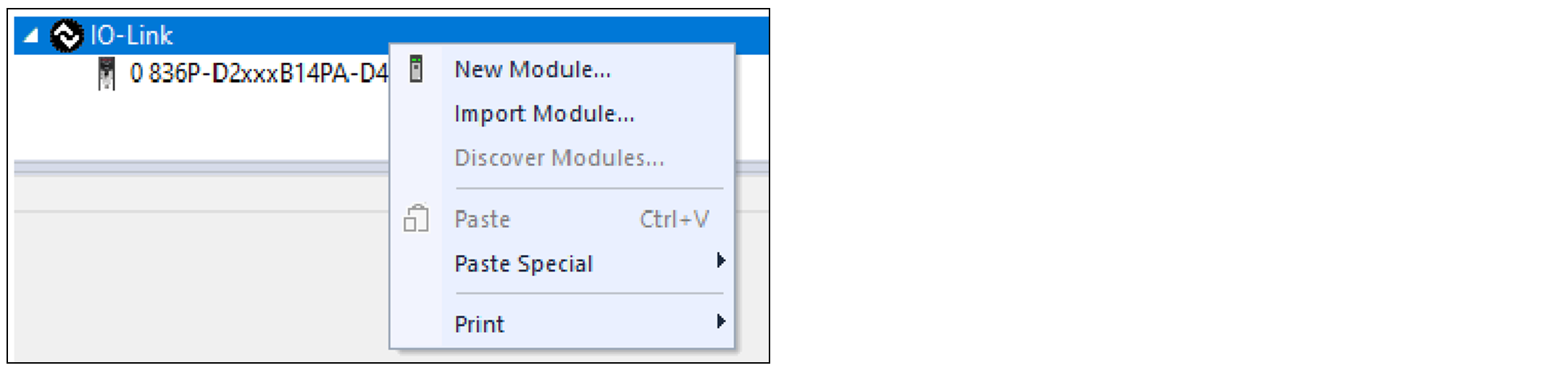 The Select Module Type dialog appears.
 - Select the device and select Create.To narrow down the list of devices, use the filters or search with keywords.
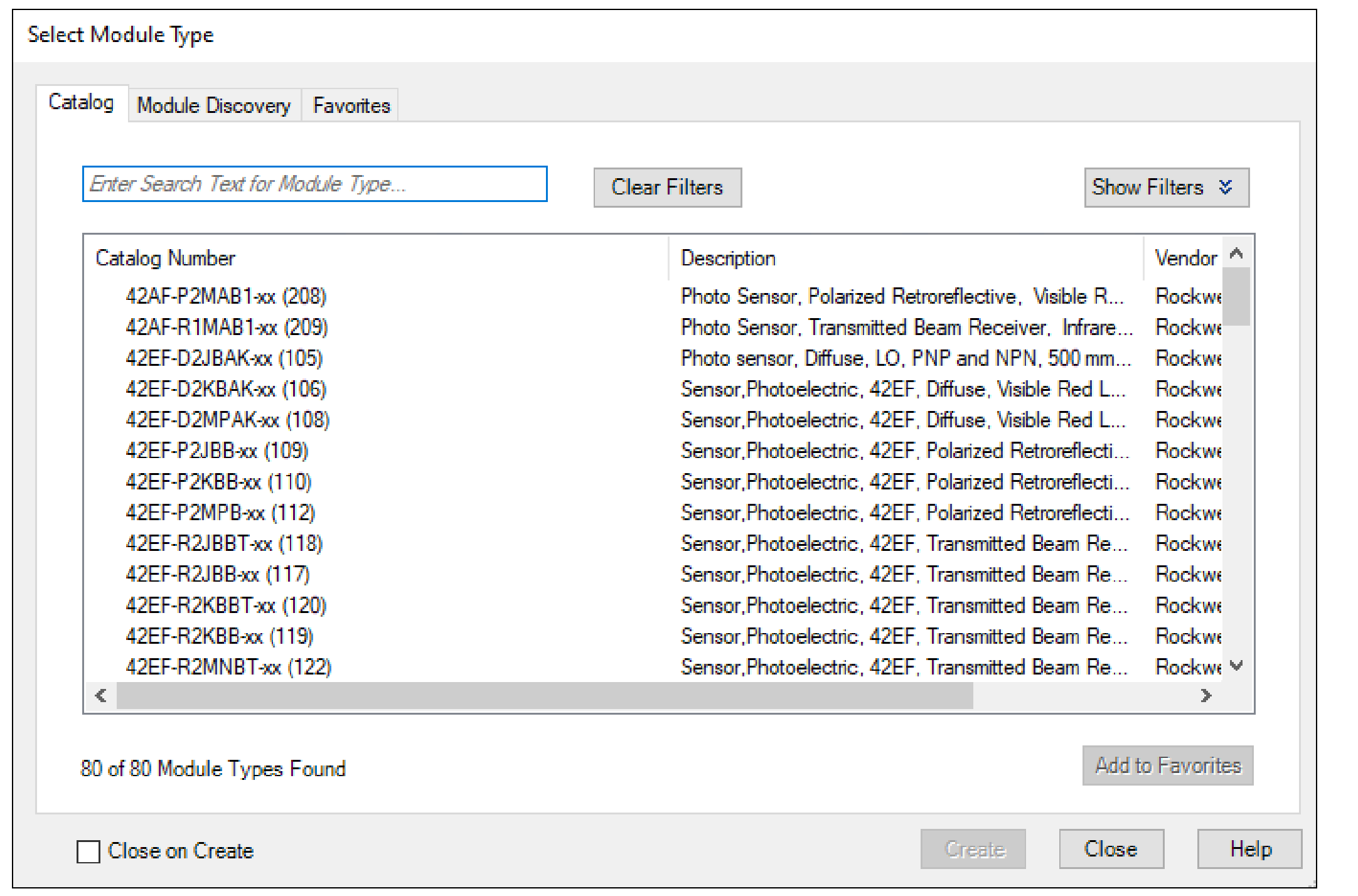 The New Module window appears and shows the General view.
 - Enter a Name for the device.If you want to configure the other settings during this step, see IO-Link Device Configuration for more information.
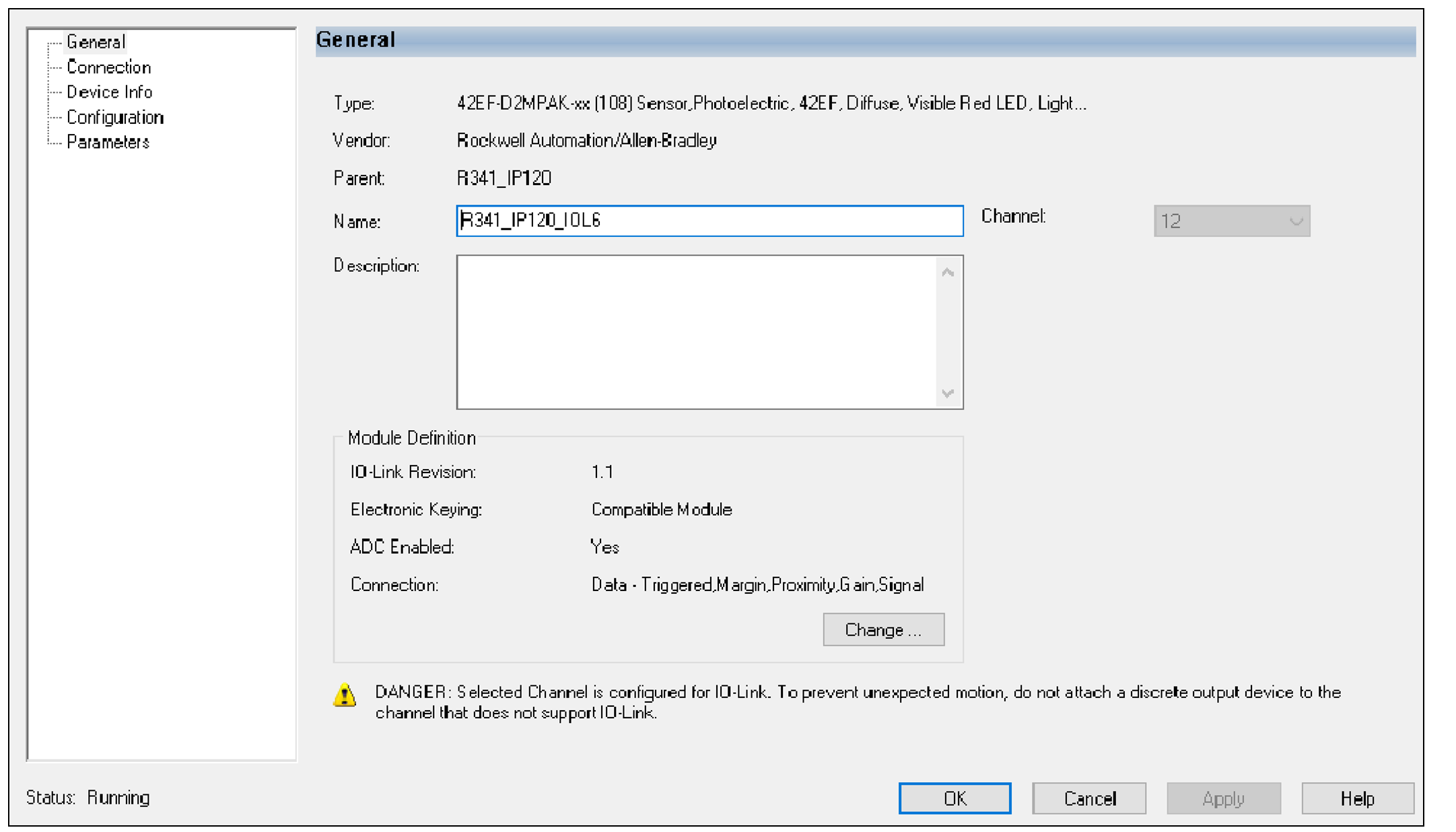
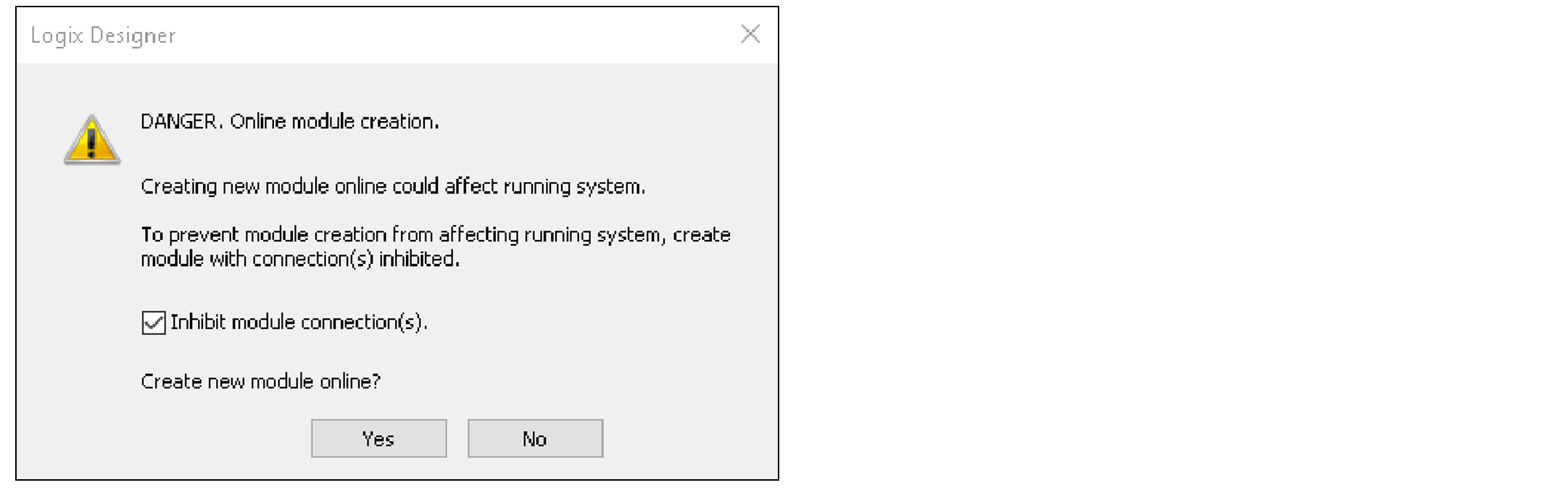
- Select OK to save the configuration.If you are in online mode, a prompt appears to request to inhibit the device. We recommend inhibiting the device if the device is not fully configured or not ready to be put into operation currently.
- Repeat Step 2...Step 4 to add another device, or close the Select Module Type dialog. If you selected the Close on Create checkbox in Step 2, you must start from Step 1 to add another device.
Provide Feedback