
Connect the EtherNet/IP Network
Use an RJ45 straight cable to connect the adapter to an EtherNet/IP network. The
recommendations for using shielded or unshielded cables are published at the
Rockwell Automation technical support center in Knowledgebase article, Grounding the
Ethernet Cable Shield in an EtherNet/IP System, QA10251. The technical support center is
available at: rok.auto/knowledgebase.
- If needed, wire the RJ45 connector as shown.
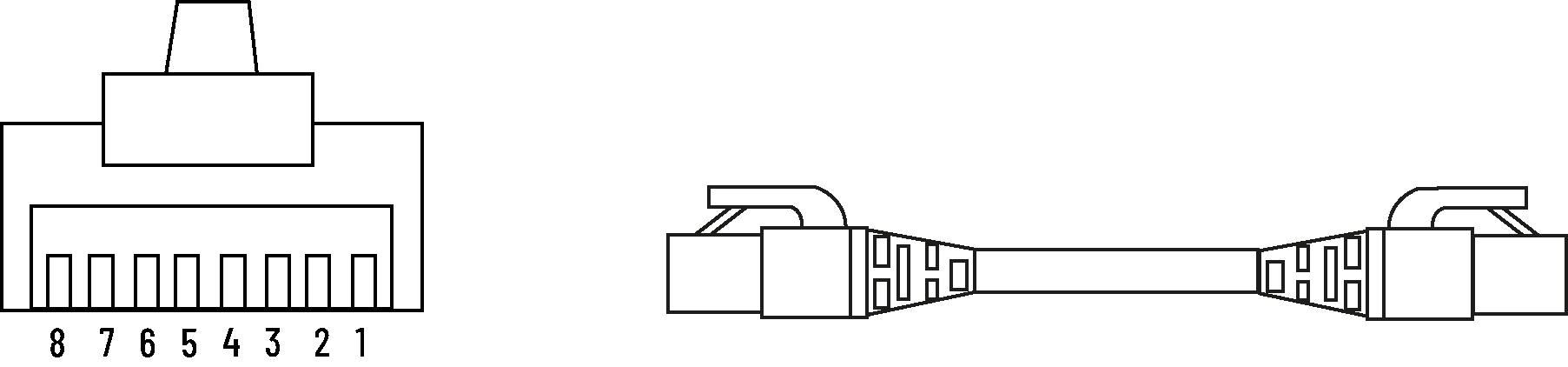
- RJ45 Connector WiringConnector NumberColor1585J 8-pin Cables with Support for 10/100/1000 Mbps1585J 8-pin Cables with Support for 10/100 Mbps1585J 4-pin Cables with Support for 10/100 Mbps1White/orangeBI_DA+TxData +2OrangeBI_DA-TxData -3White/greenBI_DB+Recv Data +4BlueBI_DC+UnusedN.A.5White/blueBI_DC-UnusedN.A.6GreenBI_DB-Recv Data -7White/brownBI_DD+UnusedN.A.8BrownBI_DD-UnusedN.A.
- Connect the RJ45 cable to an Ethernet port of the adapter.
Provide Feedback