
Turn Off Error Messages from Touch or Key Events on Disabled or Read-Only Elements
Use this option to suppress "Unable to perform operation" error messages when a user
interacts with disabled or read-only screen elements.
When enabled, the HMI will not display an error popup if the operator touches or presses
a key on an element that is currently unavailable for interaction. This helps create a
cleaner and less distracting user experience, especially on screens where many controls
may temporarily be disabled based on user permissions, operating mode, or system
status.
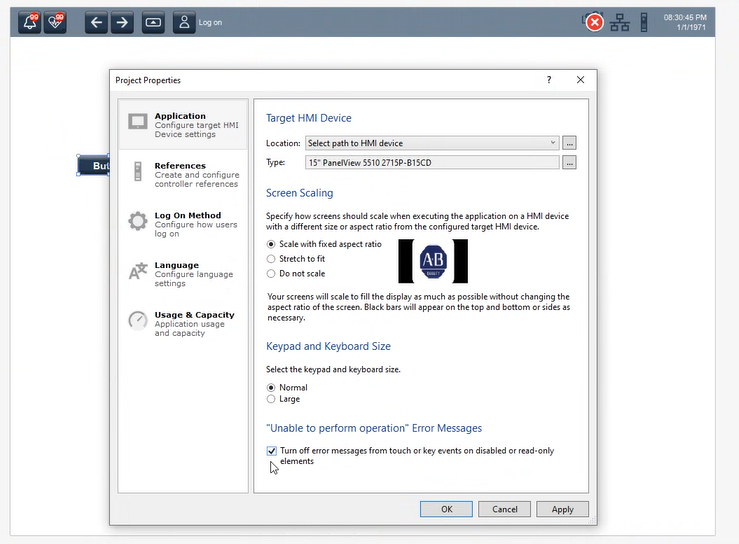
This option is useful in applications where:
- Certain controls are intentionally disabled for some users
- Read-only elements are frequently displayed
- Operator interaction with unavailable elements is expected
- Reducing unnecessary alarm or error messages is desired
Provide Feedback