
CPU, RAM
The
CPU, RAM
page contains the following sections:- CPU Statistics
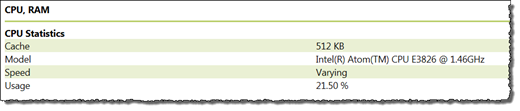 This section displays the following information:ItemDescriptionCacheThe amount of CPU cache present on the module.ModelCPU information.SpeedCPU speed. The field always displaysVarying.UsageThe current snapshot of CPU utilization (as a percentage).
 - RAM Statistics
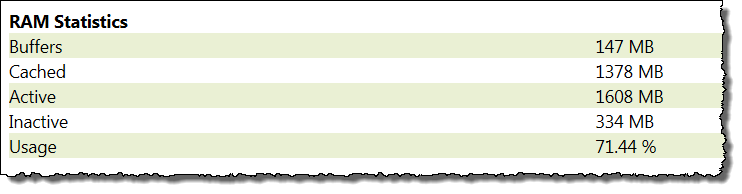 This section displays the following information:ItemDescriptionBuffersThe total amount of RAM in megabytes that is buffered.CachedThe total amount of RAM in megabytes that is cached.ActiveThe total amount of RAM in megabytes that is in use.InactiveThe total amount of RAM in megabytes that is not in use.UsageThe percent of total memory utilization for the module.
 - Top Results
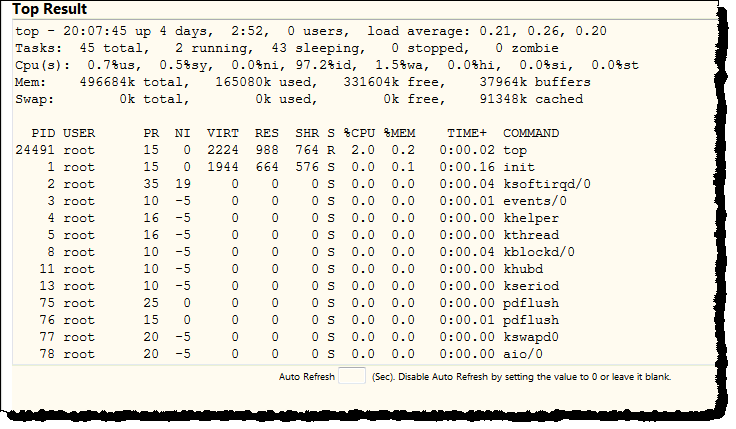 This section displays the results of the Linuxtopcommand, which is automatically invoked by the system when you visit theCPU, RAMpage. The command retrieves data on frequently-updated processes. The results displayed in theTop Resultssection are calculated from a 1-second time period.You can use this information to administer, configure, and troubleshoot your Historian ME module.If you want the information to be automatically refreshed and generated dynamically on the page, type the refresh interval in seconds in theAuto Refreshbox below the table.To disable the auto-refresh option, type0in the text box.
Provide Feedback