
Network settings
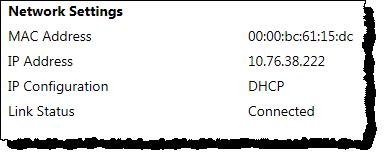
The
Network Settings
section displays the following information:This item | Displays |
|---|---|
MAC Address | The Unique Media Access Control (MAC) address of the module. This number cannot be changed. |
IP Address | The Internet Protocol (IP) address of the module. |
IP Configuration | The Dynamic Host Configuration Protocol (DHCP) or static IP address will display. DHCP is the default configuration. |
Link Status | The current connection status of the module's front Ethernet port. |
TIP:
To change the network settings, click the
Advanced
tab, and then click System
Settings
. For details, see Configure system settings.Provide Feedback