
Configure a Message Instruction
An MSG instruction is used to transfer data that does not require continuous updates. You can use it to configure and monitor the parameters/attributes of a dependent device on the
EtherNet/IP™
In-cabinet system network.
IMPORTANT:
Do not use an MSG instruction for any safety-related function.
Before you can configure an MSG instruction, you must create a tag with the MESSAGE data type to use in your logic program.
The MSG instruction handles all messaging that is initiated by a Logix Designer program. It automatically creates and manages TCP connections and CIP encapsulation sessions.
For details on how to use MSG instructions, see Logix 5000 Controllers Messages Programming Manual, publication 1756-PM012.
You can use an MSG instruction to reset one device or all devices that are connected to the
gateway.
Reset a Device Connected to the Gateway
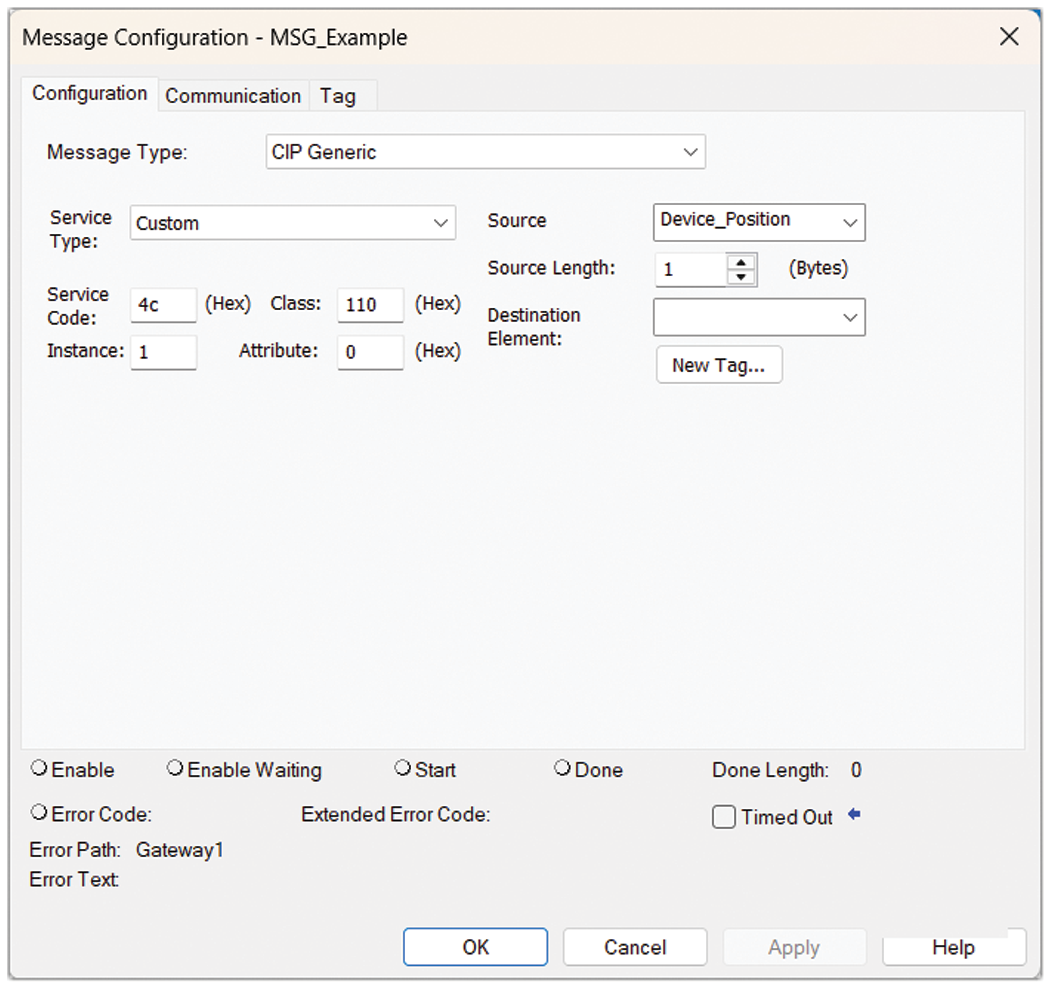
Parameter | Value | Description |
|---|---|---|
Service Type | Custom | Type of message |
Service Code | 0x4C | Reset_End_Node_Request object |
Class | 0x110 | In-cabinet topology object |
Instance | 1 | — |
Attribute | — | — |
Data Type | UDINT | Physical position (1…39) of the device on the media cable. A value of 0 resets all
devices on the cable. |
Select the path to the gateway on the Communication tab.
Provide Feedback