
Stepper Motor Compatibility
This section describes how to verify that your motor selection is compatible with the
stepper module and to configure the motor-related parameters in Studio 5000 Logix
Designer application.
Review Motor Specifications
Review the specifications for the selected motor from the product's datasheet and
nameplate.
Stepper Motor Nameplate Examples

Verify Motor Compatibility
Complete the 2-step compatibility check to determine whether the selected motor is
compatible with the stepper module.
WARNING:
You must perform all steps in the
checklist. Failure to complete any step may result in improper motor operation,
thermal damage, and module fault conditions.
Step | Action | Pass Criterion |
|---|---|---|
1 | Confirm motor type | 2-phase bipolar stepper motor (4-wire, 6-wire, or 8-wire) |
2 | Verify motor characteristics | Motor rated voltage and current values must be within the
supported operating range of the stepper module as described
in the PointMax I/O System Specifications Technical Data,
publication 5034-TD001. |
IMPORTANT:
You must consider the following when
selecting your motor:
- Size the motor (torque, speed, inertia matching) according to the requirements of your actual application.
- Confirm thermal compatibility with the stepper module based on motor duty-cycle usage (continuous, intermittent, and short-time).
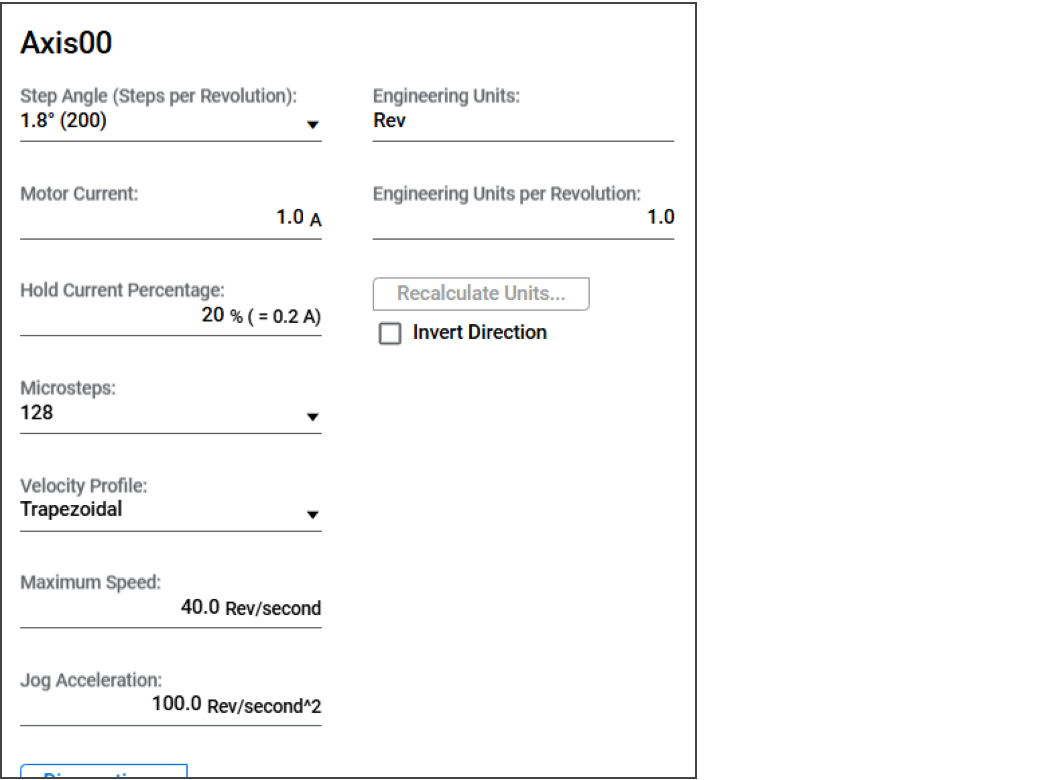
Enter Motor Specifications in Module Properties
After you have selected the stepper motor for your application, update the Step
Angle, Motor Current, and Hold Current Percentage parameters based on your motor
specifications, and configure the Microsteps parameter based on your required
precision/smoothness in the Axisxx view. For more information, see Axisxx View.
Example for Entering Motor Specifications in Module Properties
Provide Feedback