
Warning Signal in the I/O Configuration Tree
As shown in the following figure, a warning icon appears in the I/O Configuration tree
when a fault occurs.
Warning Signal in I/O Configuration Tree
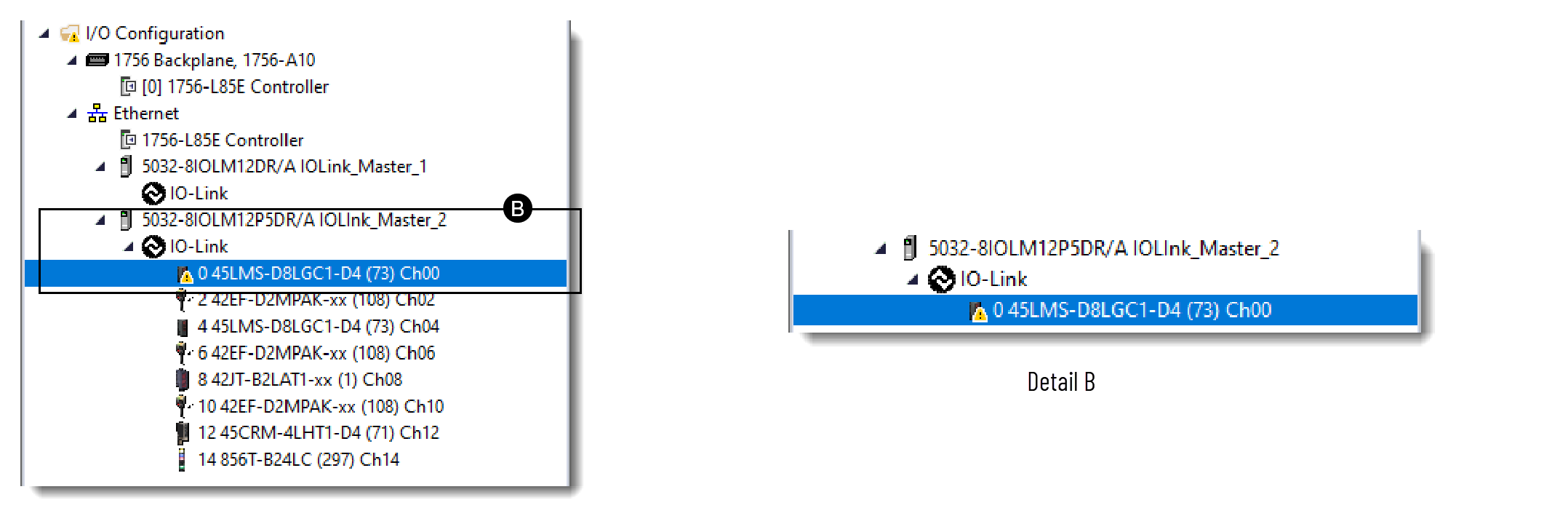
If a warning signal appears in the I/O Configuration tree, make sure that:
- The device is powered up and properly wired to the module.
- There is no fault status on the channel.
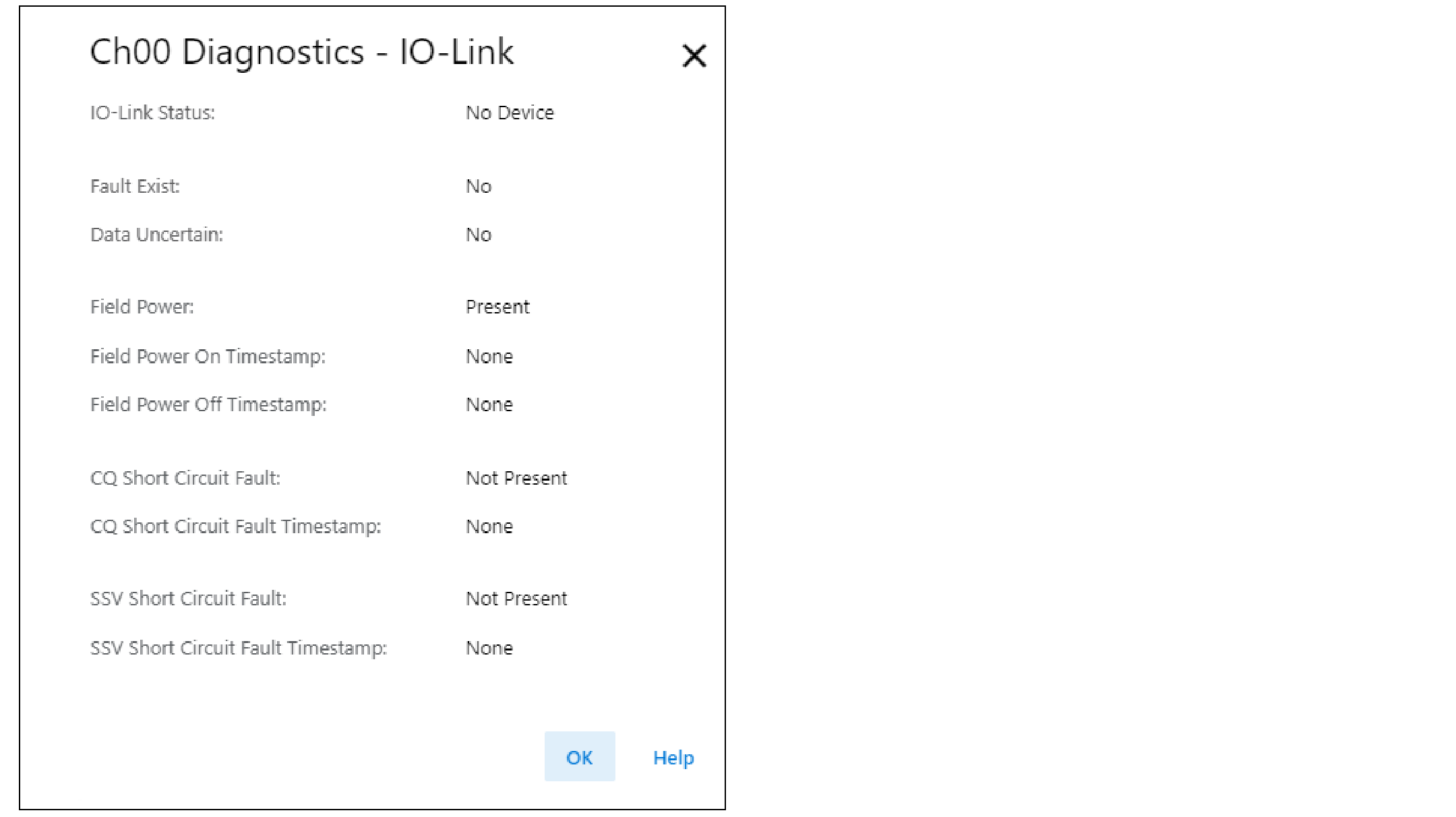
In the ChXX Diagnostics - IO-Link dialog, check if the IO-Link Status parameter is in the
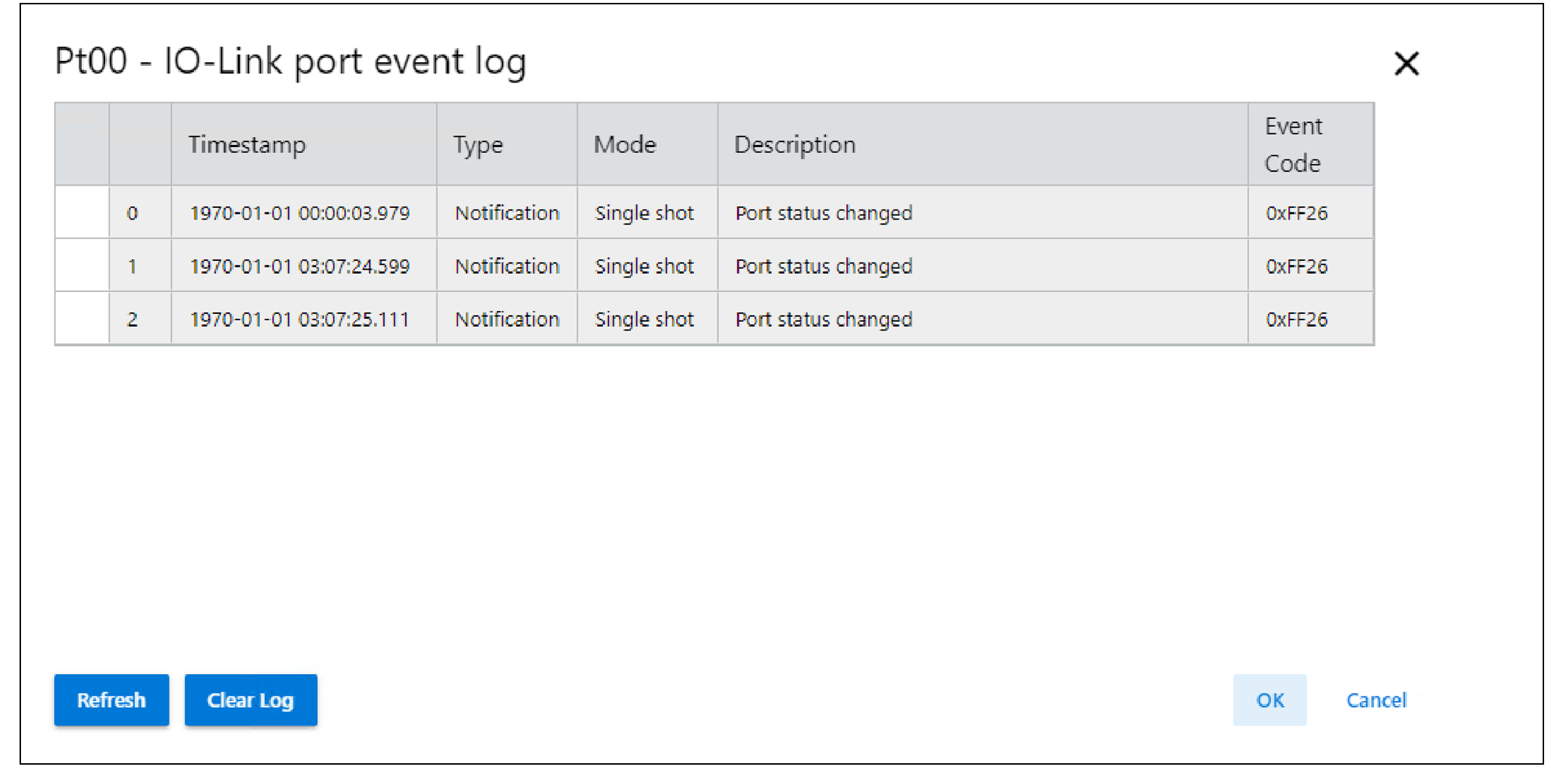
Operate state. If the parameter is not in the Operate state, check the Ptxx - IO-Link
port event log dialog for more information.
You can access the ChXX Diagnostics - IO-Link and Ptxx- IO-Link port event log dialogs
from the IO-Link master Module Properties → ChXX - IO-Link view. For more information,
see Chxx - IO-Link View.
ChXX Diagnostics - IO-Link view
Ptxx- IO-Link port event log view
Provide Feedback