
Manage
FactoryTalk® Optix™
Runtime Entitlement on Online
Computers
FactoryTalk® Optix™
Runtime Entitlement on Online
ComputersTo activate or upgrade an entitlement on an online computer, you must
install the Entitlement Manager on the computer as part of the Runtime Tools installation.
The Runtime Tools download is available at the
FactoryTalk® Optix™
landing page on the
FactoryTalk® Hub™
(sign in required).Complete the
following steps when using a personal computer or
ASEM™
6300
industrial computer running Windows®
that is connected to the
network.- Purchase the entitlement or entitlement upgrade and allocate it to your organization as described in Allocate a FactoryTalk Optix Studio Pro entitlement to your organization.
- Sign in to theFactoryTalk® Hub™, and click theFactoryTalk® Optix™tile.

- Navigate to Entitlements > Organization entitlements and confirm that the entitlement has been allocated to the Organization.
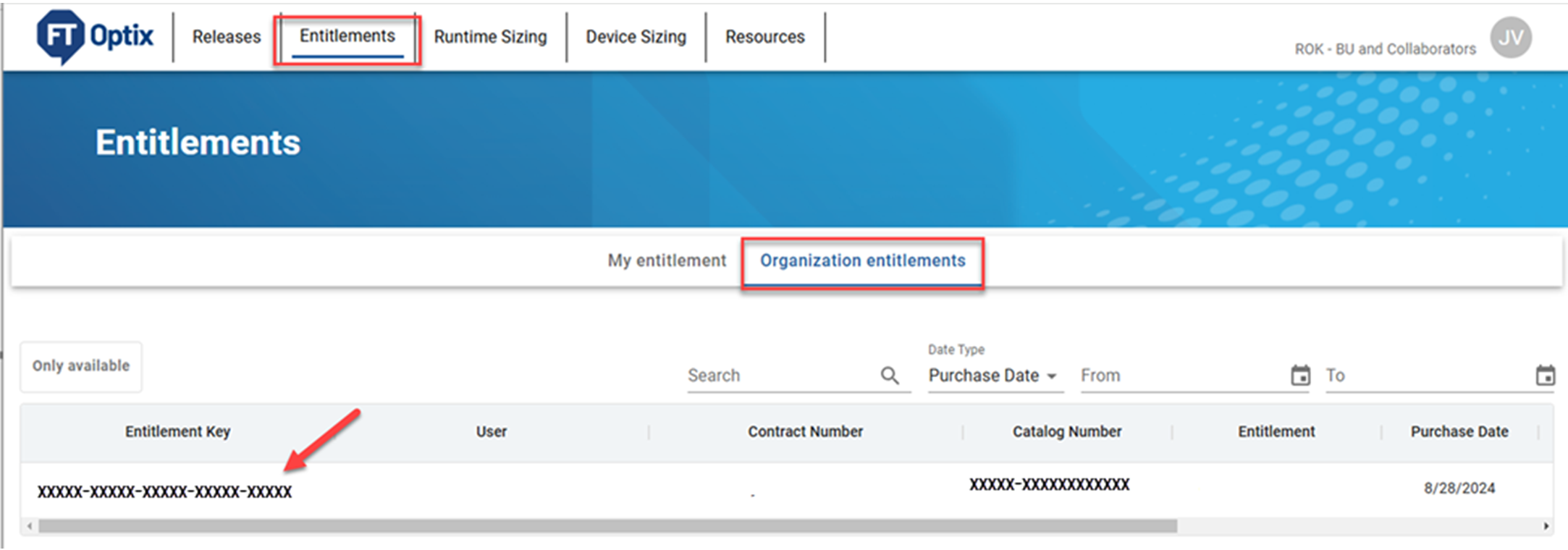
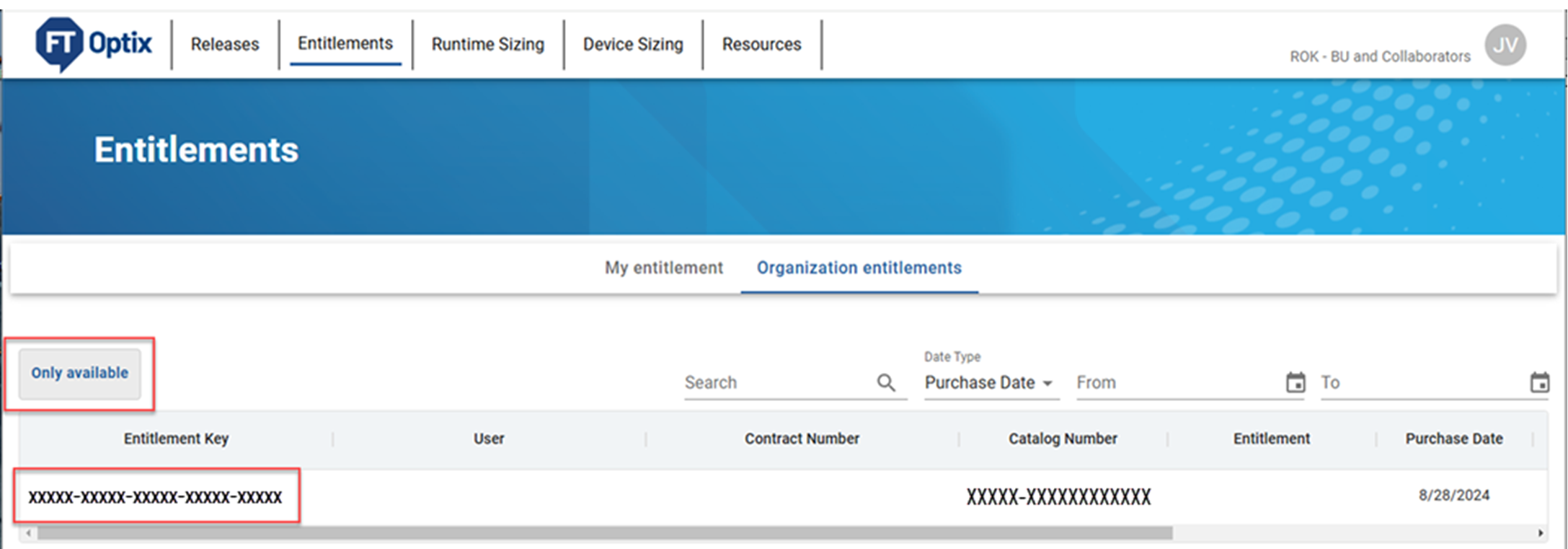
- Copy the 25-character entitlement key. The entitlement key is required to activate or upgrade the entitlement.
- On the runtime target computer, open the Entitlement Manager tool.
- Select Online.

- Select Activate for this device using Entitlement. Select Next.

- Enter your entitlement key, and select Activate.

- Select OK.
TIP:
To rehost an installed entitlement:
- In the Entitlement Manager, select the entitlement from the Installed Entitlements list.
- Under Rehost an already activated Entitlement, select either Online or Offline, depending on the entitlement.
Provide Feedback