
Discover Modules
To use the Discover Modules method with HART devices, complete these steps.
- Go online with your project.
- In the I/O Configuration tree, right-click the HART bus and select Discover Modules.
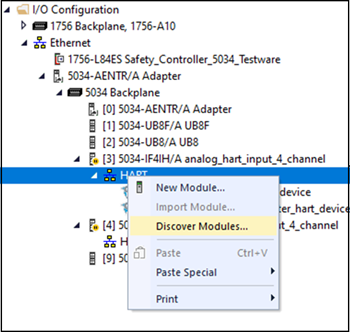 The Select Module Type dialog appears. The Module Discovery tab shows the available devices that are connected to the HART bus.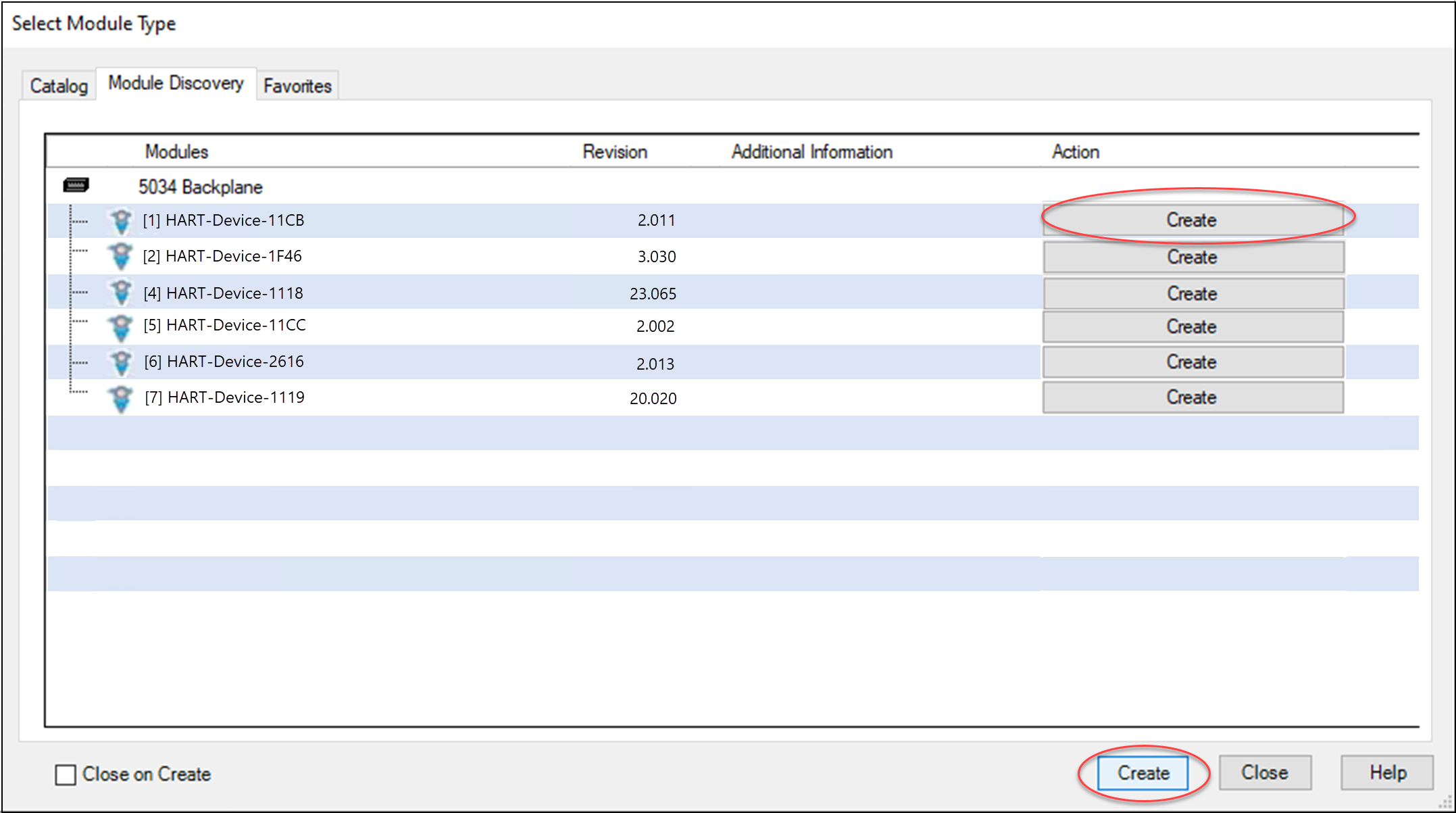
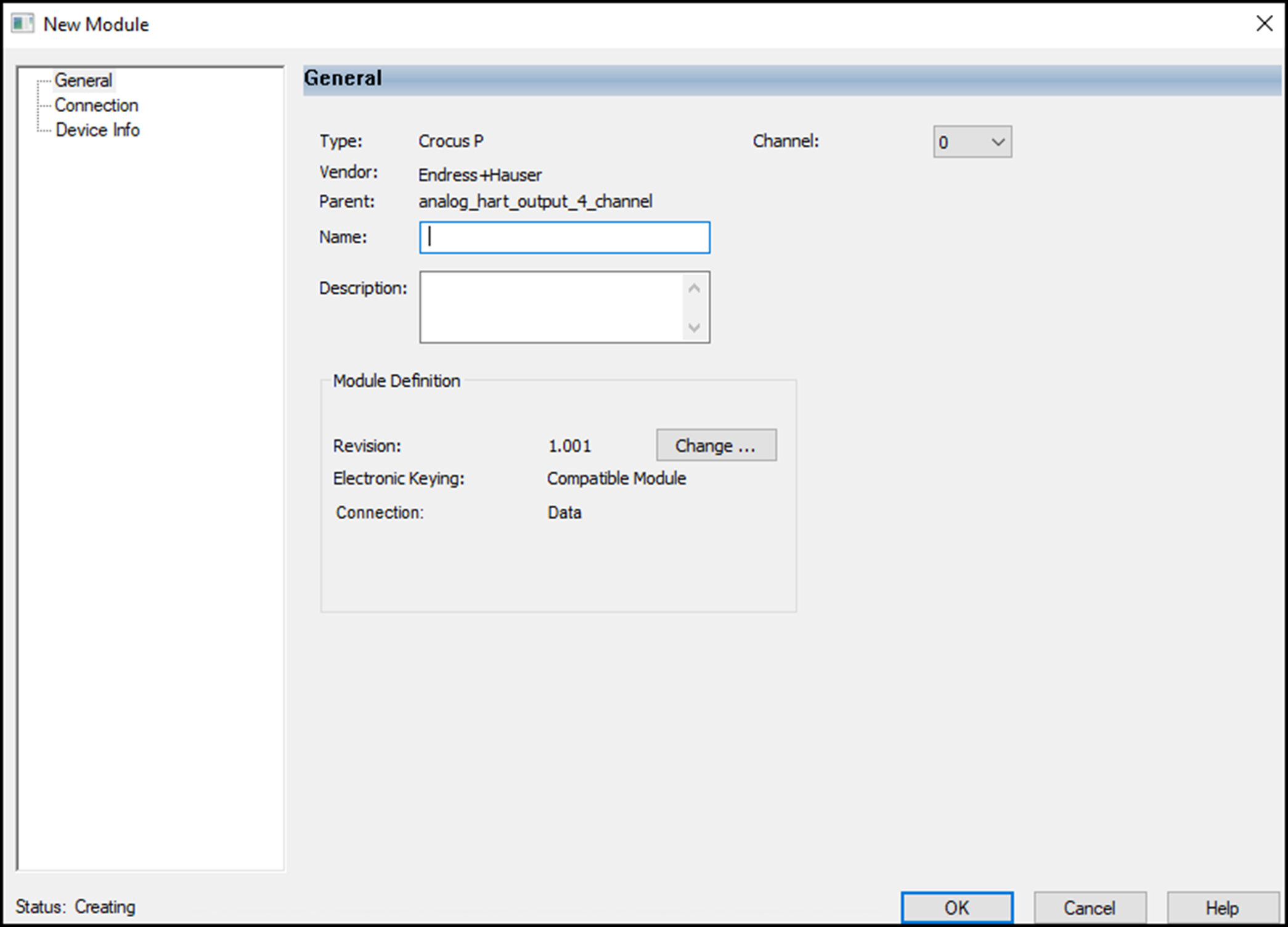
- Select the HART device and choose Create to add the discovered module to your project.NOTE:If you selected the Close on Create checkbox, the Select Module Type dialog automatically closes and you must start from Step 2 to add another device.The New Module dialog box appears. It includes a list of views on the left side. The number and type of views varies by module type.
- You can select OK to use the default configuration as shown or edit the device configuration.
Provide Feedback