
Parameters View
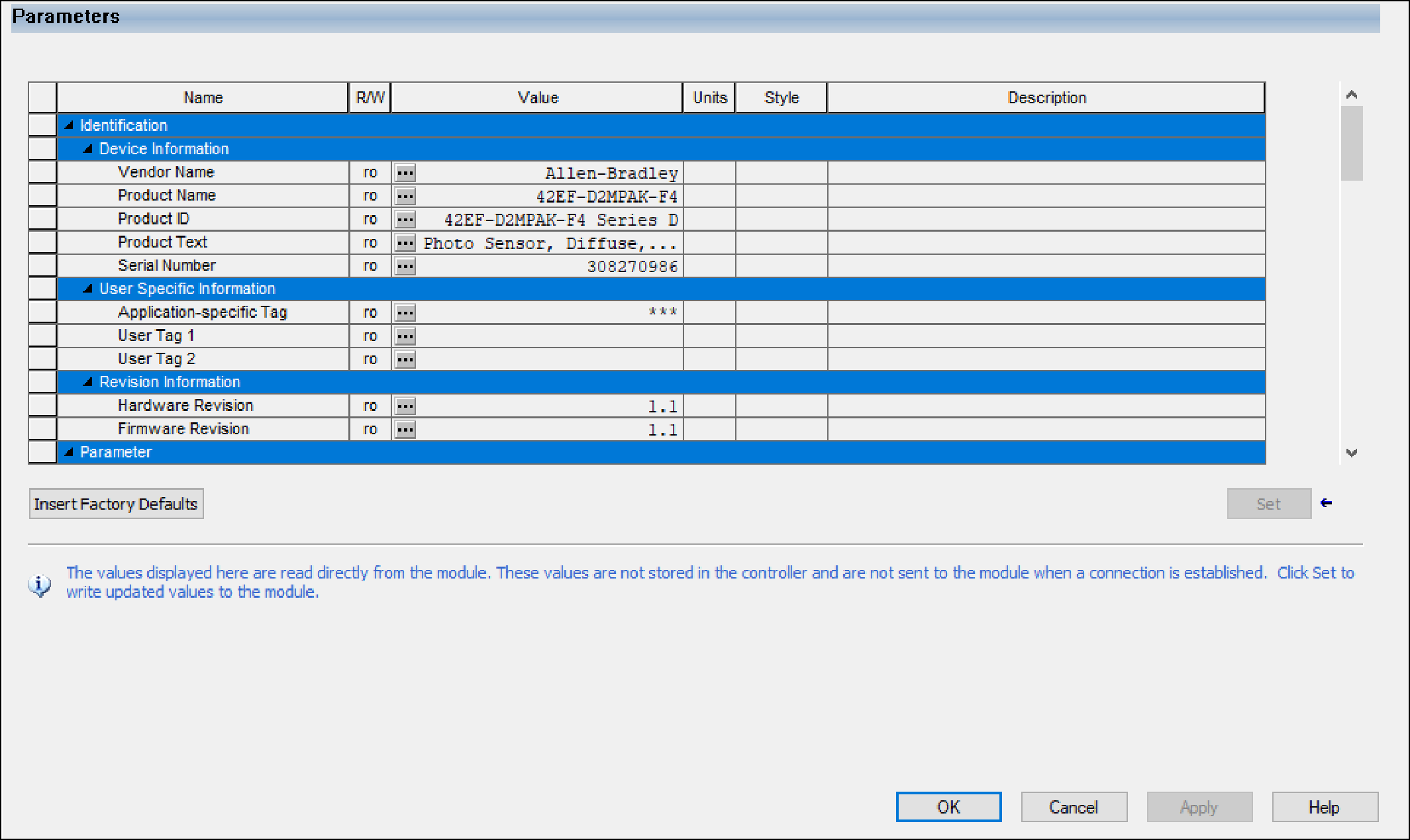
The Parameters view displays all device parameters and their device values. Information
in this view is only populated when the project is online.
This view is not available for the generic IO-Link device profile.
Use Insert Factory Defaults to revert the read/write values of all non-configuration
parameters to the default values that are defined in the IODD.
Use this view to complete the following tasks:
- View device values of all device parameters.Although you cannot change configuration parameters of the device in this view, you can verify their actual values. Use the Configuration view to change the values of configuration parameters.
- Change non-configuration read/write parameters.The new values are only set to the device when you select Set.For more information, see IO-Link Device Parameters Classification.
- Perform a command that is supported by the device by selecting the associated button.
If the device is attached to an IO-Link (non-Fallback) channel, you cannot set parameters
or execute commands on the device when the device is uninhibited. You can still view the
parameters of the device.
If the device is attached to a Fallback channel, this view is disabled when the device is
uninhibited.
Provide Feedback