
Add a Generic IO-Link Device
When you use a generic IO-Link device profile, note the following:
- The Data Storage mode and the Device Correlation features are not supported.
- You cannot change or read the generic IO-Link device’s parameter values through the Module Properties window. Instead, you must send message instructions to the IO-Link Device Parameter object.
- The process data tags for input and output support up to 32 bytes of raw data.
To add a device using the generic IO-Link device profile, complete these steps.
- In the I/O Configuration tree, right-click the IO-Link bus and select New Module.
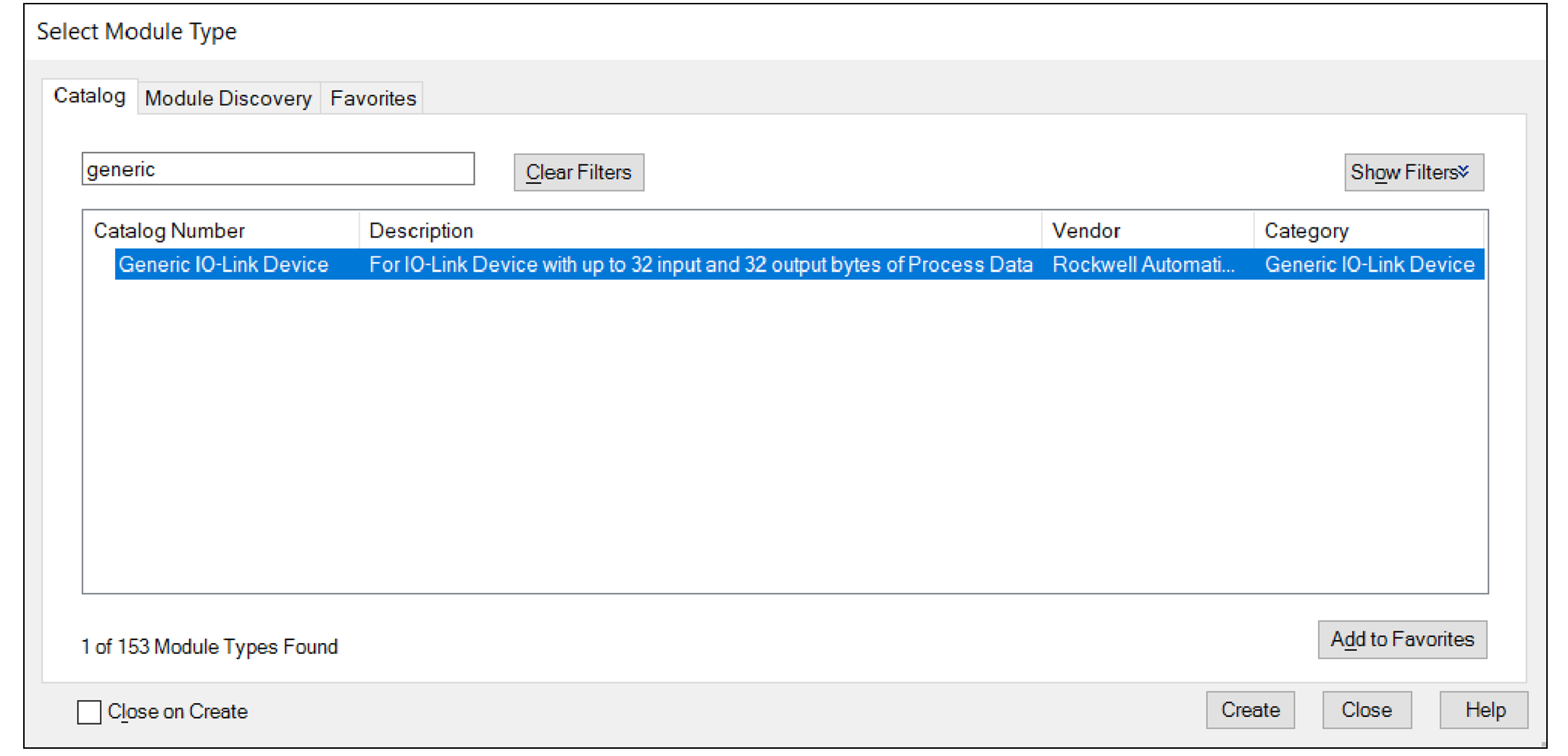
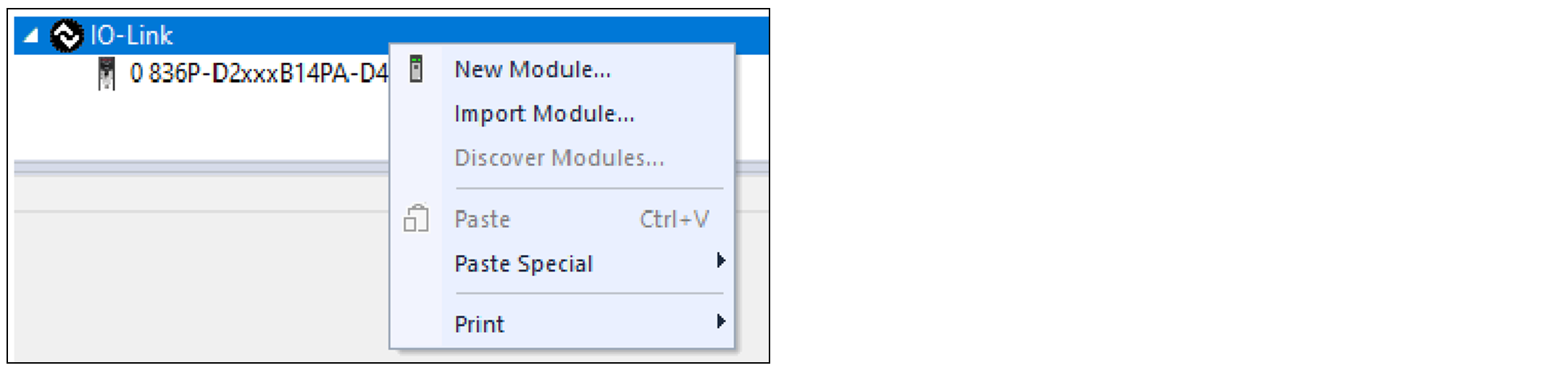 The Select Module Type dialog appears.
 - Select Generic IO-Link Device and select Create.To narrow down the list of devices, use the filters or search with keywords.
 The New Module window appears and shows the General view.
 - Enter a Name for the device.If you want to configure the other settings during this step, see IO-Link Device Configuration for more information.
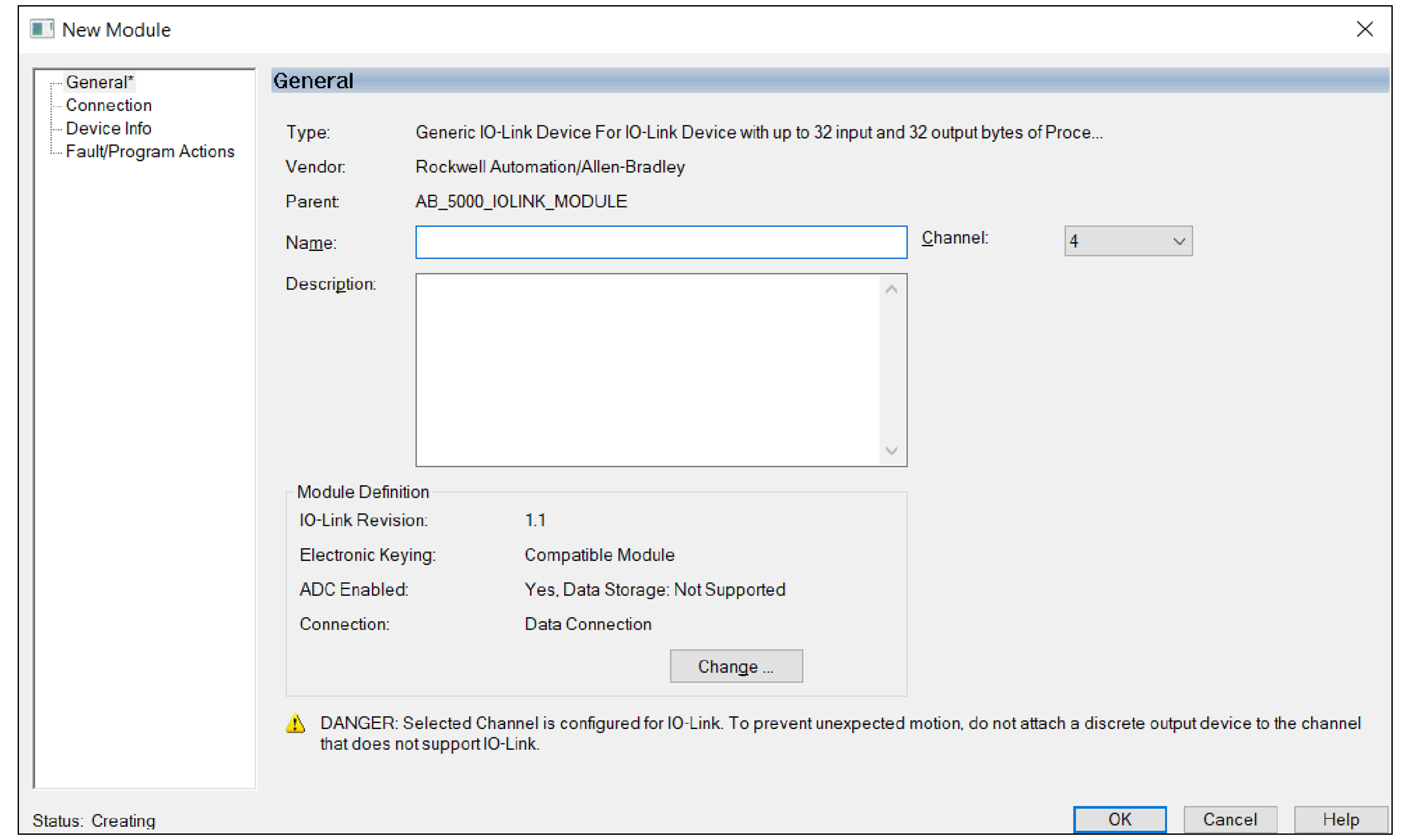
- Select OK to save the configuration.
Provide Feedback