
To use a MAOC instruction with schedule outputs, complete the following steps:
IMPORTANT:
- Before you complete the steps, confirm that Time Synchronization is enabled in the controller and, if applicable, the Ethernet module, to use scheduled outputs.
- You must verify in your logic that the grandmaster clock ID in both the controller and I/O module is identical. For more information, see Grandmaster Clock Verification.
- If necessary, add an output module to your Studio 5000 Logix Designer application project.
- From the Overview in the Module Properties dialog, select Device definition to access the Device Definition parameters.
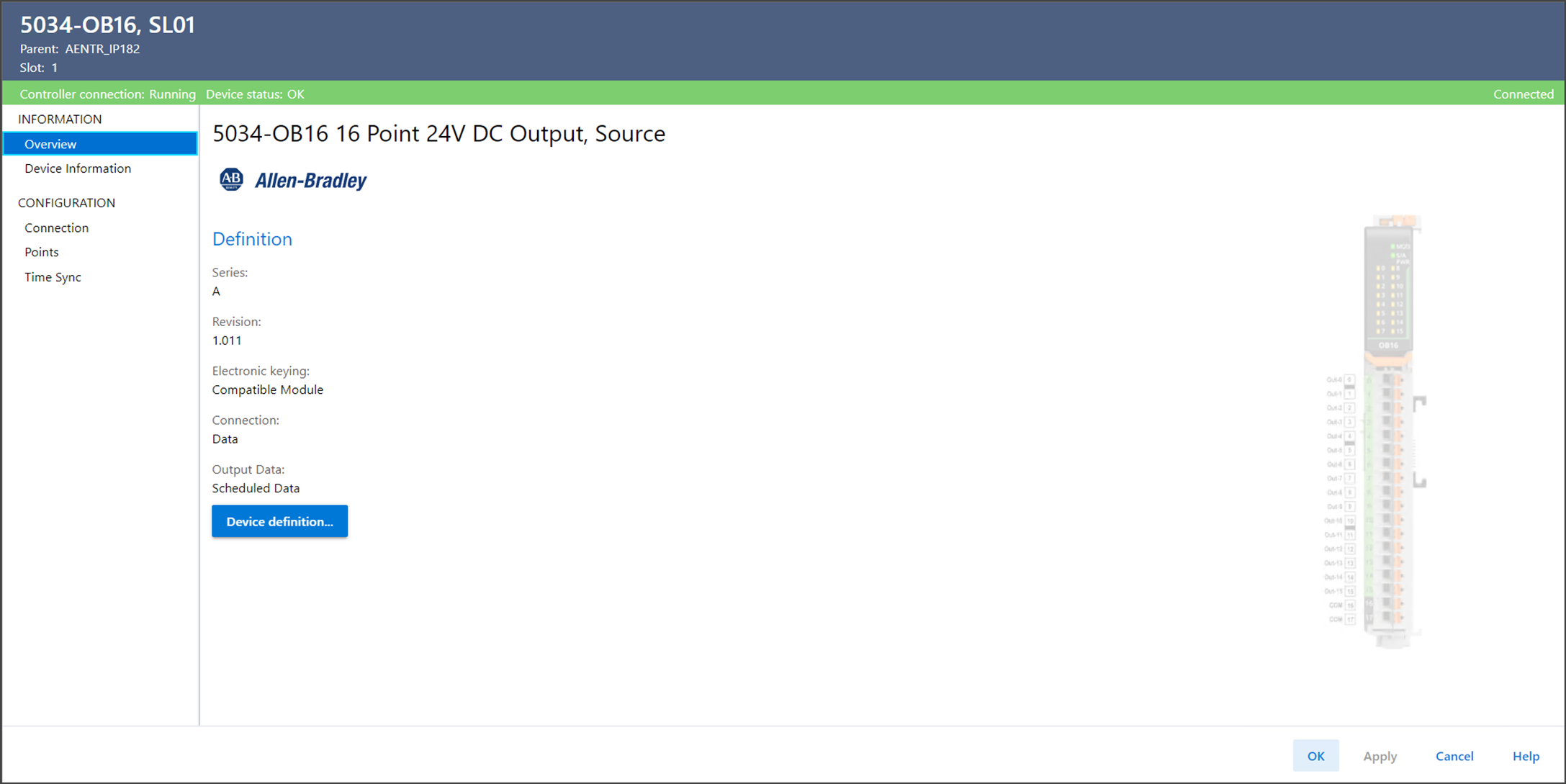
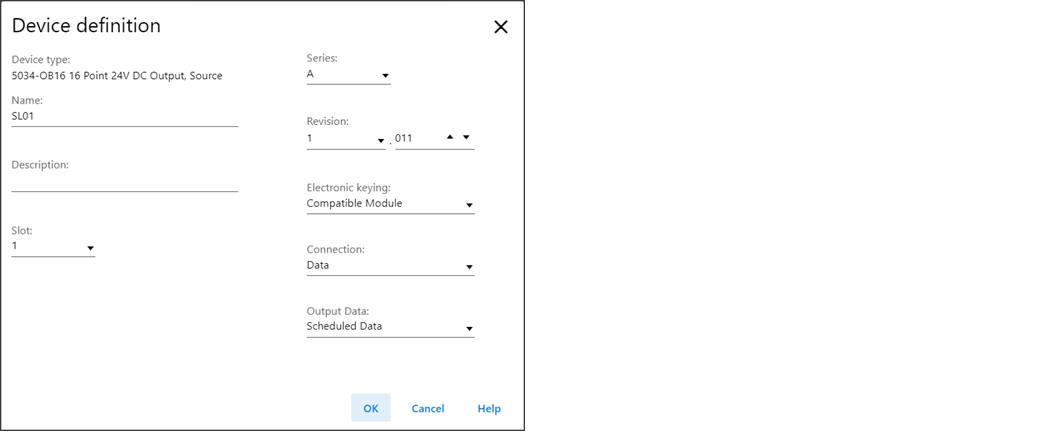
- For 5034-OB16 and 5034-OB8 modules:In the Device Definition dialog, choose Scheduled Data for the Output Data.
 For 5034-UB8 and 5034-UB8F modules:In the Device Definition dialog, choose Yes for the MAOC Compatible Data.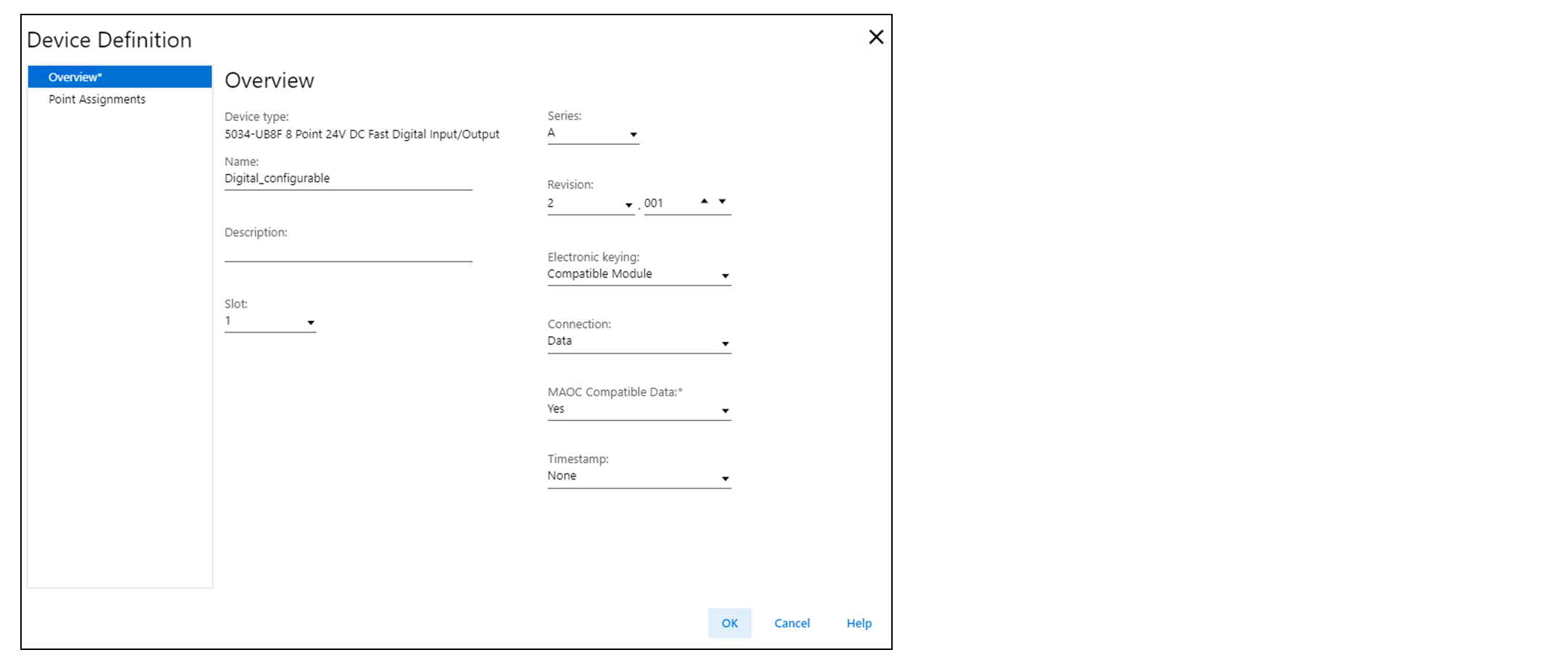
- Select OK to close the Device Definition dialog.
- Add an MAOC instruction to your logic.
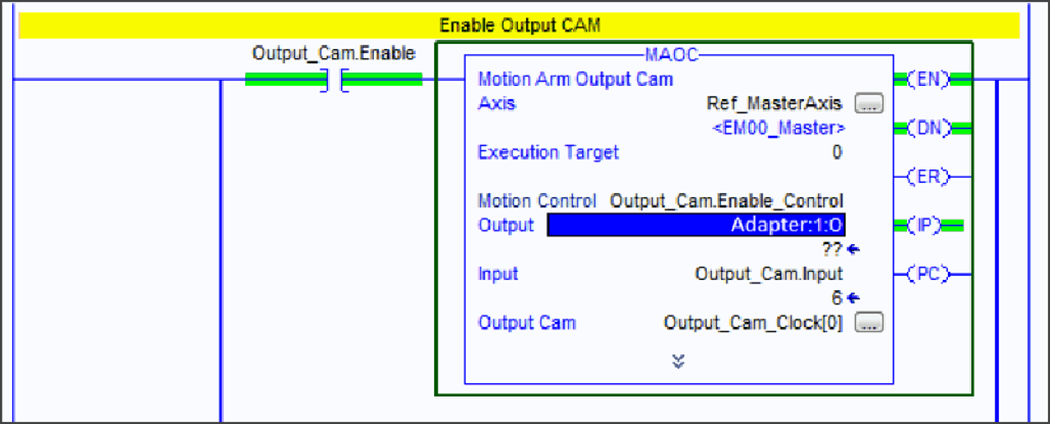
- In the MAOC instruction, use the module output tag in the Output operand, for example, Adapter:1:O for the output module.The tag value displays as ??. This value is correct.
For more information on how to use an MAOC instruction in general, see the following:
- Logix 5000 Controllers Motion Instructions Reference Manual, publication MOTION-RM002
- Position-based Output Control with the MAOC Instruction Application Technique, publication 1756-AT017
Provide Feedback