
Set the SNN Manually
The SNN is used to provide integrity on the initial download to a safety module.
If a safety signature exists, the safety module must have DeviceID that matches the module
in the safety controller project, before it can receive its configuration.
To maintain integrity, the module SNN must be set manually.
- On the Overview view of the Module Properties dialog, select the ellipsis under Safety Network Number.

- On the Safety Network Number dialog, select Manual.
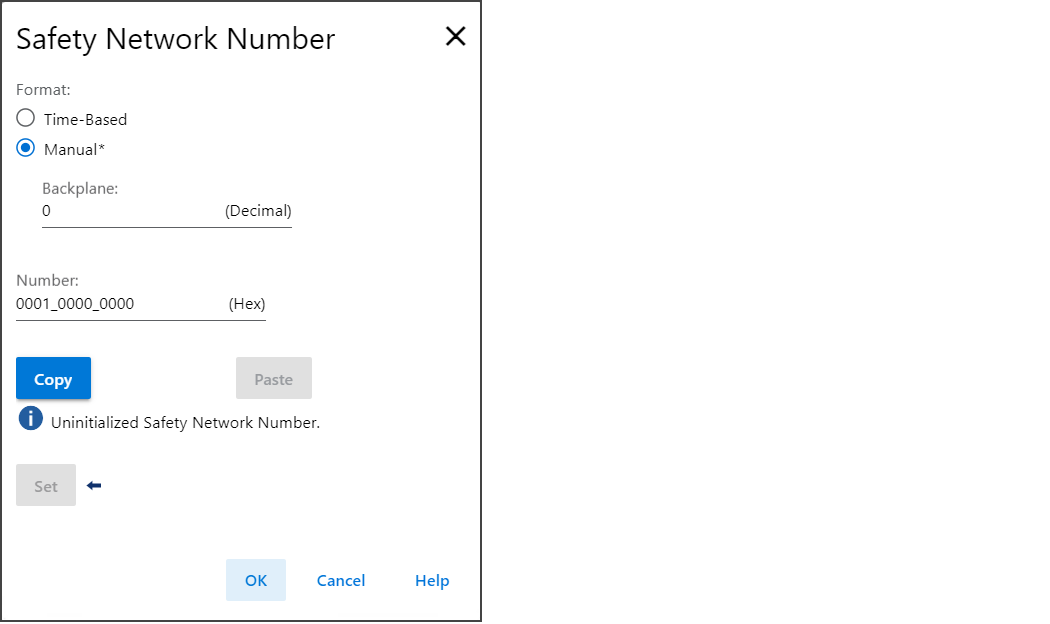
- Type the SNN in the Number field and select OK.
- On the Module Properties dialog, select OK.
Provide Feedback