
Online and offline indicators on the Explorer pane
You can edit a project or project components while online with a controller. The edits you make are offline-only until you redeploy the project.
This table lists indicators and examples of components that are online, offline, or both.
TIP:
The green or cyan rail on the
Explorer
pane indicates that an
element is included in the online workspace. It does not indicate that logic is
executing.Green indicates online with a physical controller, and cyan indicates online with an
emulated controller. This color distinction applies wherever online status displays in
FactoryTalk Design Studio
.Status | Indicator | Example |
|---|---|---|
Elements are in the offline workspace. |  | 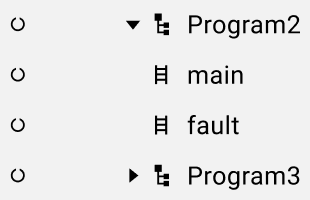 |
Elements are in the online workspace. |  | 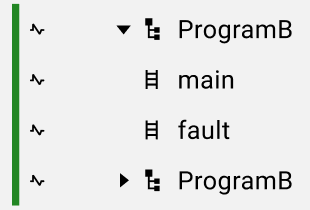 |
Child components have an online or offline-only state that is different from the
parent, so a dashed circle appears around the parent icon. |  | 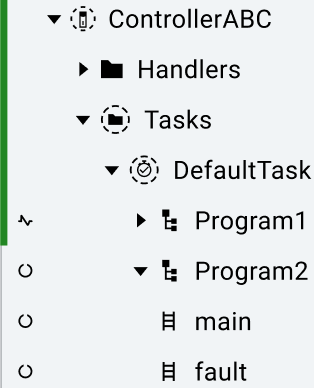 |
Provide Feedback