
Creating material classes
- From theEditmenu, selectMaterial Classes. TheMaterial Classesdialog opens listing the currently defined material classes.
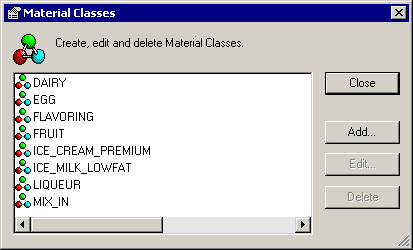
- Click theAddbutton. TheCreate Material Classdialog opens to theGeneraltab.
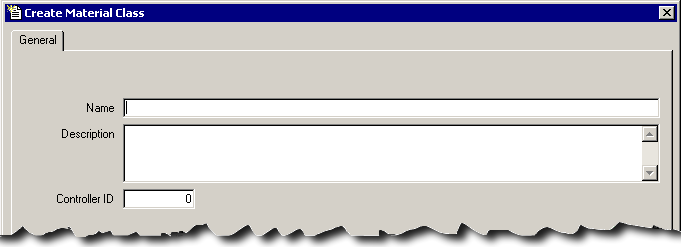
- In theNamebox, type a unique name for the new class.
- In theDescriptionbox, type a detailed description for the new class.
- TheController IDfield defaults to the next numeric value in sequence. If necessary, you can change this to a unique number, which is used for PCD phase programming. [See the for more information.]
- ClickApplyto save the changes. TheEdit Material Classdialog opens.
- Select thePropertiestab, and then click theNew Propertybutton.
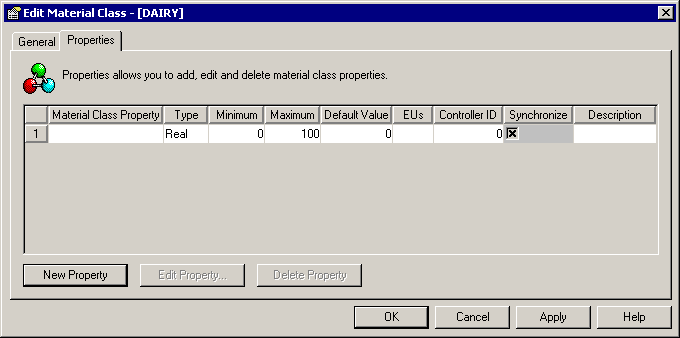 The following is a list of the items in thePropertiestab.Properties tab itemsItemDescriptionMaterial Class PropertyUnique name assigned to the material class property.When a class is assigned to a material, all property names (class properties and independent properties) must be unique. Names of material class properties cannot be the same as material properties that belong to a material assigned to the class. (See Adding material properties.)TypeRepresents the data type from which the provided value is to be derived. There are three data types supported: Real, Integer, and String.TIP:Unsigned data types introduced inLogix5000version 32.00 are not supported byFactoryTalk Batch. Configuring aFactoryTalk Batchtag to reference a controller tag of any unsigned data type (USINT, UINT, UDINT, ULINT) will result in bad communication. If you attempt to run batches referencing any tags that include one of these data types a communication failure occurs at the point when the tag is used.UseFactoryTalk BatchTag Verifyto produce a report that identifies any issues with the tag(s).MinimumMinimum value for the material class property. Cannot be greater than the maximum value.MaximumMaximum value for the material class property. Cannot be less than the minimum value.Default ValueDefault value for the material class property. Must be between Minimum and Maximum values.EUsEngineering unit of measure for the material class property.Controller IDDefaults to the next numeric value in sequence. If necessary, you can change this to a unique number to be used for PCD phase programming.SynchronizeSelect to propagate changes to all inherited material and lot properties. This selection is necessary only when you make changes to a material property.DescriptionDetailed description of the material class property.
 - Type the information in the appropriate boxes to define the material class property.
- ClickApplyto save the changes, or clickOKto save the record and close the dialog.
Provide Feedback