
Add an EDD file for a generic HART device
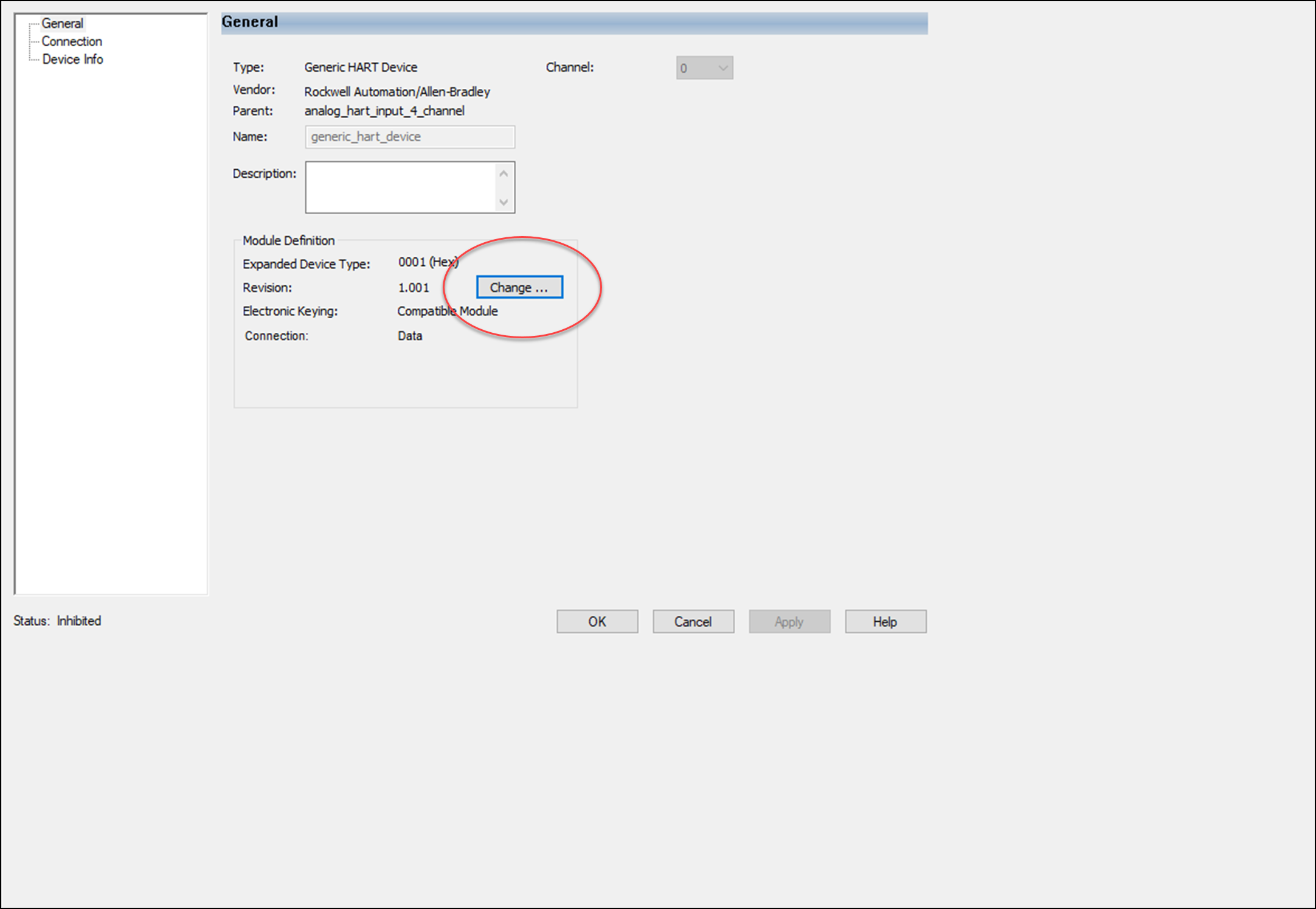
- From the Module Properties dialog - General view, select Change...
- From the Module Definition dialog, enter the correct Expanded Device Type ID for the HART device, then select Add HART EDD...
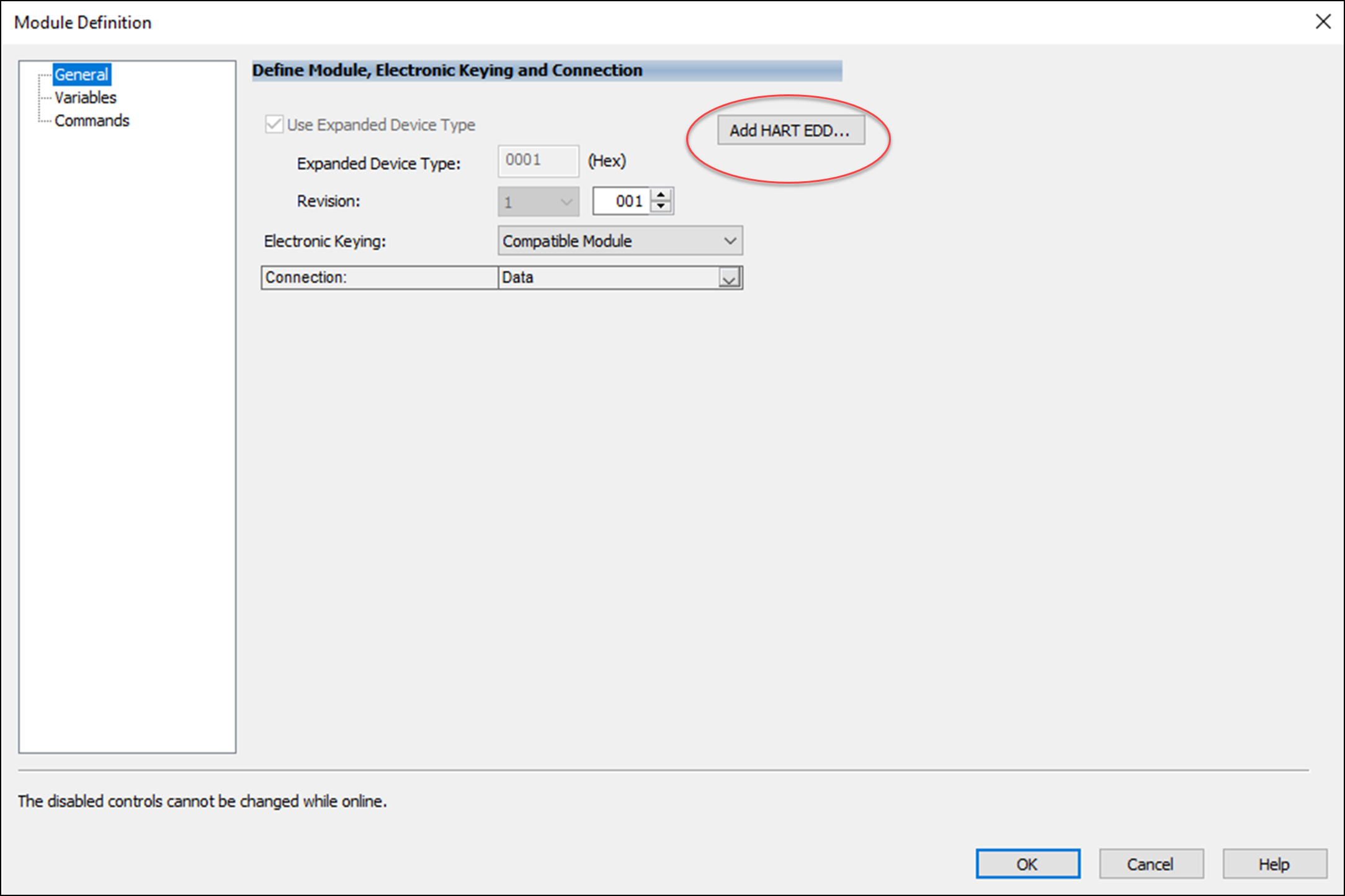 IMPORTANT: The Expanded Device Type ID must match your device. If not, you are not ale to add an EDD file properly.
 - In the Add HART EDD dialog box, browse to the location of the EDD file.
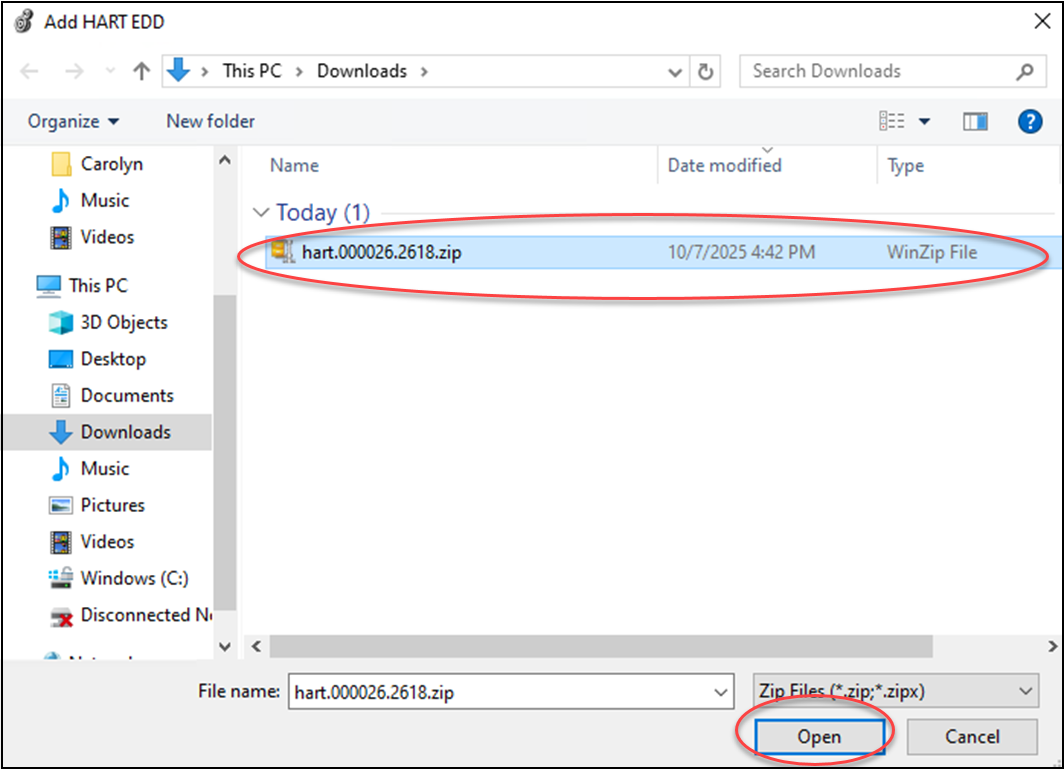
- Select the HART EDD file and select Open.The message Successfully added EDD appears.
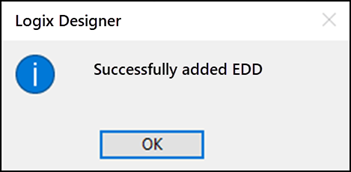
- Select OK to close the dialog box.TIP:When configuring a device, an error message appears when:
- The selected file is not an EDD file.
- An EDD file for the device is not included.
Provide Feedback