
Remove the Adapter
To remove an adapter from a PointMax I/O system, do the following:
- Disconnect the power to the PointMax I/O system.
- Disconnect the Ethernet connectors from the adapter.
- Unlock the RTB handle.
- Pull the RTB away from the adapter.
- Unlock the adjacent mounting base to disengage the adapter from the rest of the system.
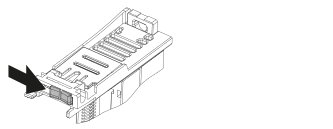
- Insert a small screwdriver into the DIN rail latch, pivot and pull up the latch to unlock it.
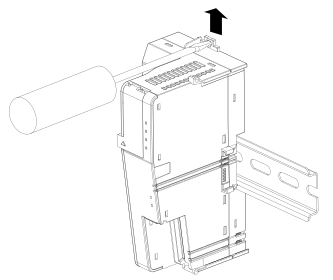
- Pull the adapter away from the DIN rail.
Provide Feedback