
Install Mounting Bases
TIP:
The installation steps for the mounting base are the
same for the 5034-MBSA and 5034-MBPTM mounting bases as well as for the 5034-EXP expansion
power.
To install a mounting base on the DIN rail, proceed as follows:
- Align the interlocking guides on the left side of the mounting base with the interlocking guides on the right side of the installed adapter.
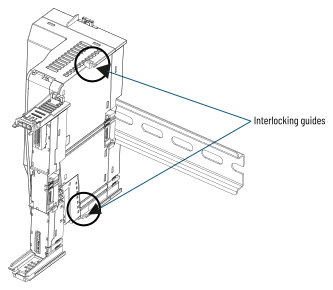
- Slide the mounting base towards the DIN rail until the mounting base locks on the DIN rail. The interlocking side pieces engage the adapter.

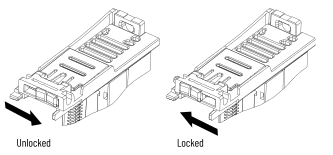
- Slide the side latch of the mounting base to the locked position. The side latch secures the installed mounting base to the adapter.
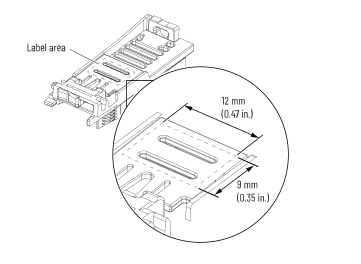
- If necessary, apply a label to the mounting base. The label area accepts a label up to 12 mm x 9 mm (0.47 x 0.35 in.).
- Repeat steps 1…4 for up to 16 mounting bases for a single adapter.
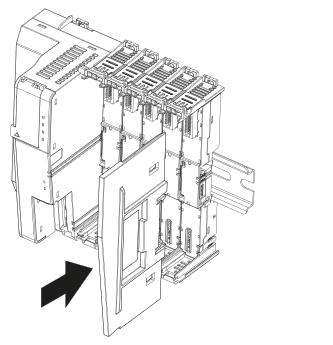
- Slide the end cap onto the last mounting base.
Provide Feedback