
Install I/O Modules
The I/O module can be installed before or after you install the mounting base. In these
instructions the I/O modules are installed after the mounting bases are installed on the DIN
rail.
To install the I/O module, do the following:
- Insert the module straight down onto the mounting base and press to secure it. The module locks into place.
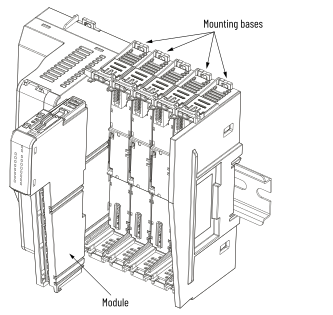
- Repeat this process for each empty mounting base.
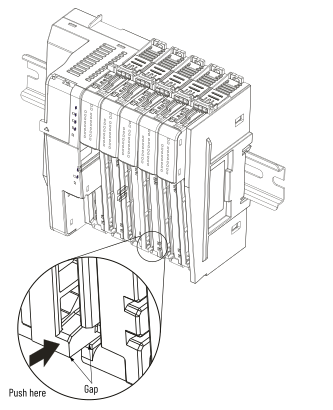 IMPORTANT: When you press the I/O module onto the mounting base, verify that the mounting base rib is correctly assembled to the I/O module slot. If the I/O is not correctly assembled, the gap will prevent the RTB from installing correctly.
Provide Feedback