control-of-ph-based-on-a-wiener-model_16x9-phControl_header.jpg

Control of pH Based on a Wiener Model
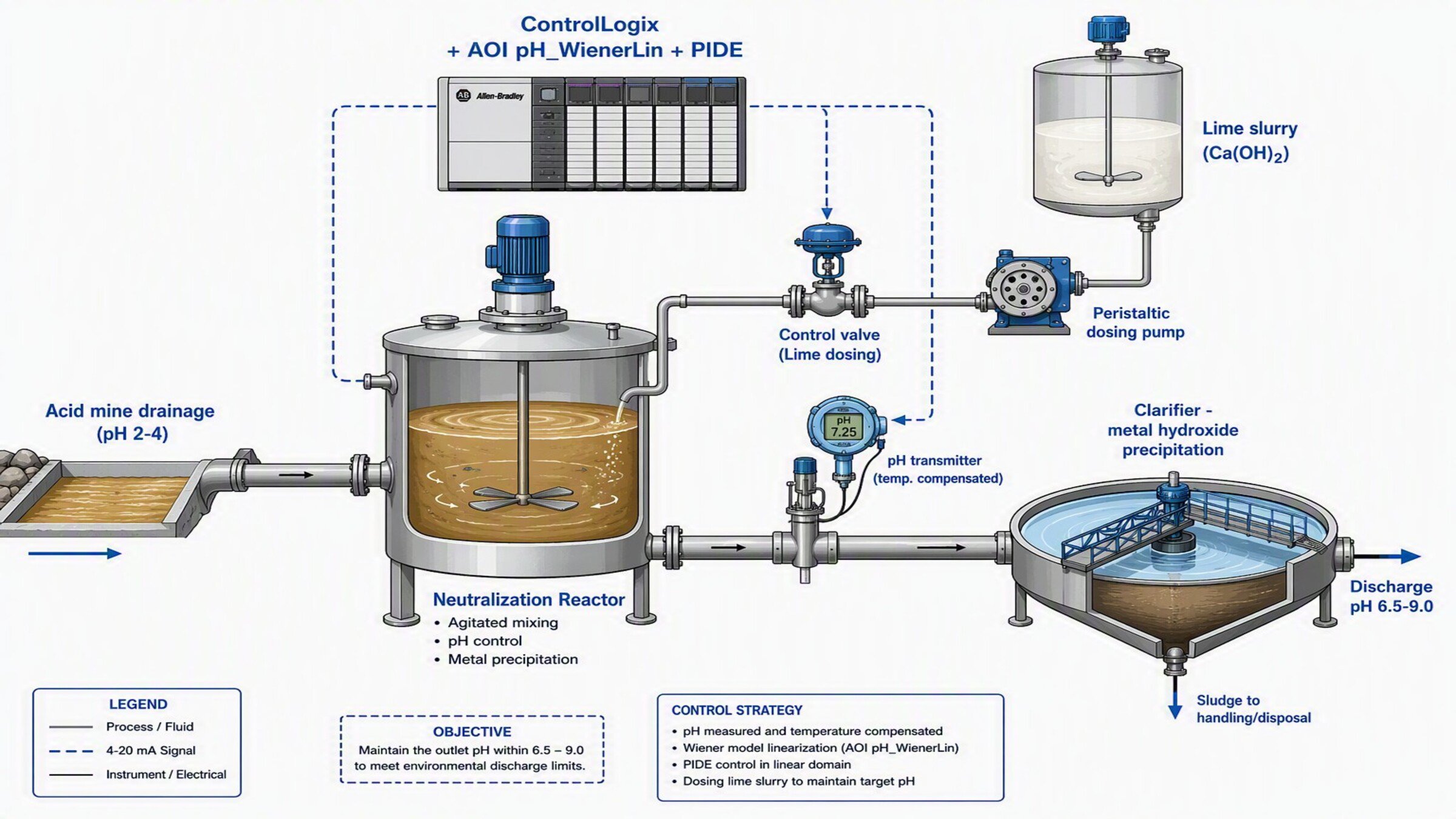

What does this application do?
Used to control a pH loop whose reagent→pH relationship is an S-shaped (nonlinear) titration curve. The AOI applies the inverse of the nonlinearity to the Setpoint and the Process Variable, allowing the loop to be closed with a linear PIDE that performs stably across the entire pH range (acid, neutral and basic).
General Features
This development includes the following:
- pH_WienerLin Add-On Instruction (Wiener linearization) in Studio 5000
- Preconfigured PIDE instruction for control in the linear domain
- Call routine and associated tags
Advantages:
- Provides an initial reference for the control of highly nonlinear processes (pH, neutralization)
- Enables stable performance without re-tuning the controller when changing pH zone
Limitations/Disadvantages
- Limited to a SISO loop (one controlled variable, one manipulated variable); for multivariable control with constraints, PlantPAx MPC is recommended
- Requires prior identification of the titration curve for PWL mode

Downloads
Please note: You will need to agree to the Terms & Conditions for each download.

Need Help?
If you need help with an application or have feedback from the Innovation Center, please contact us.
Is this application relevant to me?
If you need to control a pH or neutralization loop where a conventional PID oscillates, overshoots or overdoses reagent.
Application áreas - Can be applied in water treatment, effluent neutralization, chemical industry, food and beverage.
How can I make it work?
Requirements: products, tools, prior knowledge.
Hardware
- Any Logix controller (the program is tested on a 1756-L81E ControlLogix 5580)
- pH transmitter with temperature compensation
- Final element: control valve or reagent dosing pump
Software
- Studio 5000 (the program is developed in version 37)
- MS Excel
Prior Knowledge
Basic knowledge of programming and configuration in:
- Studio 5000 (Add-On Instructions, PIDE instruction, Structured Text)
- Process regulatory control
- pH control fundamentals / Wiener models

Implementation Guide
- Step 1
- Step 2
- Step 3
- Step 4
- Step 5
- Step 6
- Step 7
- Step 8
- Step 9
- Step 10
- Step 11
Step 1
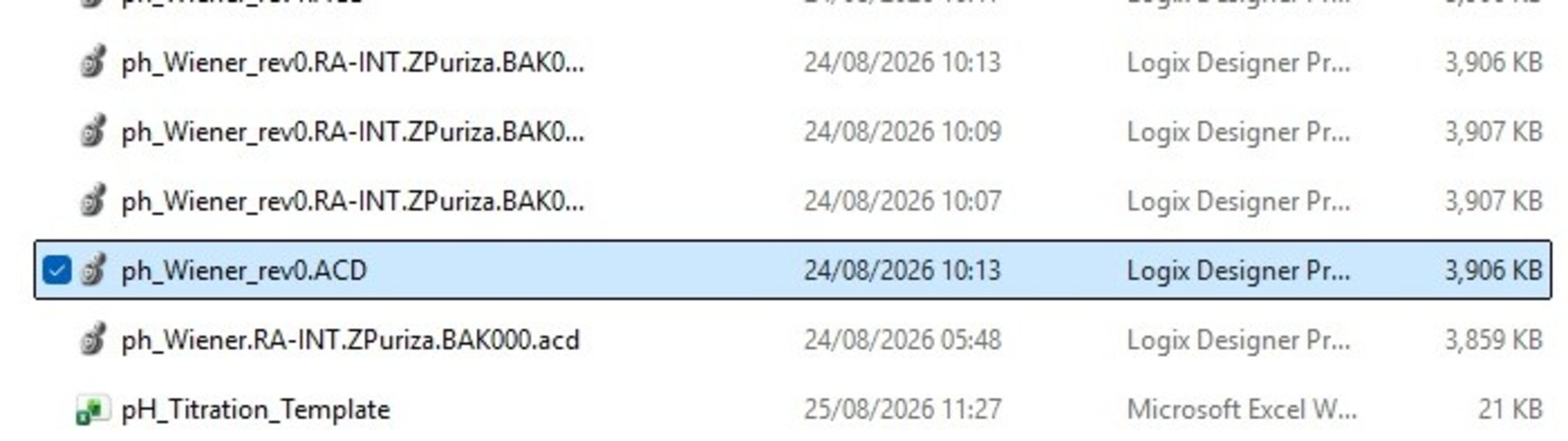
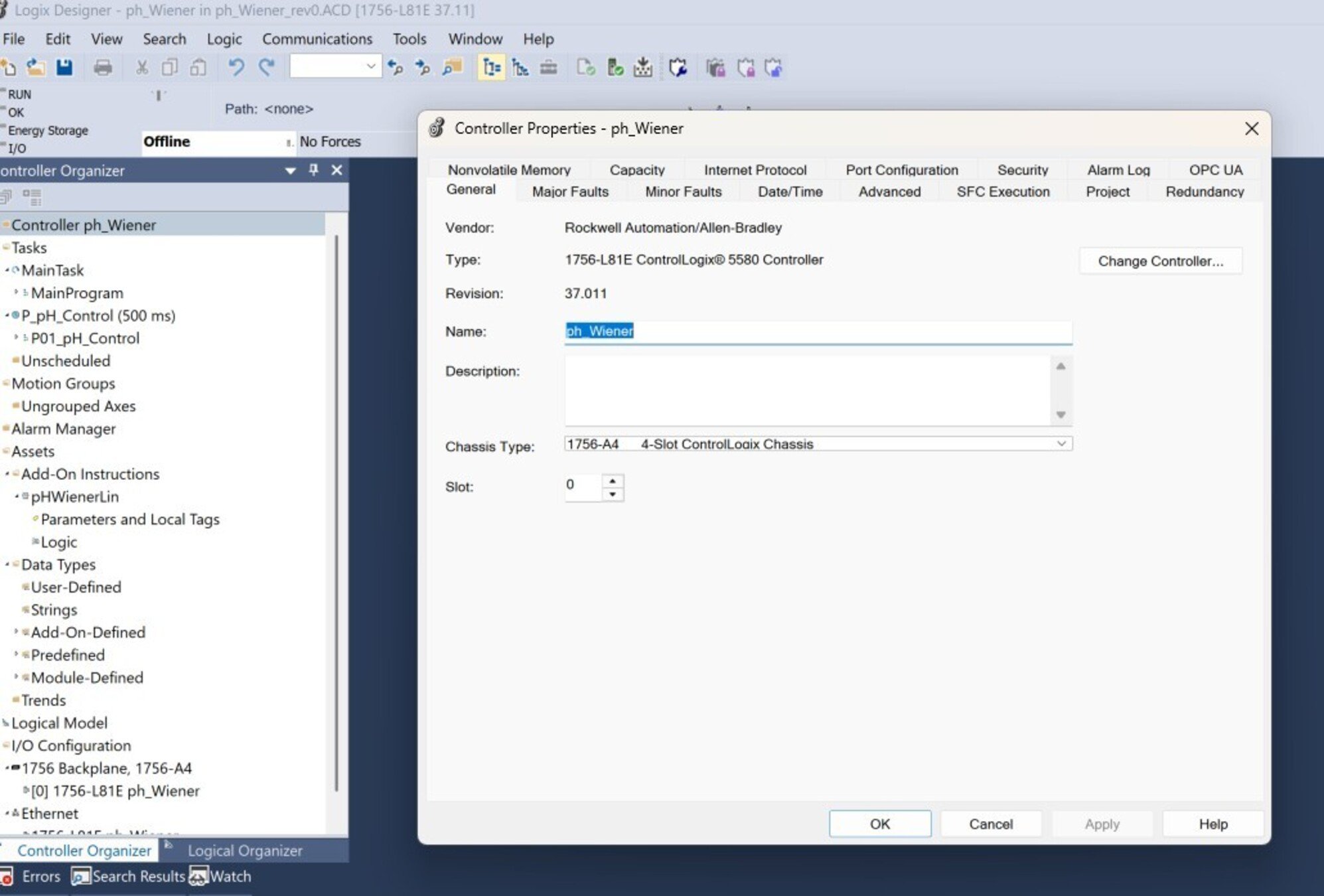
Extract and open Extract the files of the delivered program (".ACD" project).
control-of-ph-based-on-a-wiener-model_16x9-phControl_step1_imagen1.jpg
Open the Studio 5000 program by double-clicking the .ACD file. For testing this application, a ControlLogix 5580 controller (1756-L81E) was used.
control-of-ph-based-on-a-wiener-model_16x9-phControl_step1_imagen1.jpg
Step 2
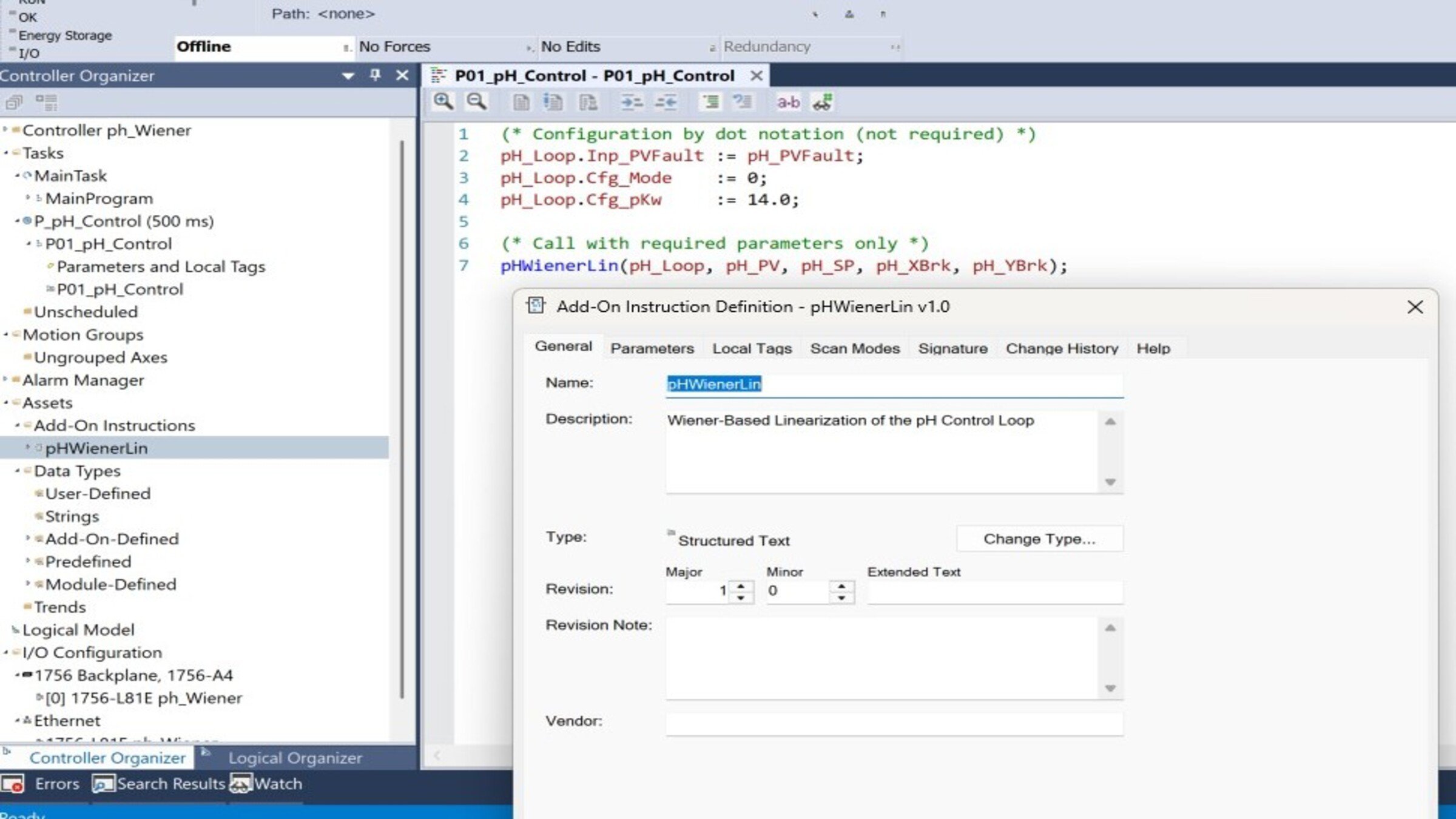
Understand the program structure. Review the main components of the program in the "Controller Organizer":
- pH_WienerLin: Linearizes pH by applying the inverse of the titration curve
- pH_PIDE (PID_ENHANCED): Regulatory control in the linear domain
- Program P_pH_Control: Contains the call routine
- Task T_Process: Periodic task that executes the control
control-of-ph-based-on-a-wiener-model_16x9-phControl_step2_imagen1.jpg
Step 3
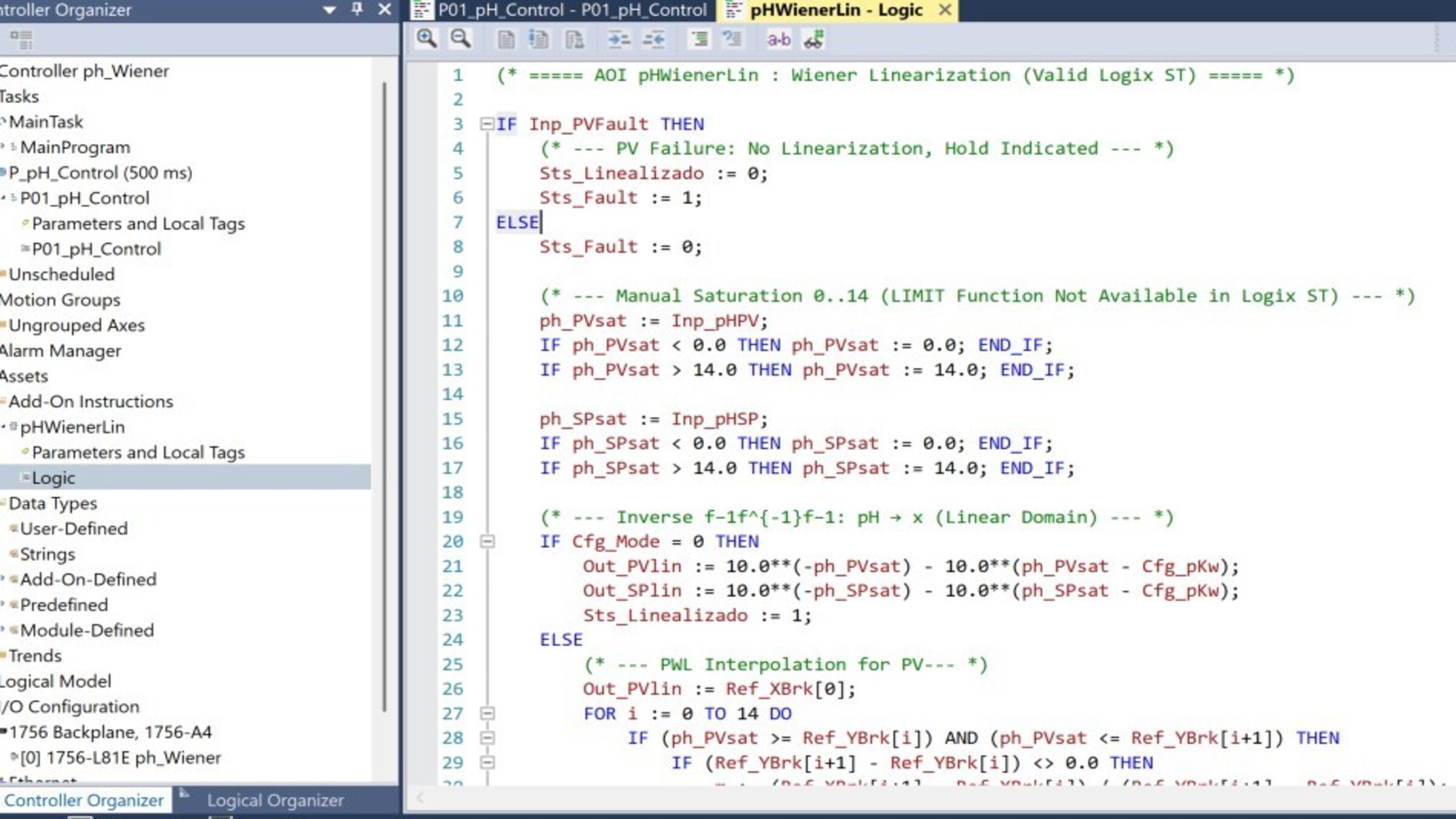
Understand the pH_WienerLin AOI
- Open the AOI in the Controller Organizer and review the Logic tab.
- The AOI transforms pH into the linear domain x through the inverse of the nonlinearity: x=10−pH−10(pH−pKw)x = 10^{-pH} - 10^{(pH - pK_w)}x=10−pH−10(pH−pKw)
- It delivers two outputs: Out_SPlin (linearized SP) and Out_PVlin (linearized PV), which feed the PIDE. The Cfg_Mode parameter selects the method: 0 = analytical inverse; 1 = PWL table (actual titration curve).
control-of-ph-based-on-a-wiener-model_16x9-phControl_step3_imagen1.jpg
Step 4
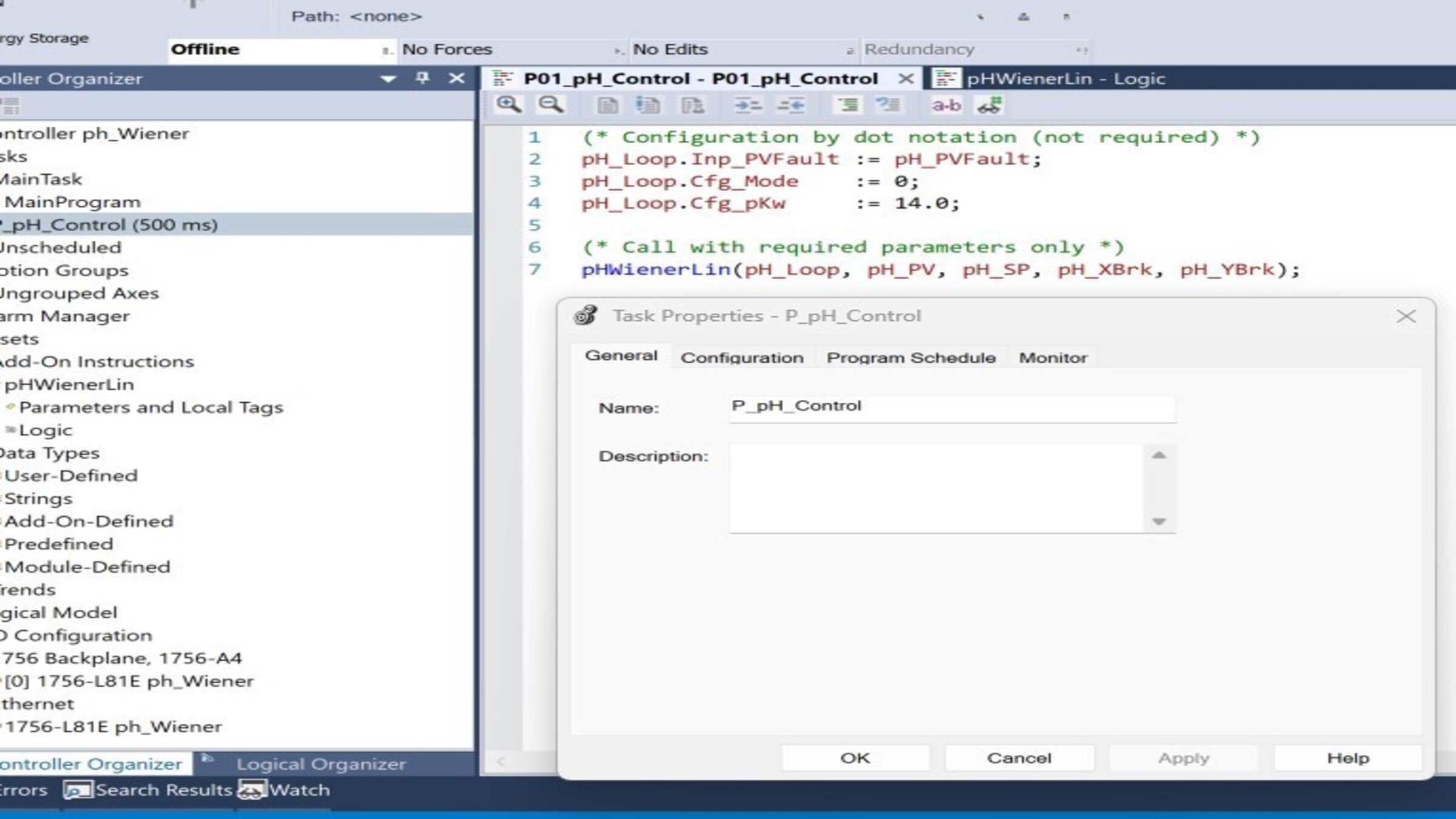
Understand the call routine. In the P_pH_Control routine, verify the execution sequence:
control-of-ph-based-on-a-wiener-model_16x9-phControl_step4_imagen1.jpg
Step 5
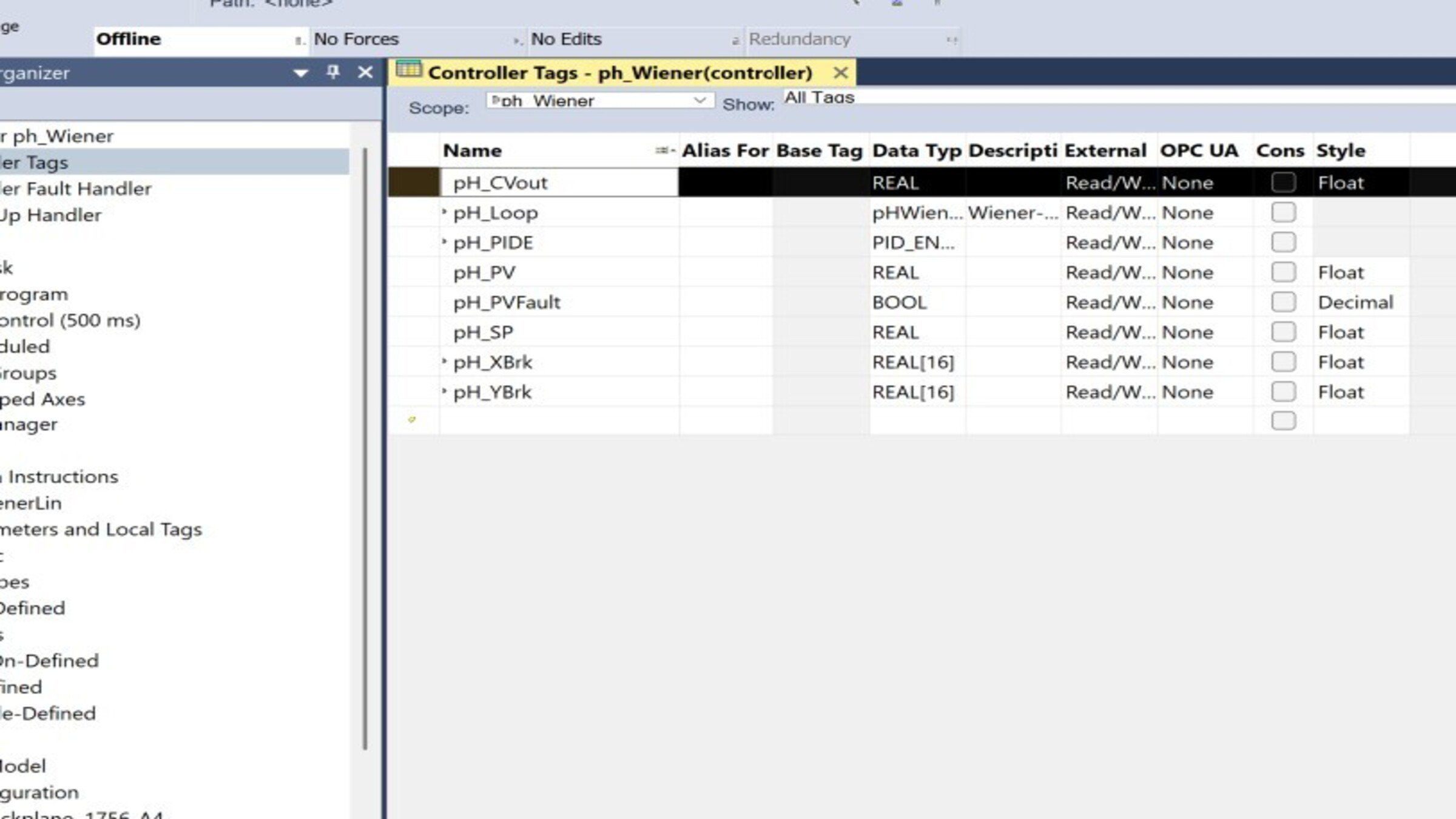
Configure the field tags (I/O mapping). Link the program tags to your input/output modules:
| Tag | Type | Link to |
|---|---|---|
| pH_CVout | REAL | Analog output to valve/pump |
| pH_PVFault | BOOL | Channel diagnostics / transmitter fault |
| pH_SP | REAL | Setpoint (initial value 7.0) |
| pH_PV | REAL | Analog input from the pH transmitter |
control-of-ph-based-on-a-wiener-model_16x9-phControl_step5_imagen1.jpg
Step 6
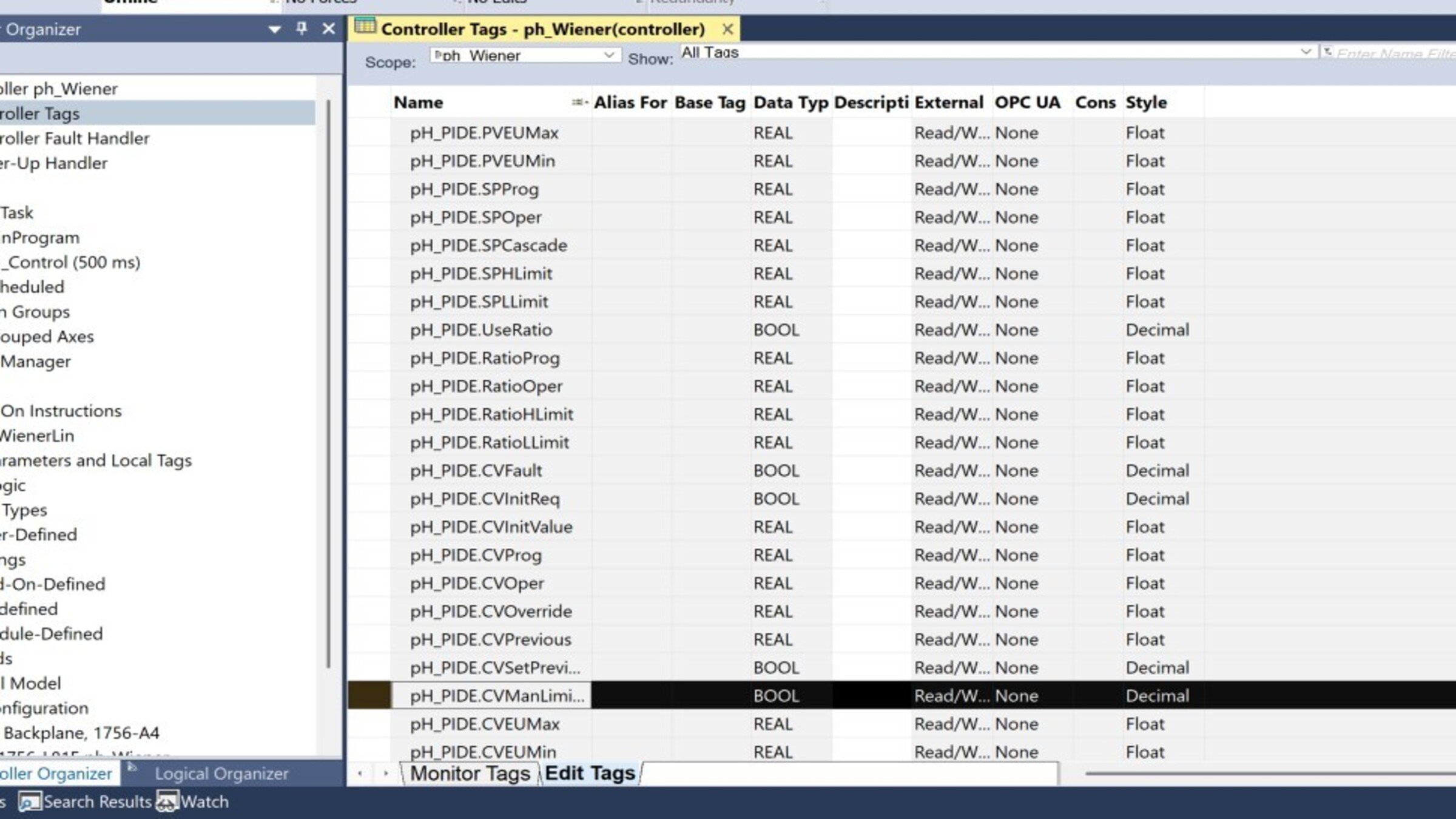
Configure the PIDE instructions.
Open the properties of pH_PIDE and adjust:
| Parameters |
Recommended value |
Issue – Action Taken |
|---|---|---|
| CVEUMax / CVEUMin |
100 / 0 % |
Valve/Pump Output Range |
| PVEUMax / PVEUMin |
+0.1 / −0.1 |
Linear Domain Scaling (Adjust to Match Your Curve) |
| PGain / IGain |
1.2 / 0.05 (seed value) |
Retune After Model Identification |
| DGain |
0 | Common for pH Loops Due to Measurement Noise. |
control-of-ph-based-on-a-wiener-model_16x9-phControl_step6_imagen1.jpg
Step 7
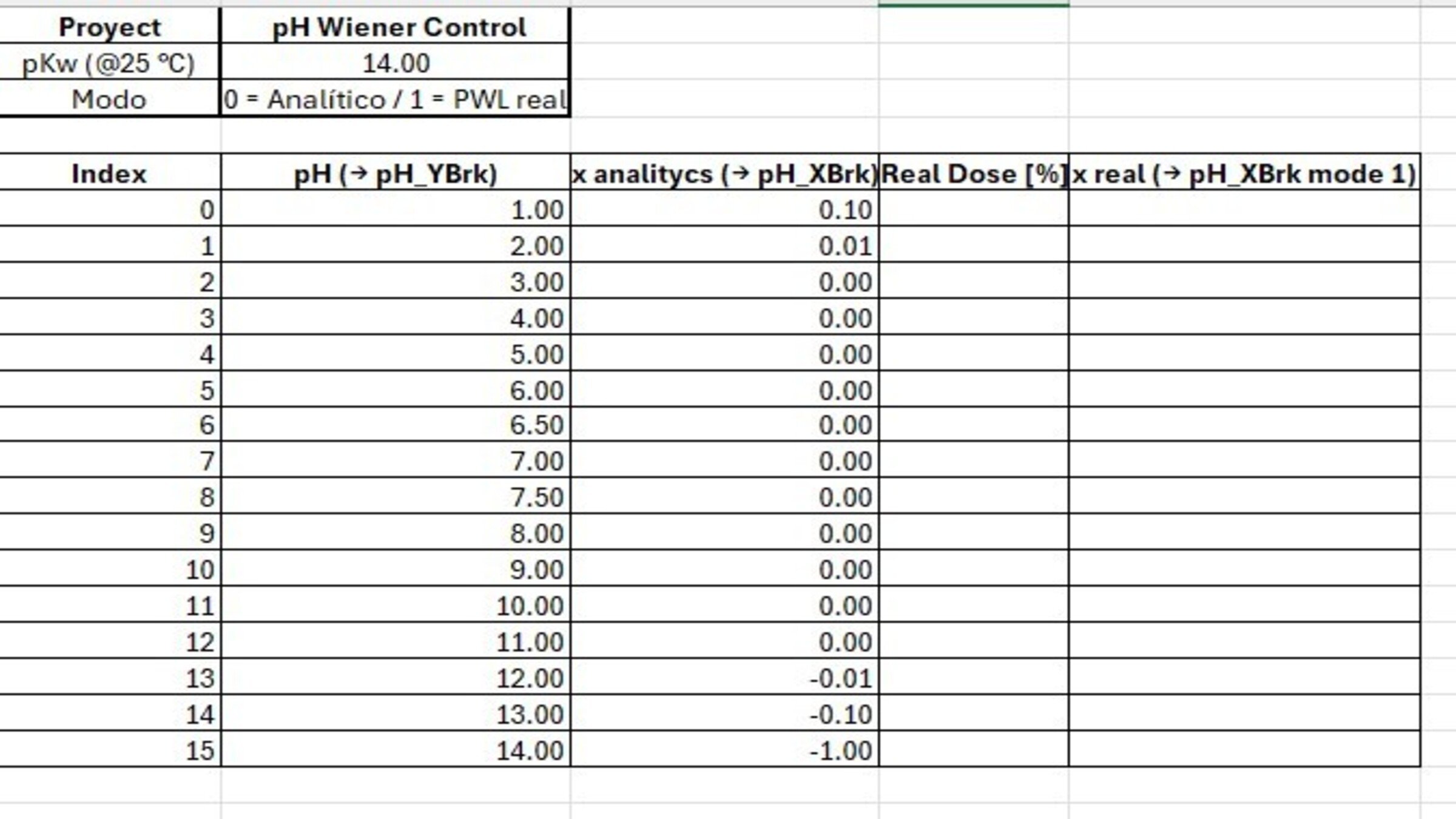
Populate the titration curve (pH_XBrk / pH_YBrk):
- In the tag monitor, complete the 16 values of each array (indices 0–15).
- pH_YBrk: ascending pH (1.0 → 14.0).
- pH_XBrk: linear domain x values (calculated or from actual titration).
- Verify that pH_YBrk is strictly ascending and without consecutive repeated values
control-of-ph-based-on-a-wiener-model_16x9-phControl_step7_imagen1.jpg
Step 8
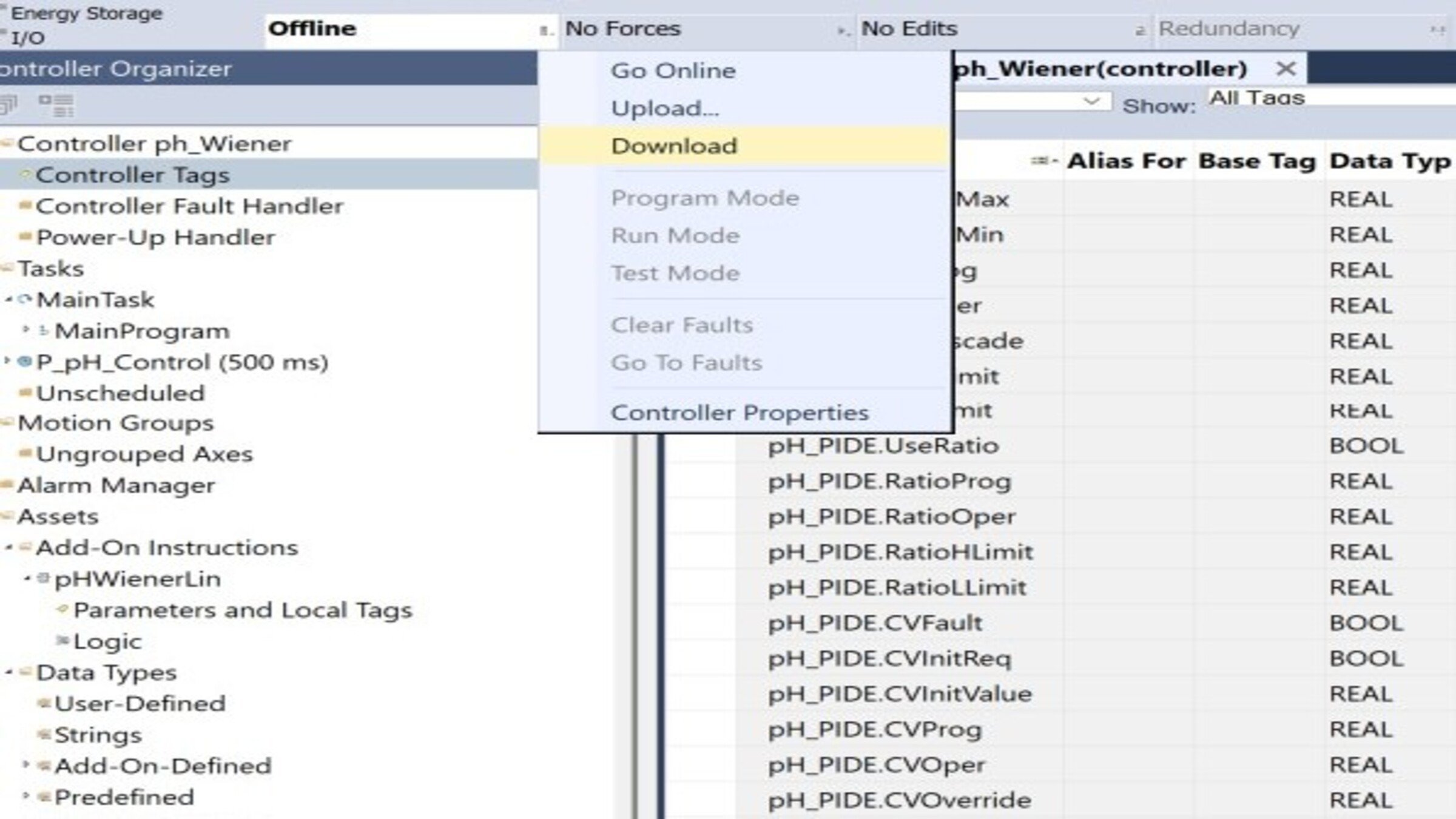
Download the program to the controller:
- Configure the communication path (RSLinx / FactoryTalk Linx).
- Verify the project with Verify (Ctrl+K) — it must compile without errors.
- Download the project and set the controller to Remote Run mode
control-of-ph-based-on-a-wiener-model_16x9-phControl_step8_imagen1.jpg
Step 9
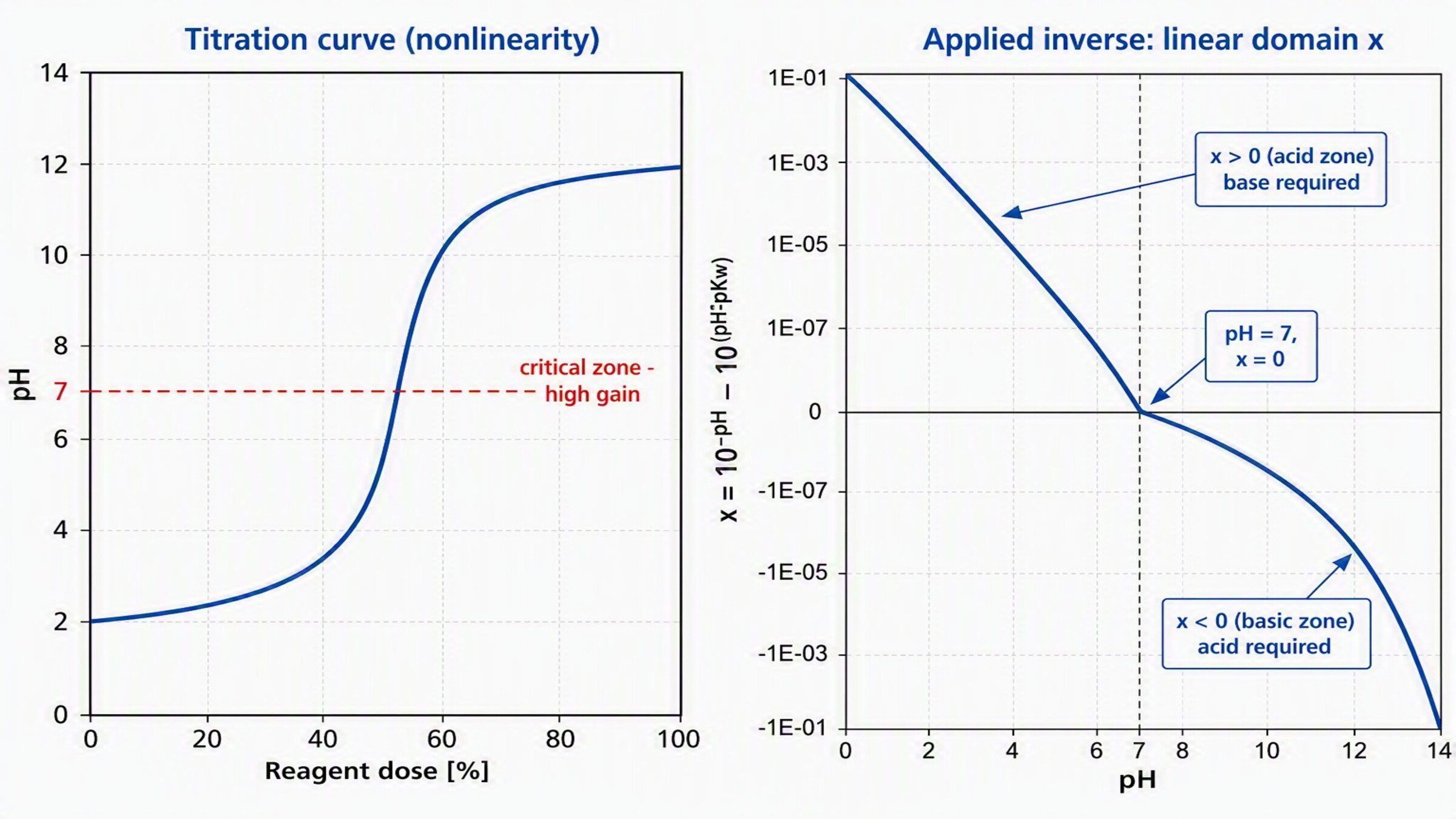
Test in Manual mode
- Set the PIDE to Manual from the pH_PIDE tag.
- Verify that when varying pH_PV (or forcing values in simulation), Out_PVlin changes sign when crossing pH 7 (positive in the acid zone, ~0 in neutral, negative in basic).
- Confirm Sts_Linealizado = 1 and that pH_CVout responds manually.
control-of-ph-based-on-a-wiener-model_16x9-phControl_step9_imagen1.jpg
Step 10
Tune and test in Automatic
- With the PIDE in Manual, use the built-in open-loop autotuner (applies a step in CV and estimates the process model).
- Apply the suggested gains (start with a slow/medium response, suitable for pH).
- Switch to Auto and validate with small SP steps
Step 11
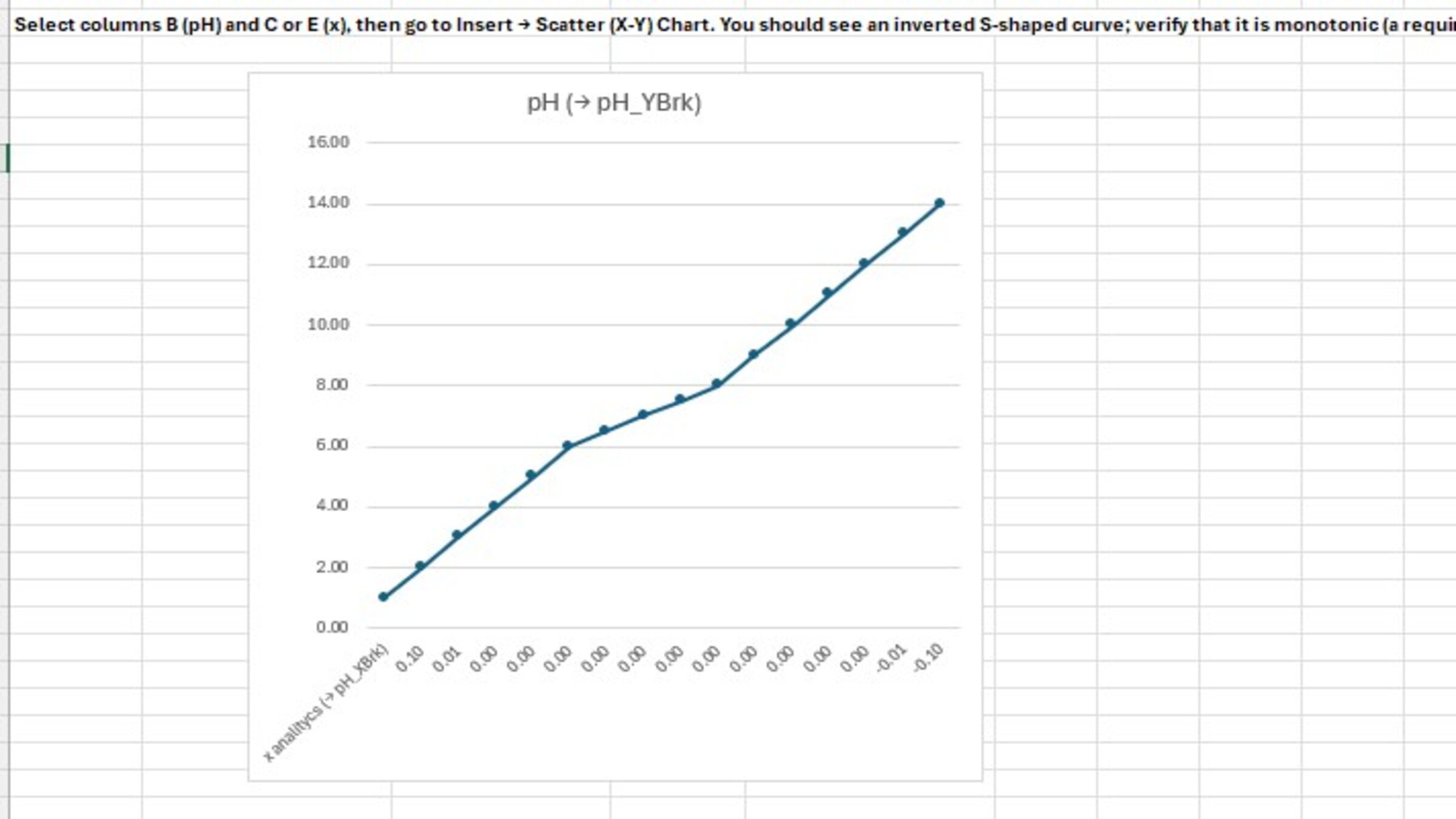
Validation across the pH range. Run SP steps in the three zones and confirm homogeneous performance:
| Zona | test SP | What to observe |
|---|---|---|
| Acid |
3 → 4 | Stable response, no oscillation |
| Neutral |
6 → 8 | Critical zone — no overshoot despite the high gain |
| Basic |
10 → 11 | Consistency with the other zones |
- Operation verification (checklist)
- Project verified without errors (Ctrl+K)
- pH_PIDE with reverse action confirmed
- Field tags mapped to I/O
- pH_XBrk / pH_YBrk arrays correctly populated
- Manual test: linearization and output correct
- Tuning applied and Auto test satisfactory
- Range validation (acid/neutral/basic) homogeneous
control-of-ph-based-on-a-wiener-model_16x9-phControl_step11_imagen1.jpg
Control of pH Based on a Wiener Model
Version 1.0 - August 2026
