How to use:
- Use the file, ICAI_1, which is provided as support material.
- You must have AssetCentre V15.00.00.17 or higher.
Problem to address: Verify the obsolescence of assets in an industrial facility.



Something that characterizes the operation of a control system is its maintenance and the lifecycle management of its products. On some occasions, our customers can go from day one of the equipment installation to more than thirty years with our equipment. A clear example of this is the history of the PLC5, which was launched in 1986 and whose production was not discontinued until 2017, becoming a product with more than 31 years of service.
That is why at Rockwell Automation, different tools have been created to manage these assets in the best way, allowing the customer to know their lifecycle publicly and at no cost.
The asset inventory file added in the files is used as an example.
Objective: Use the asset inventory report as a first tool for customers who use assetcentre, to know firsthand the lifecycle of the products in this file and the downloads that must be performed for compatibility between the equipment.
How to use:
Problem to address: Verify the obsolescence of assets in an industrial facility.

Downloads
Please note: You will need to agree to the Terms & Conditions for each download.

Need Help?
If you need help with an application or have feedback from the Innovation Center, please contact us.
This application is very useful since the user will be able to know the status of their assets with respect to the lifecycle.
How can I make it work?
How can I make it work? Requirements: products, tools, prior knowledge.
Software

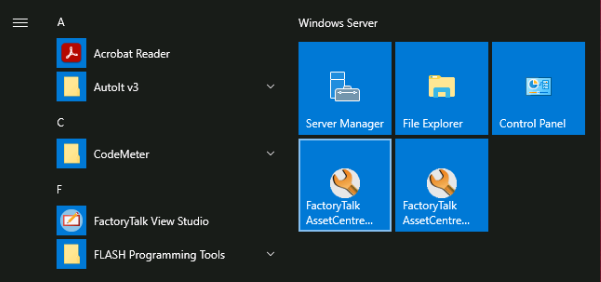
Open the FactoryTalk AssetCentre Client.
asset-management-product-life-cycle_IMAGE_2.png
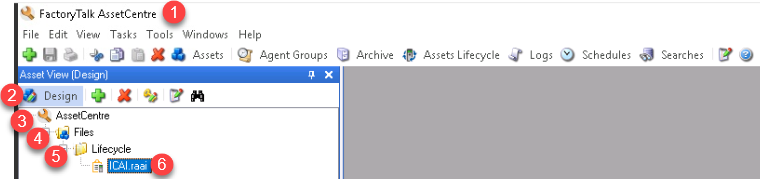
asset-management-product-life-cycle_IMAGE_3.png
Create the ICAI file; this would be the asset inventory.
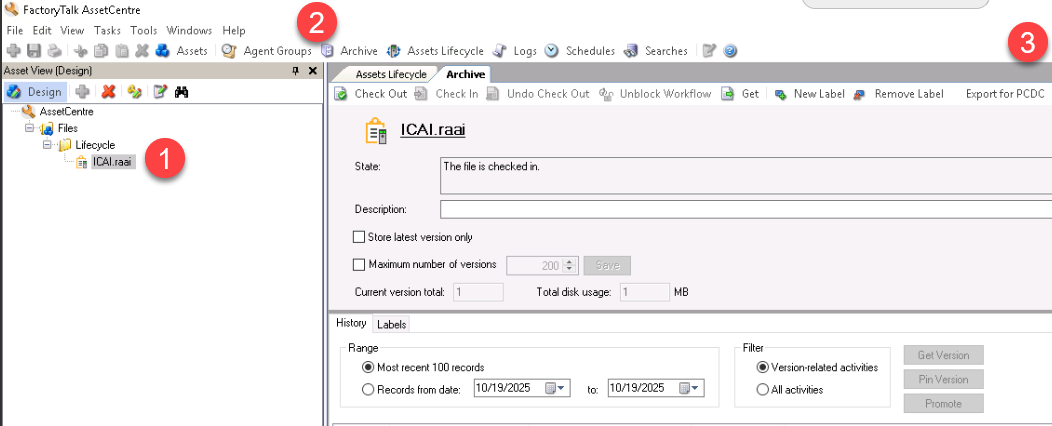
asset-management-product-life-cycle_IMAGE_4.png
Make sure the file has been created successfully (see boxes in red).
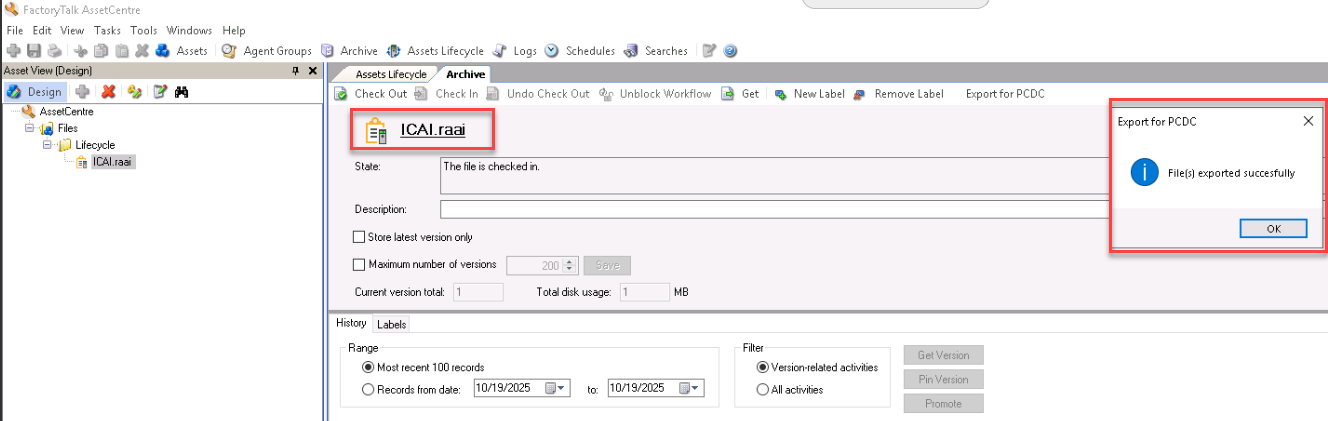
asset-management-product-life-cycle_IMAGE_5.png
Open the web browser of your preference and search for Product Compatibility & Download Center.

asset-management-product-life-cycle_IMAGE_6.png
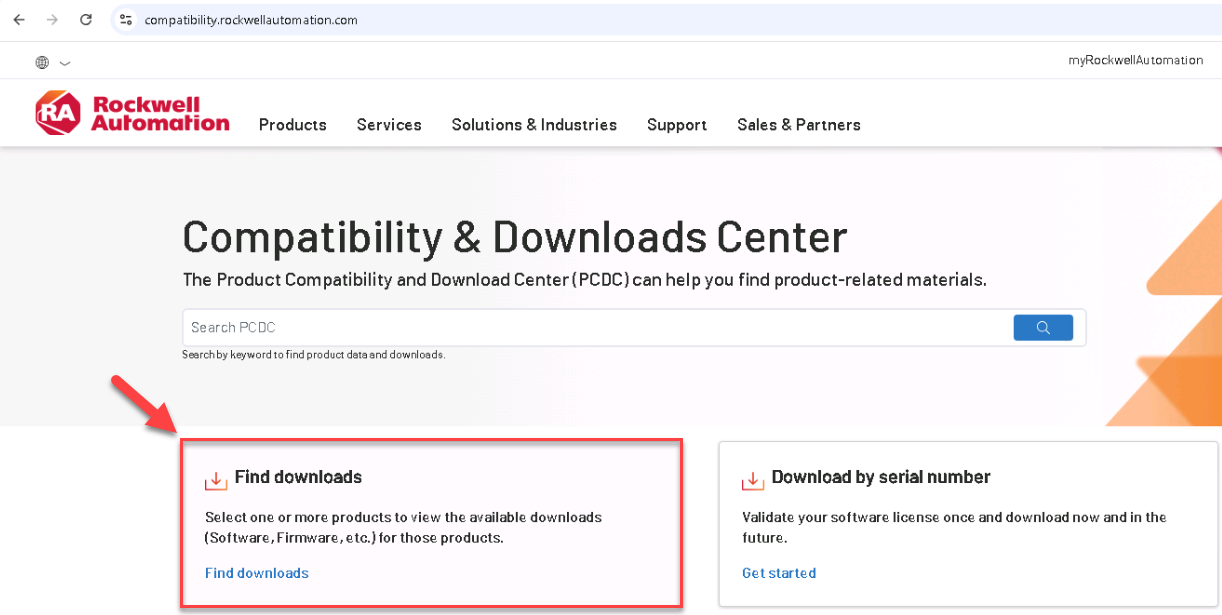
asset-management-product-life-cycle_IMAGE_7.png
Once in Downloads, select Import.
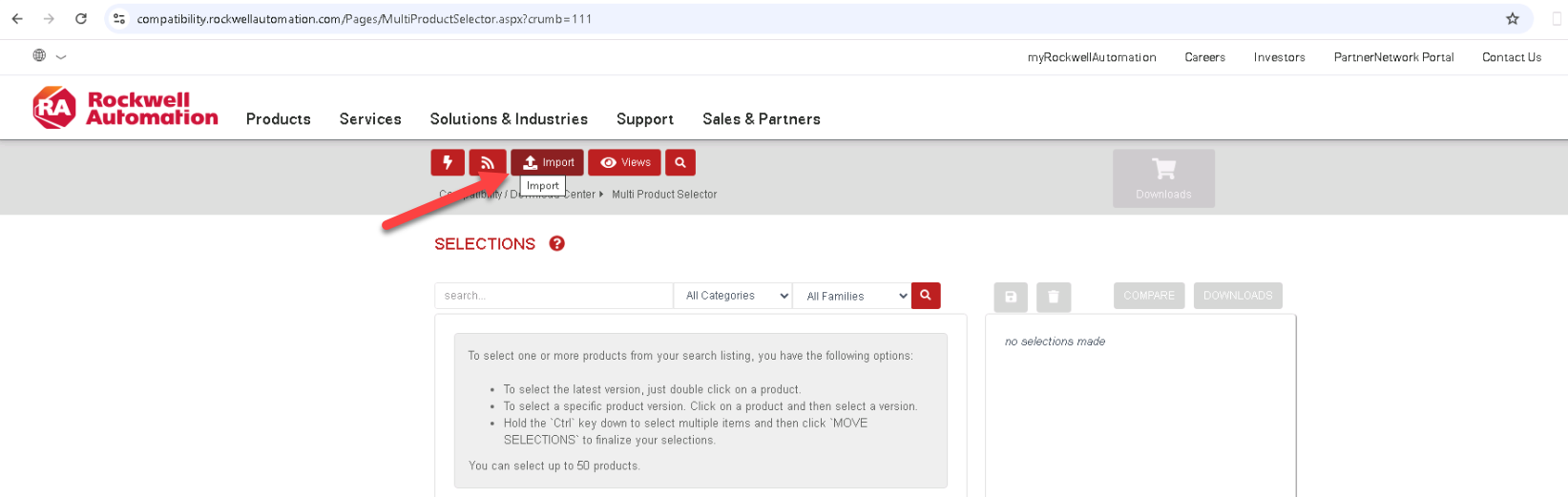
asset-management-product-life-cycle_IMAGE_8.png
Once in Import, select Start New Import.
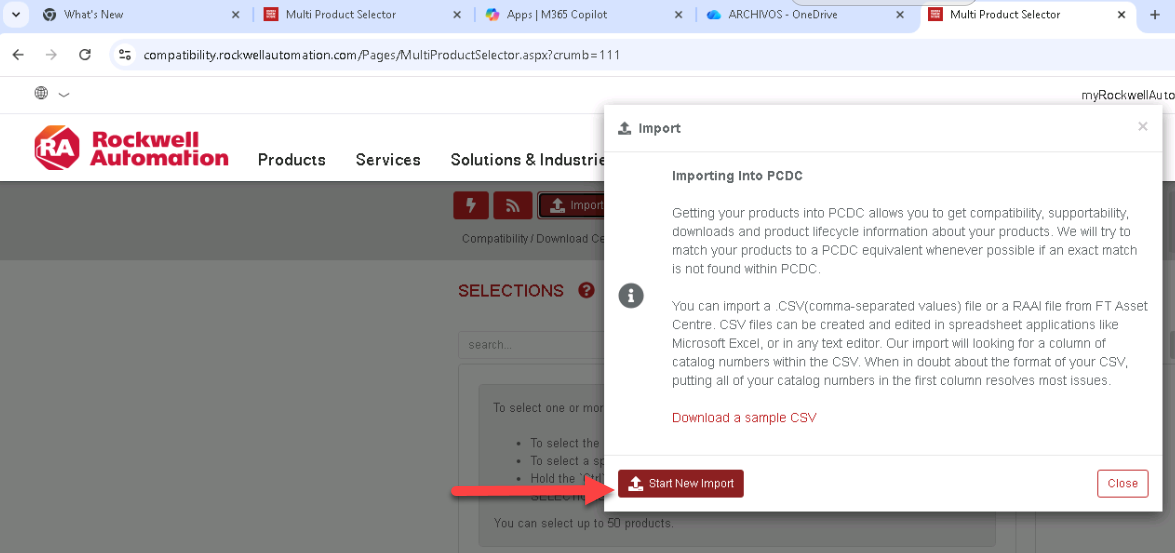
asset-management-product-life-cycle_IMAGE_9.png
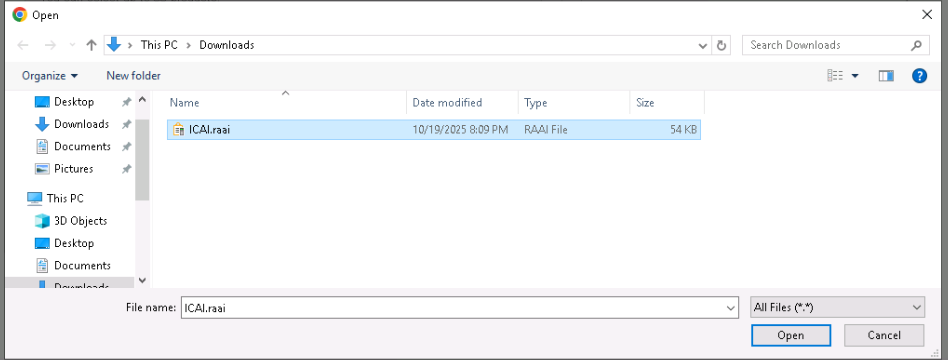
asset-management-product-life-cycle_IMAGE_10.png
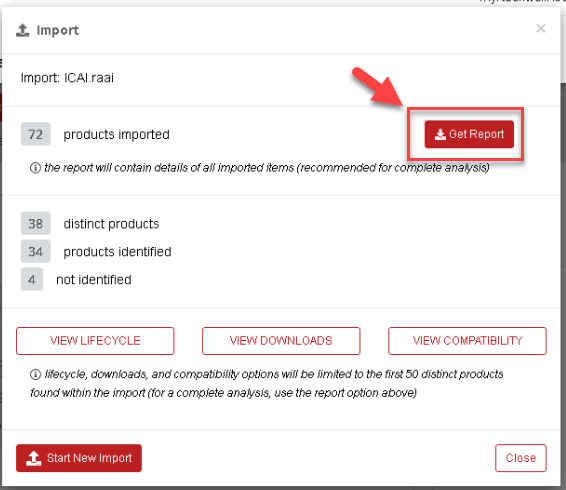
The selected file has 72 products.
Select Get Report.
asset-management-product-life-cycle_IMAGE_11.png
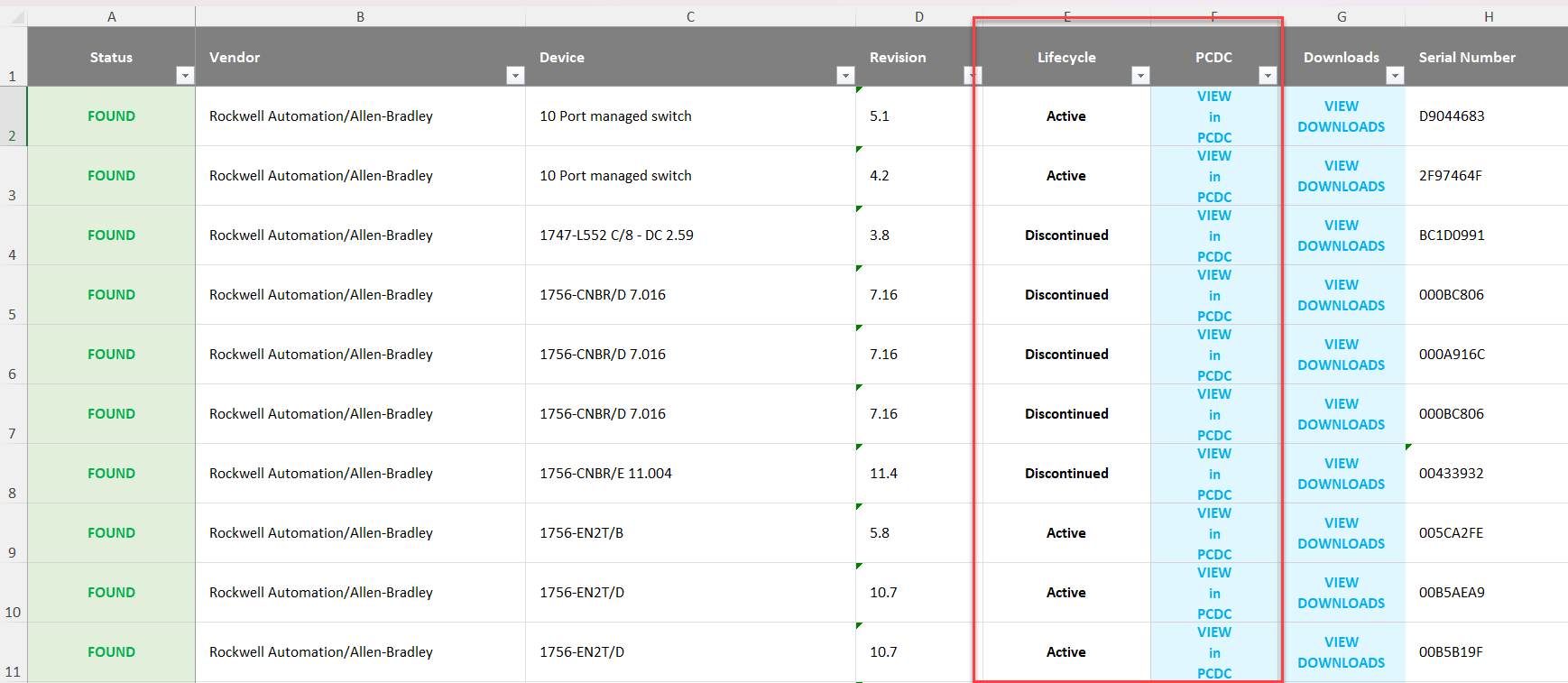
The file in .xls format is called "ICAI.raai-20251019".

asset-management-product-life-cycle_IMAGE_12.png
asset-management-product-life-cycle_IMAGE_13.png
asset-management-product-life-cycle_IMAGE_14.png

asset-management-product-life-cycle_IMAGE_15.png
Asset Management Product Life Cycle
Version 1.2 - May 2026
