
Register an Extractor
To run data transformation using Auth0 as the IdP, CDF requires client credentials (M2M Token). To get the appropriate client credentials, you must first register an extractor and save the client ID and secret generated.
Perform the following steps to register an extractor:
- On theFactoryTalk DataMosaix SaaSManagement Console, select theExtractor Infotab.
- Click the Add [+] icon.
- On theExtractor Info Detailpage, provide a unique and meaningful name for the extractor.
- In thePipelinefield, provide the extraction pipeline name created earlier.
- Select theSource Typeas Add Custom / Other.Extractor Info Detail Page
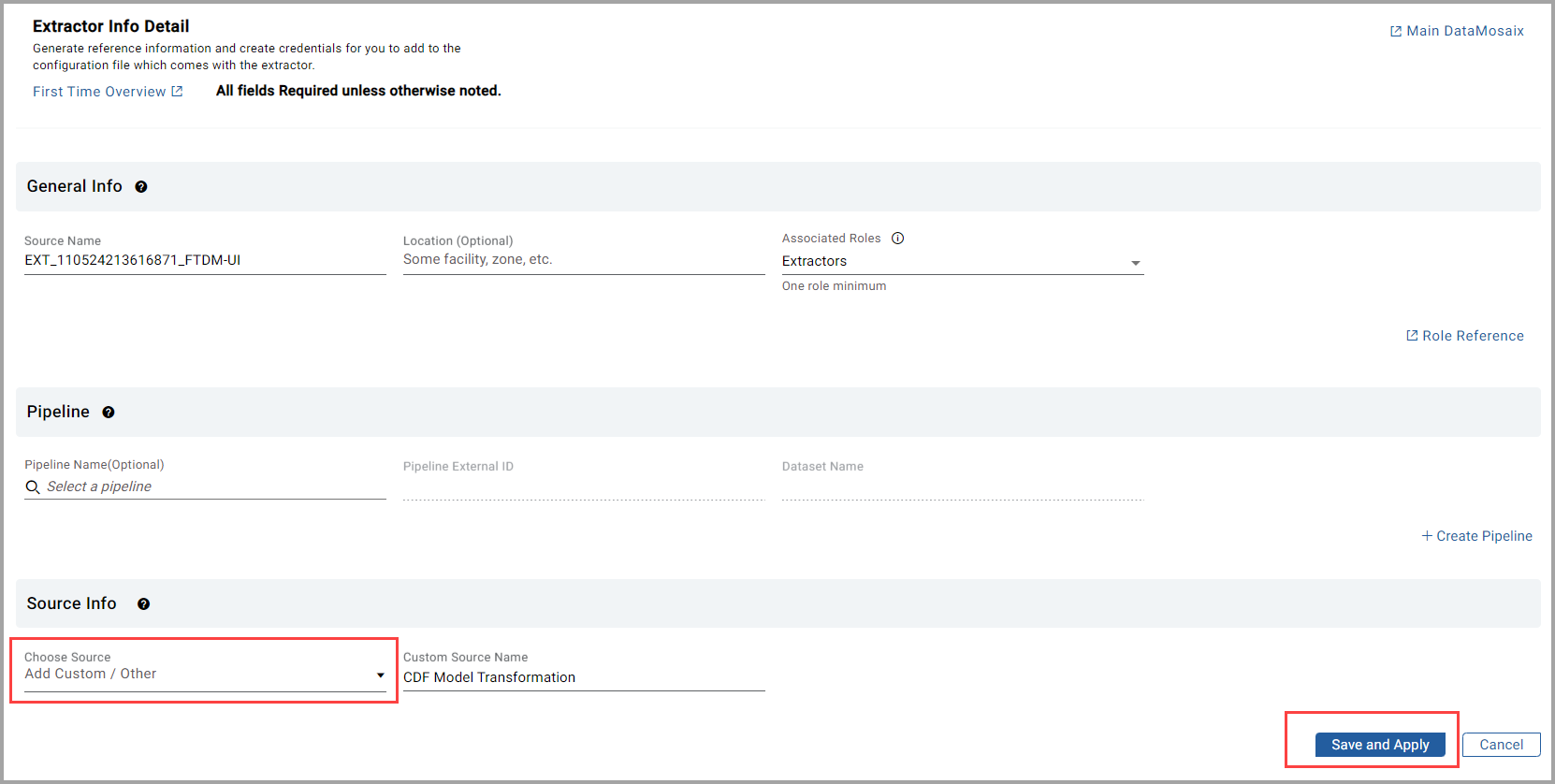
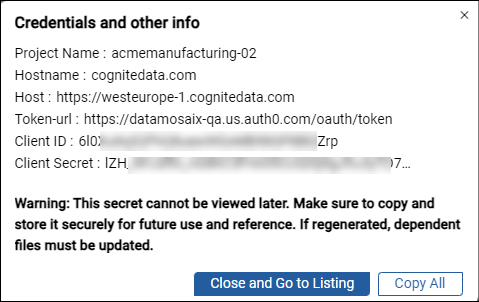
- ClickSave and Applyto register the extractor. Credentials and other information are displayed.
- Copy and save the client secret information. You will need to use this information while setting credentials to run data transformation.Credentials and Other Info
Provide Feedback