
Download

Implement AUDIT TRAIL 21CFR in FACTORYTALK OPTIX


What does this application do?
21 CFR Part 11 is a regulation issued by the U.S. Food and Drug Administration (FDA) in 1997. It establishes the criteria under which electronic signatures and records are accepted as legal equivalents to handwritten signatures and paper records in the life sciences industry (pharmaceutical, biotechnology, medical device, etc.).
Its objective is to ensure that computer systems used in manufacturing, quality control, and regulatory documentation meet standards of:
- Authenticity
- Integrity
- Confidentiality
- Non-repudiation (a signature cannot be rejected as non-genuine)
Implementing 21 CFR is useful because it:
- Replaces paper: Reduces storage, printing, and physical handling costs.
- Streamlines processes: Enables legally valid digital workflows.
- Efficient auditing: Facilitates tracking of actions and changes in electronic records.
- Regulatory compliance: This is mandatory for companies operating under the FDA.
General Features
- Closed vs. open systems: Define controls based on who manages access.
- Electronic records: Text, graphics, audio, data, etc., in digital format.
- Electronic signatures: Legal equivalents of handwritten signatures.
- Automated audits: Records of who modified what, when, and what.
- Access controls: User authentication and role-based permissions.
Advantages
- Complete traceability: Every action is logged with a username and timestamp.
- Security: Access controls, encryption, and password policies.
- Efficiency: Digital approval workflows with electronic signatures.
- Flexibility: Configurable according to each company's specific needs.
Limitations/Disadvantages
- Implementation complexity: Requires detailed security configuration and auditing.
- Initial costs: Investment in compatible software and training.
- Maintenance: Updates, backups, and user management.
- Rigidity: Changes must follow validated procedures.

Need Help?
If you need help with an application or have feedback from the Innovation Center, please contact us.
Is this application relevant to me?
This code is defined for applications where you need to implement 21CFR.
Application areas: Food, Manufacturing, Beverage
How can I make it work?
Requirements: products, tools, prior knowledge.
Hardware
- Personal computer
Software
- FactoryTalk Optix
Prior Knowledge
- Knowledge of programming and configuration in FT Optix and application of the 21CFR standard.

Implementation Guide
- Step 01
- Step 02
- Step 03
- Step 04
- Step 05
- Step 06
- Step 07
- Step 08
Step 01
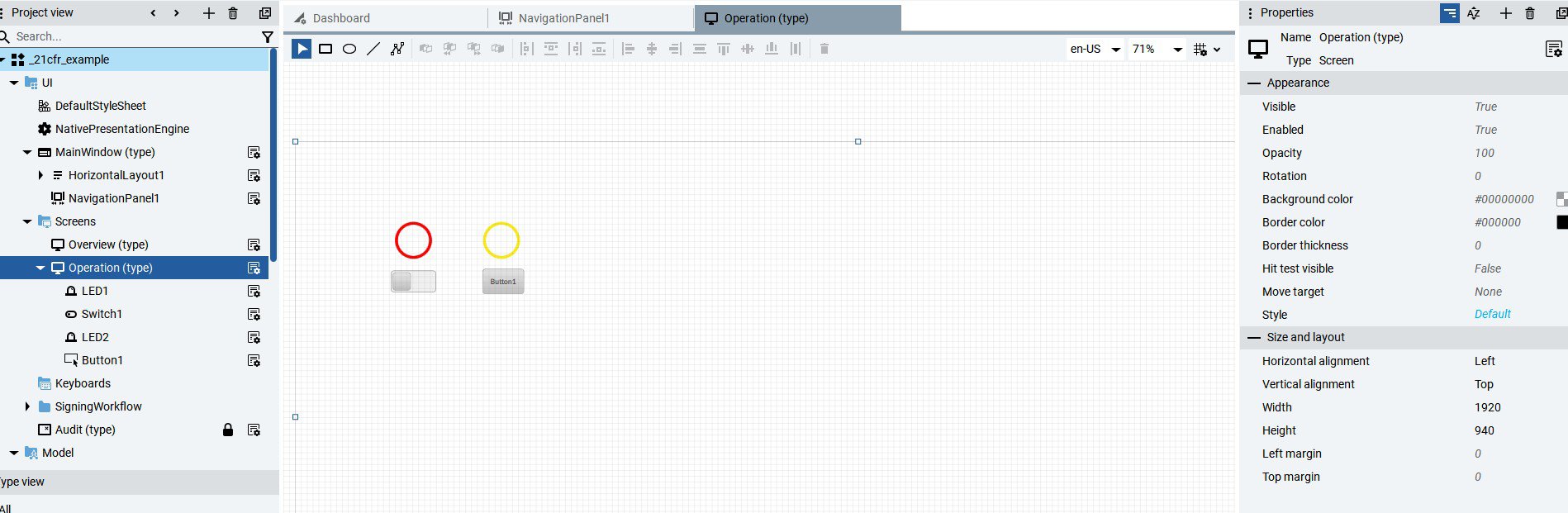
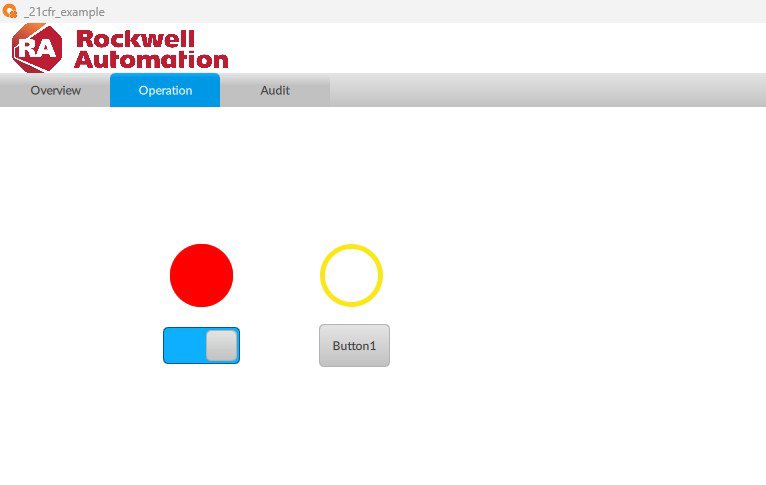
Create the screen, buttons, and controls to which the electronic signature will be applied.
Image 1.1. Creating objects
Image 1.2. Creating objects (runtime)
Step 02
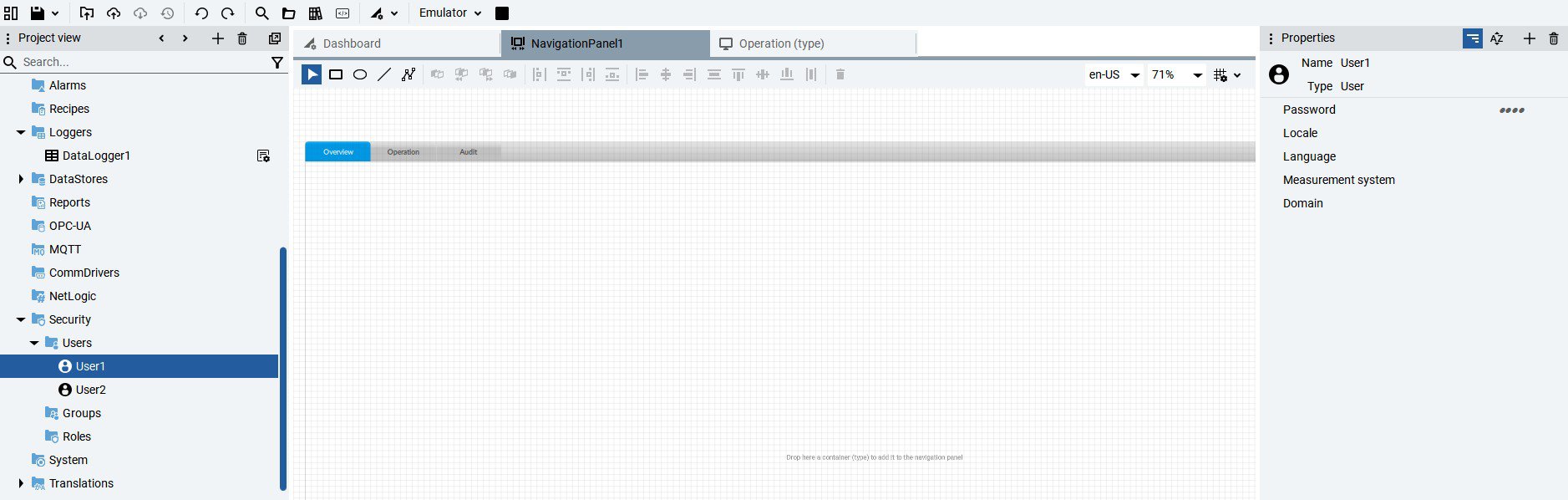
Create the necessary users for the application from the Security tab and assign a password in the Properties section.
Image 2. Creating users
Step 03
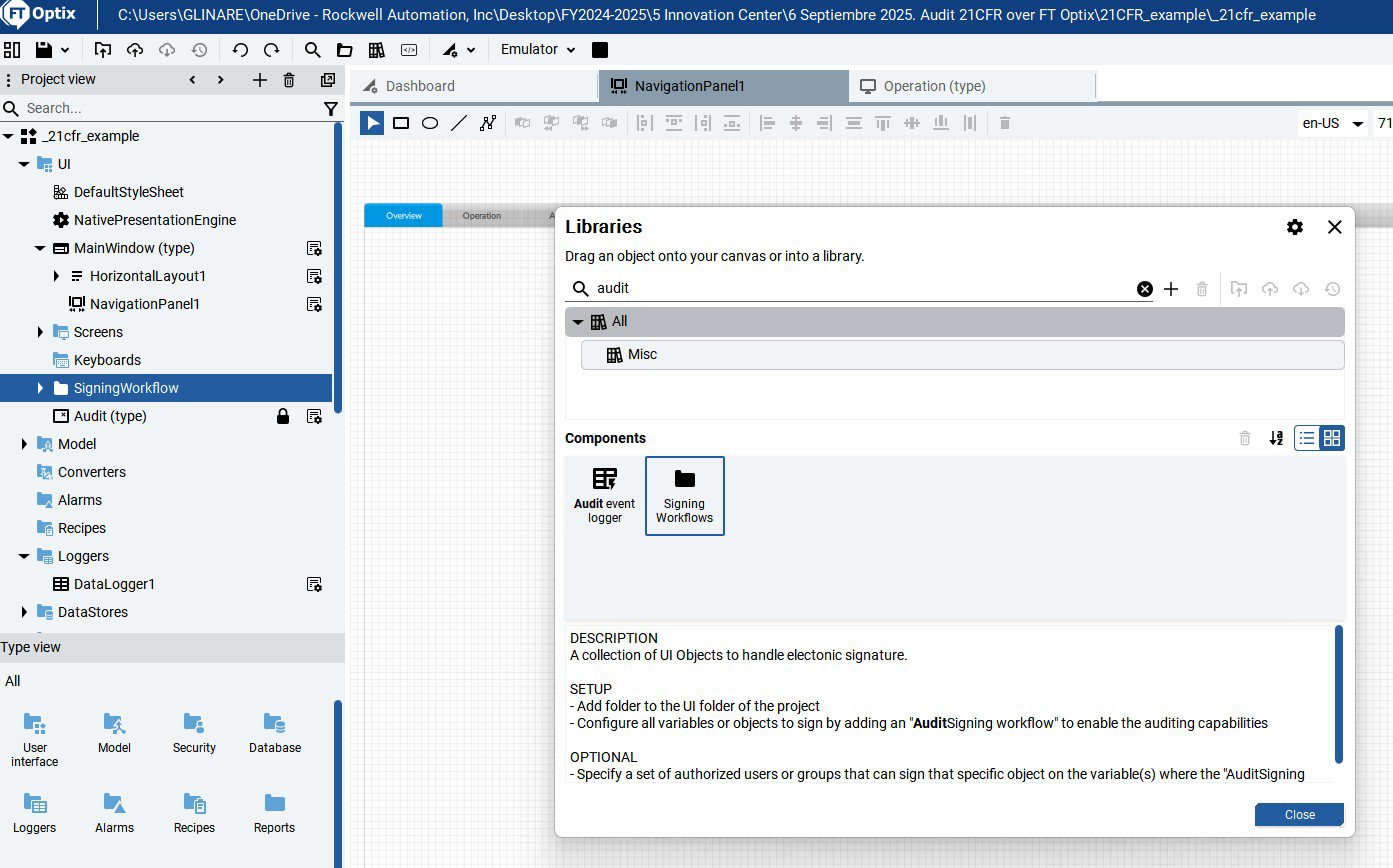
From the object library, add the Signing Workflows object by dragging it from the library to the UI.
Image 3. Signing Workflows object
Step 04
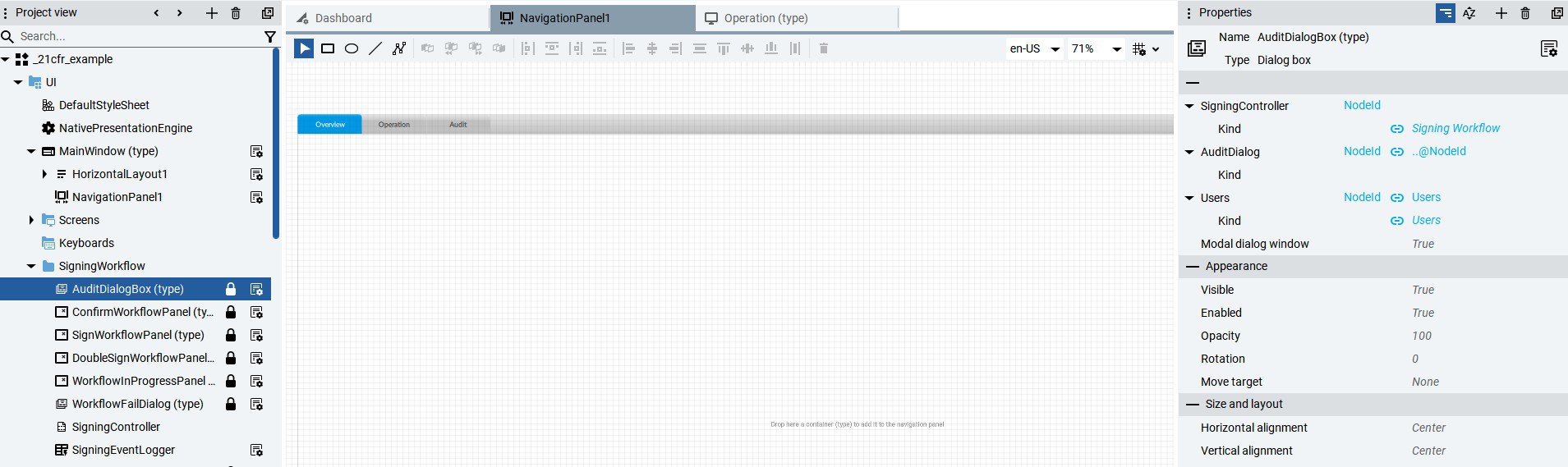
Configure the AuditDialogBox object properties and assign users.
Image 4. Configure AuditDialogBox properties
Step 05

Assign the Audit Signature property and the users who can change the object's condition to the variables of the objects that need to be audited.
Image 5. Configuring the Audit property in variables.
Step 06
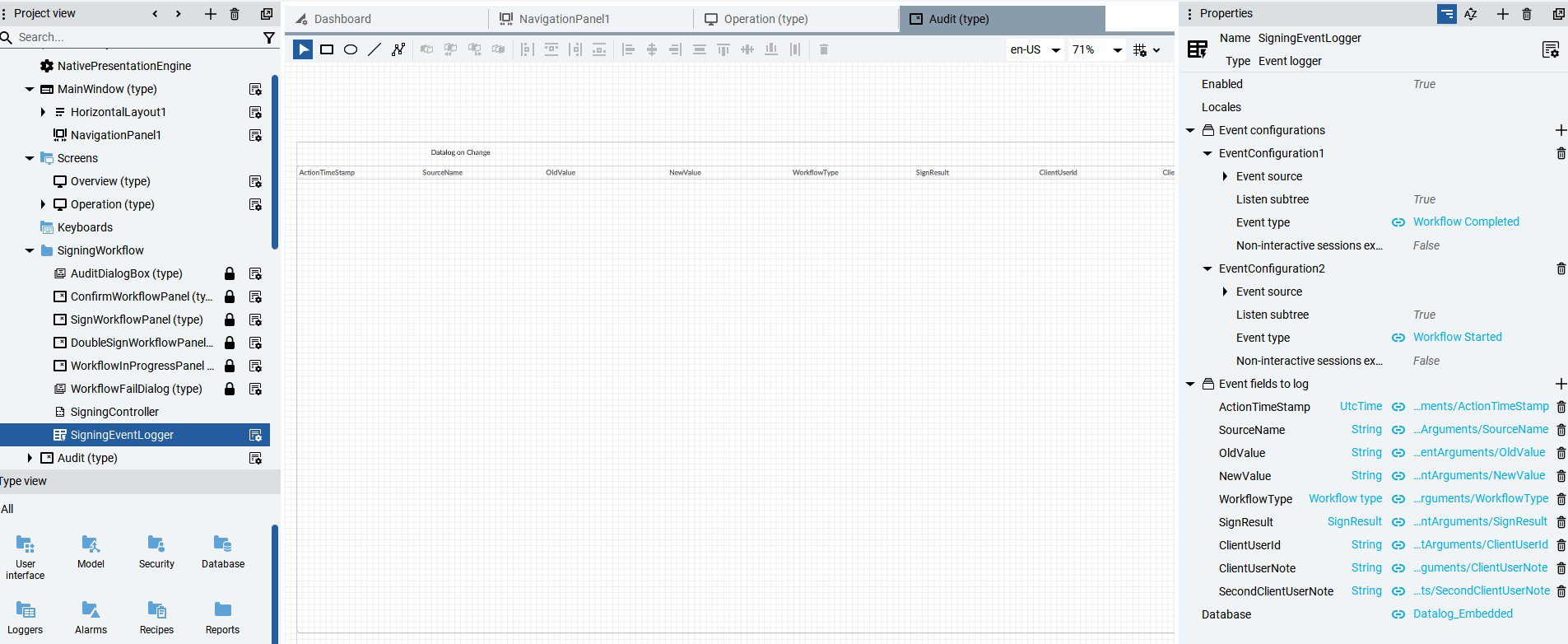
Create an Audit database, for example, embedded, from the DataStores option. Then, in the Database field of the Signing Workflows object, assign the name of the previously created database in the SigningEventLogger property.
Image 6. Definition and assignment of the Audit database.
Step 07
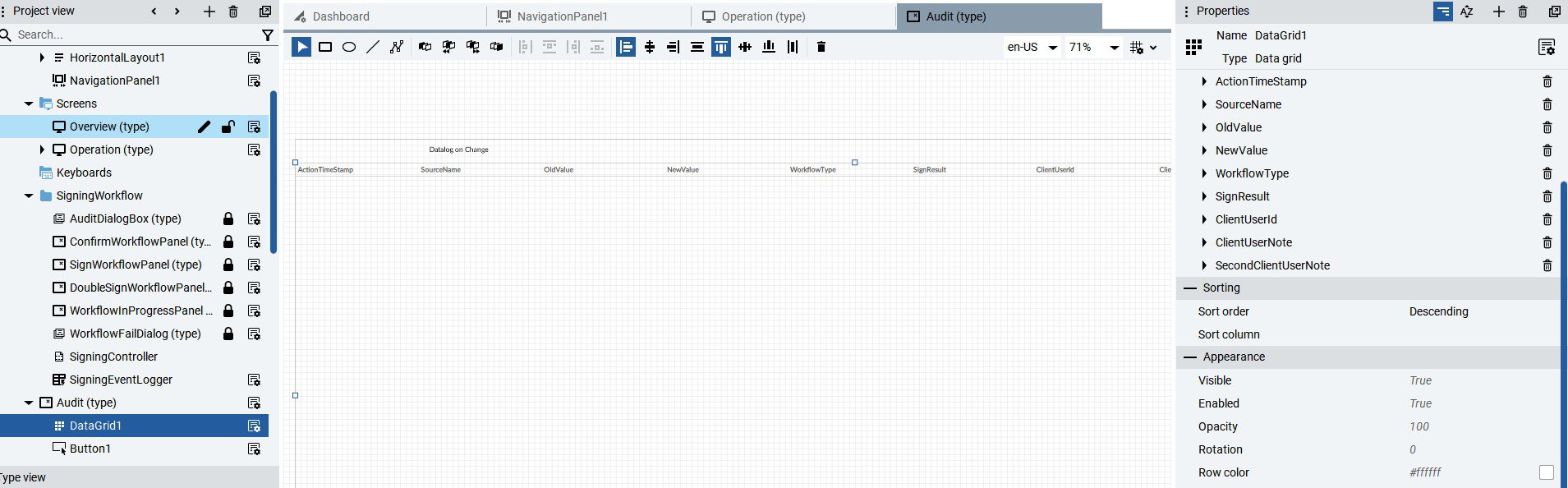
Generate a new screen called Audit and assign the Datagrid object found in the User Interface → Data Controls → Data Grid. Once adjusted to the screen resolution, grab the SigningEventLogger property of the Signing Workflows object by dragging it to the Data Grid. From the Datagrid properties, change the setting to Descendant.
Image 7. Configure the Audit datalog.
Step 08
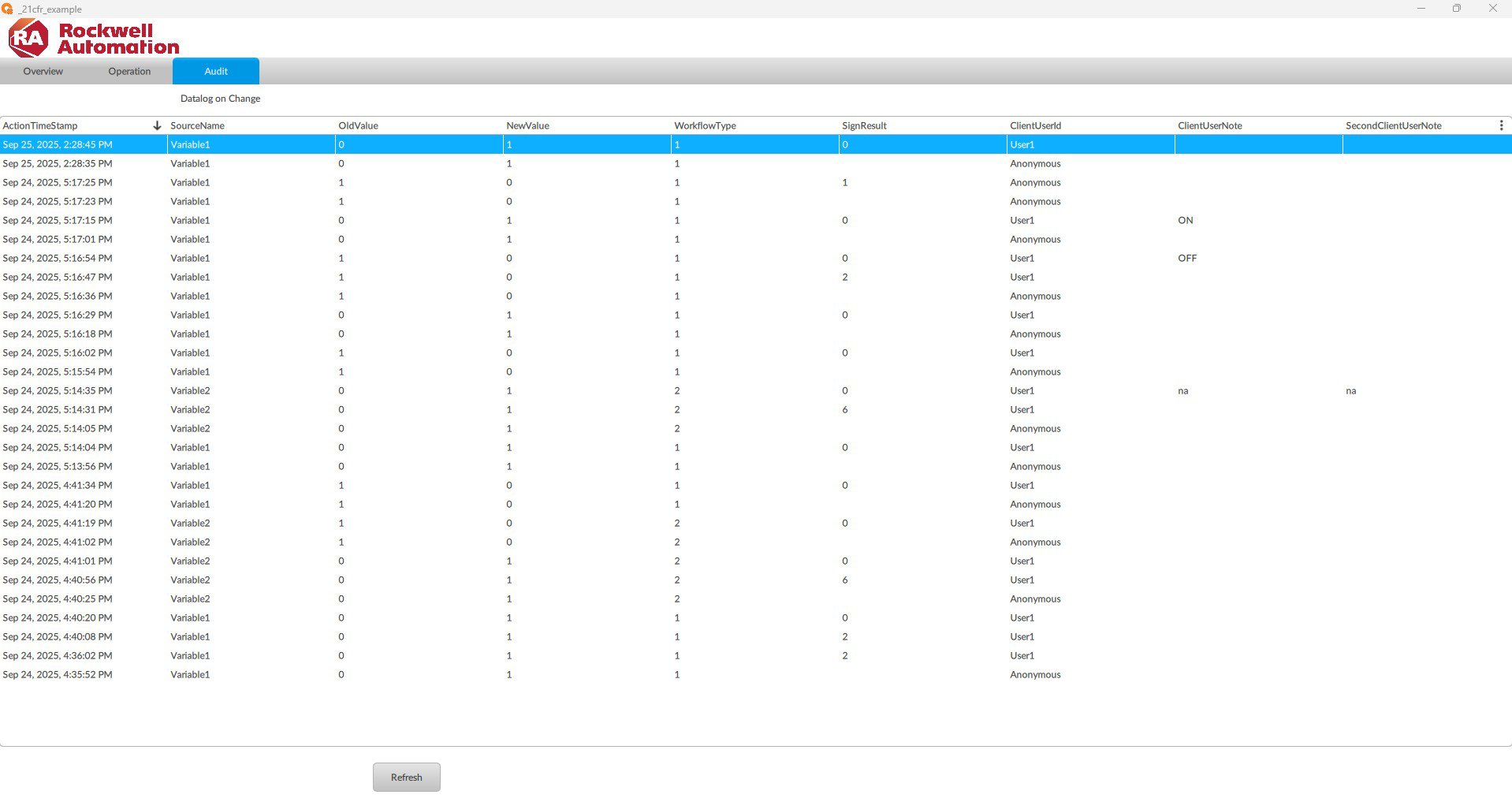
The log of changes to the defined variables and objects is displayed in the Audit tab.
Image 8. Audit log of variables.
Implement AUDIT TRAIL 21CFR in FT Optix
Version 2.0 - September 2026
