Connect Automation with IT Systems using FT-Optix and REST API
Ready-to-use application demonstrating how to integrate machines and automation systems using FT-Optix with IT systems, microservices, and related solutions. - [Implementation Time: 60 minutes]
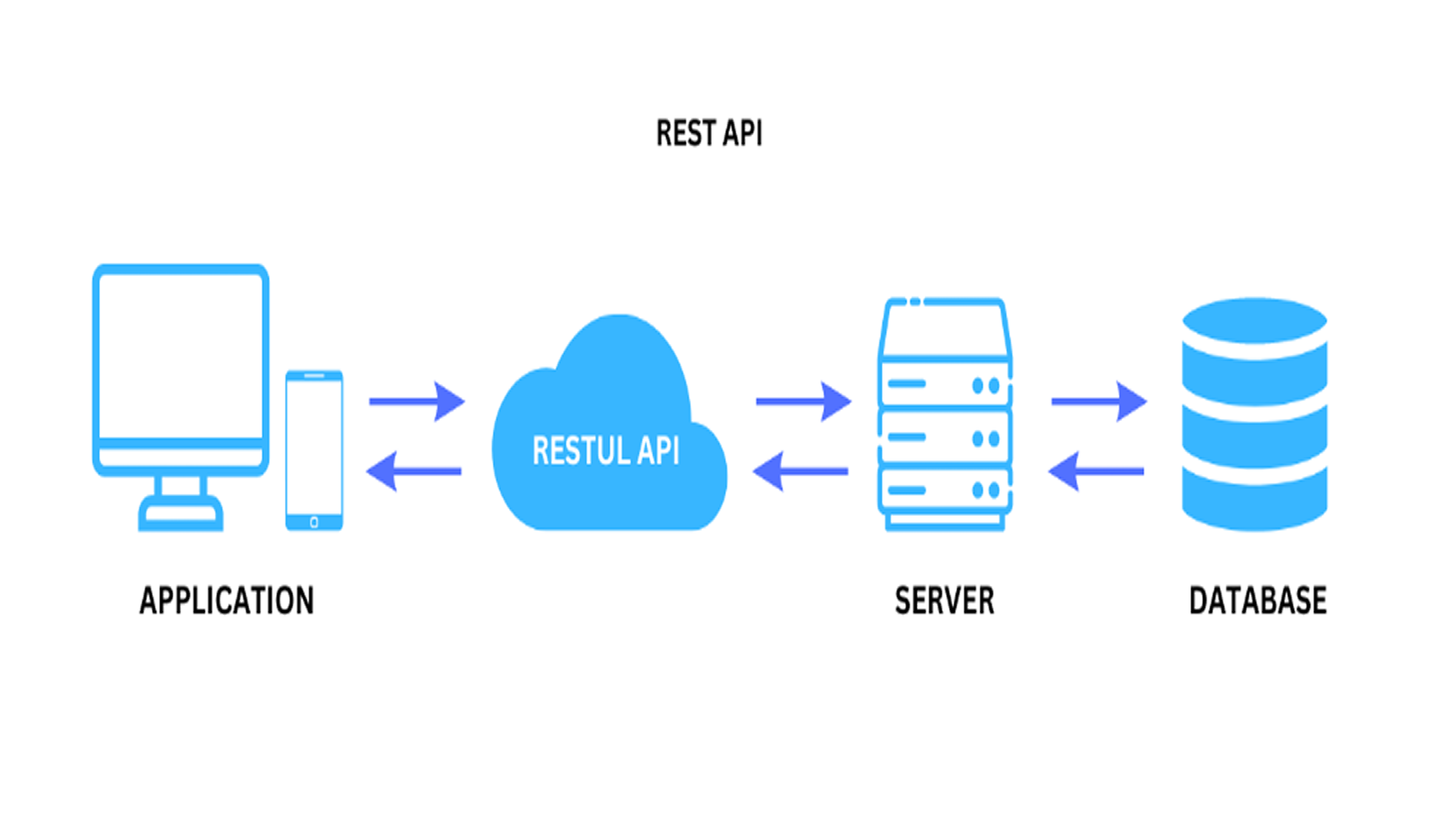
REST API (Representational State Transfer Application Programming Interface) is a style of architecture for building web services. It defines a set of principles for communication between systems using standard web protocols, such as HTTP, allowing a flexible integration and connection between different architectures and microservices, being a very widespread technology technology technology technology information and microservices information and microservices is a technology that is widely used in the information technology system.
API stands for Application Programming Interface. In the context of APIs, the word Application refers to any software with a distinct function. The interface can be thought of as a service contract between two applications. This contract defines how the two communicate using requests and responses. The documentation for their respective APIs contains information on how developers should structure these requests and responses.
In this application note we present how FT-Optix with RESTAPI, allows machine, process and end customer manufacturers to interact with IT, SAP, MES systems and specific software using REST technology. This demo shows how to execute the call to a remote RestAPI server and process the response to show an interactive 3D model of the returned object
Download
Please note: You will need to agree to the Terms & Conditions for each download.
If you need help with an application or have feedback from the Innovation Center, please contact us.
General Characteristics
REST-API:
Client-Server: Separation between client (frontend) and server (backend).
Stateless: Each request is independent, meaning it does not maintain state on the server.
Cacheable: Supports caching to improve performance.
Uniform Interface: Utilizes well-defined HTTP methods, such as
GET → Fetch Data
POST → Create new features
PUT → Update Existing Features
DELETE → Remove Features
Resource Impersonation: Data can be returned in formats such as JSON or XML.
Advantages
Ease of Integration: Allows different systems to communicate in a simple way.
Scalability: Being stateless, it facilitates the scalability of the system.
Compatibility: It can be consumed by several clients (web, mobile, IoT).
Simplicity: Uses well-known web standards such as HTTP and JSON, making it accessible to developers.
Limitations And Disadvantages - For FT-Optix up to the present version (1.5.2) only JSON format is accepted.
Is this application relevant to me?
Ready-to-integrate application with FT-Optix using REST-API, open source, and can be easily implemented or used as a basis in your project.
For connection to controllers, FT-Optix allows integration (communication driver) with Logix controllers (Rockwell Automation) or third-party controllers.
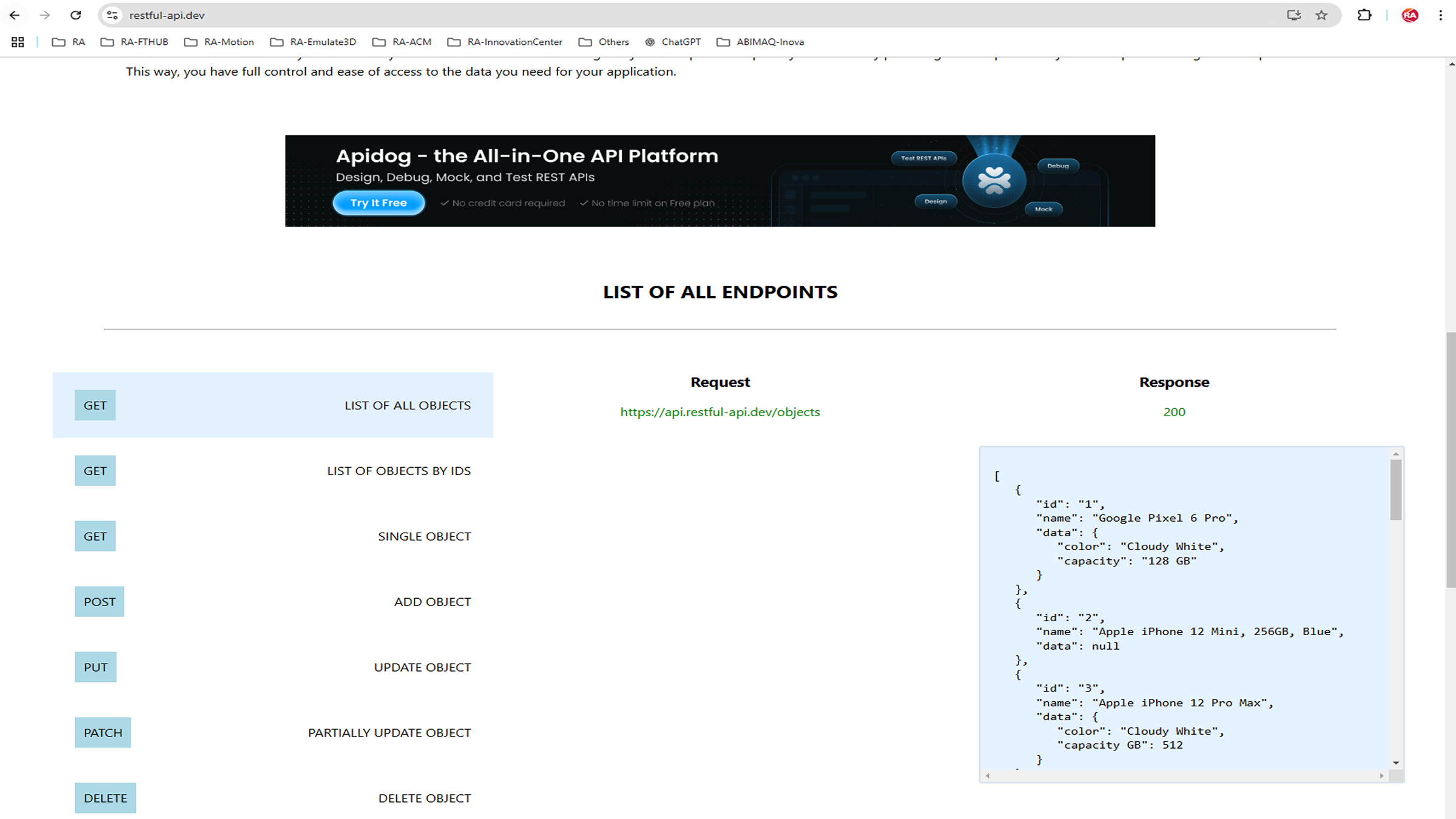
Sample application uses REST-API from the https://restful-api.dev/rest-fundamentals site. A website containing server for demonstration projects and testing systems.
Open the application in FT-Optix Studio.
Automatically convert application if you have a newer version of FT-Optix.
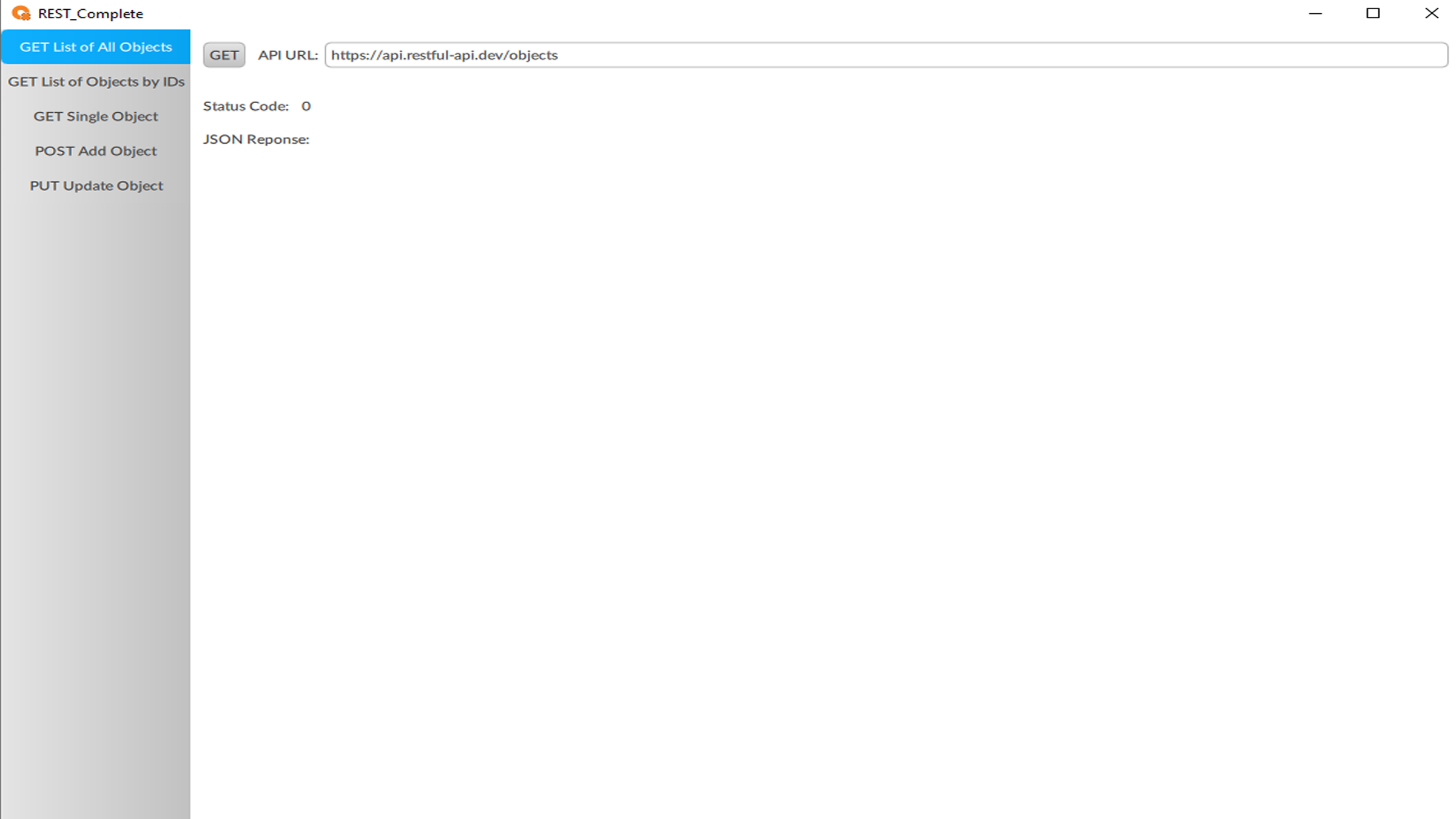
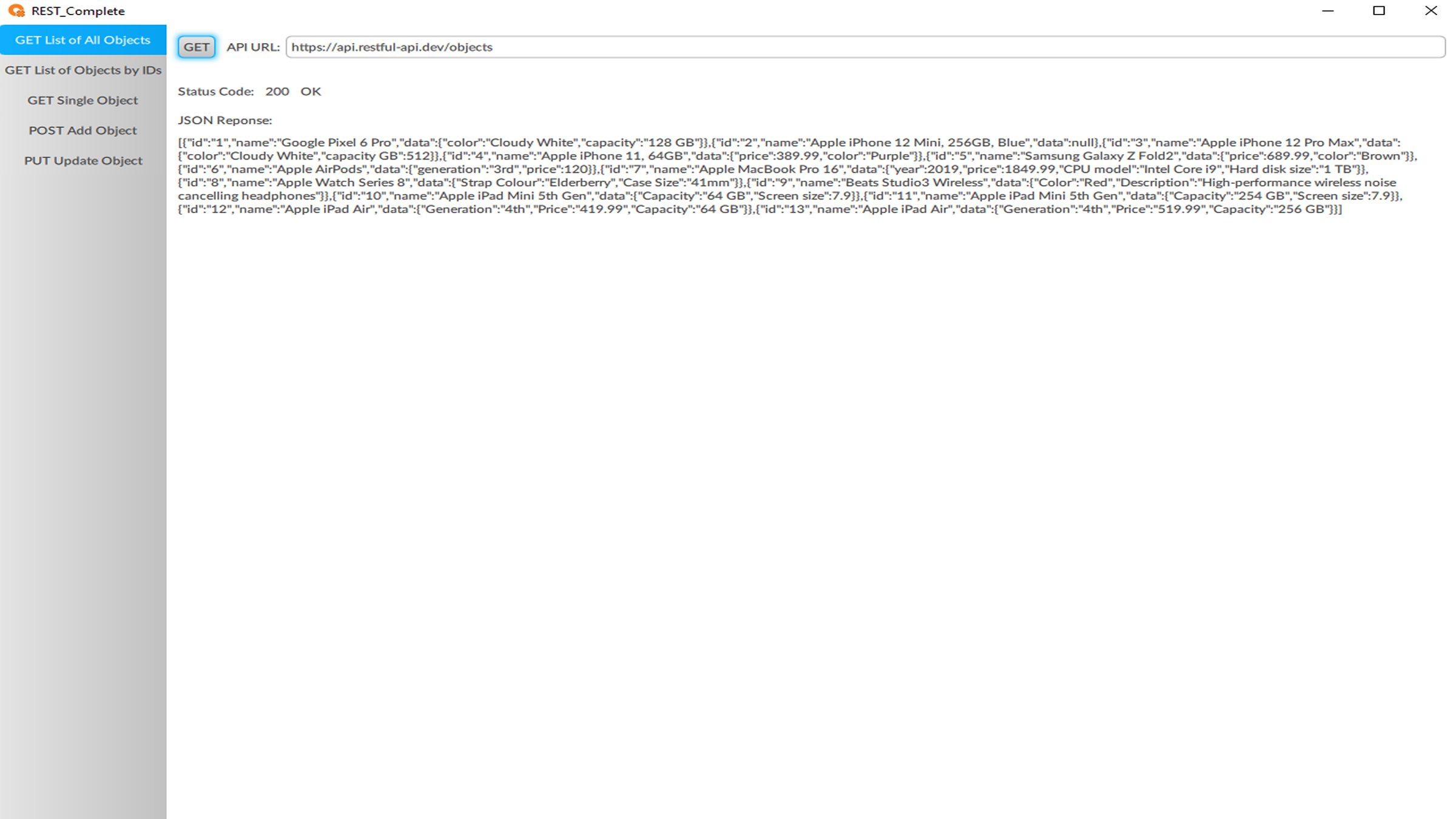
Click the menu: GET List of All Objects, then click the GET button
Via REST-API, the command executes a script that requests (GET) to the server (REST-API) all available objects and returns a Status Code and the response in JSON format.