applications requires a thoughtful balance between
performance, maintainability, and clarity.
Throughout this document, we will explore key approaches to achieve this balance such
as:
Approach types
Approach use cases
How to implement each approach efficiently
These concepts originally come from the world of web design and cross-platform
applications, but are now essential in industrial HMIs, where the same application can
be displayed on very different devices.
Scalable approach:
A scalable approach on an interface consists of resizing
proportionally while maintaining layout, positioning, and readability, regardless of
the device’s resolution.
For example: A layout designed at 1920×1080 that also
fits correctly at 1280×720 or 3840×2160.
Adaptable approach:
An adaptive approach on an interface consists of
adjusting its layout based on the device or resolution, loading different structures
accordingly.
For example: A dashboard that appears compact on a tablet and
expanded on an industrial panel PC.
Responsive approach:
A responsive approach on an interface rearranges its
contents in real-time depending on available space, without switching
pages.
Example: A grid that changes from 4 to 2 columns as the window is
resized.
When to use each approach
The table below shows the recommended approach for each interface scenario:
. This ensures that
regardless of the final resolution, the object spans the full available width.
IMPORTANT:
Assigning fixed sizes to container
objects prevents the interface from scaling across different screen resolutions.
Only assign fixed sizes if necessary.
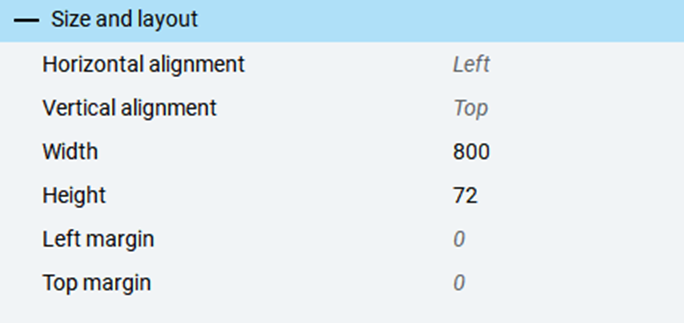
Size
Outcome
800px
1280px
TIP:
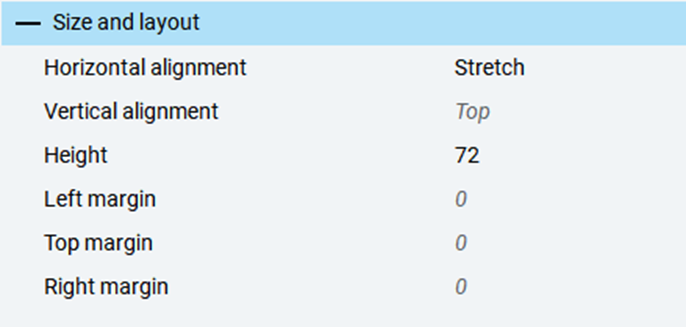
Set container alignment to
Stretch
to allow automatic space distribution based on
the resolution. Even if the application is developed at a fixed resolution, elements
will scale at runtime to adapt to their container.
Size
Outcome
800px
1280px
Implement an adaptive approach
When designing for widely different resolutions (for example, 1920x1080 vs. 480x272),
you must create separate layouts. Use the
Panel Loader
control
to dynamically load different layouts based on
resolution.
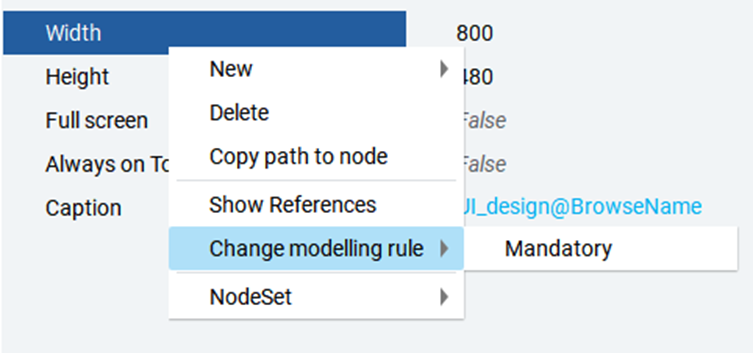
To determine the screen resolution, use the
Width
and
Height
properties of the
MainWindow
. Set the
Change modelling
rule
of these properties to
Mandatory
to
ensure these values are available at runtime.
IMPORTANT:
The use of the
Change modelling
rule
feature is meant for advance users only. You can view this
feature only if you activated the
Advanced mode
in the
FactoryTalk Optix Studio Options
panel.
Limit the use
of this feature to this specific scope to avoid any unexpected
behaviours.
TIP:
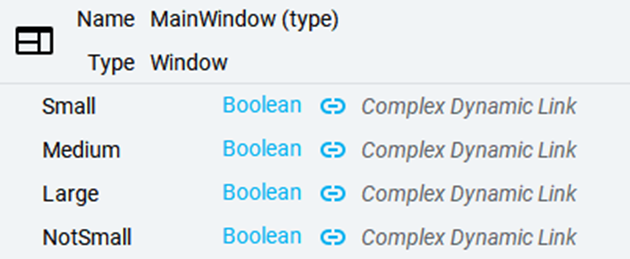
It is good practice to store calculated values in
helper variables within the
MainWindow
, especially if they
are used in multiple places. This avoids repeating
Complex Dynamic
Links
composed of multiple converters, reducing node count and
improving performance.
Implement a responsive approach
Besides using the
Panel Loader
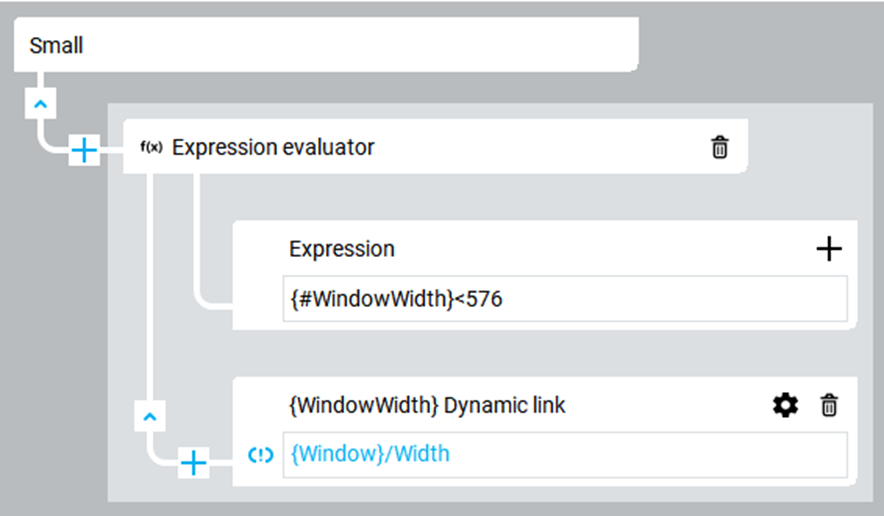
, conditional visibility is key
to responsive design. For example, a side menu might only appear above a certain
screen width, while a toggle button appears below that threshold.
The
GridLayout
is essential for arranging content dynamically.
It allows defining the number of rows and columns.