
Configure eProcedure step verification policies
e
ProcedureTo configure a verification policy for an step, add a tag that defines the signature template to that step’s HTML code in the instruction file.
e
Procedure
TIP:
Step Verification signature requests only display in
the
Instructions
view, not in the Signature List
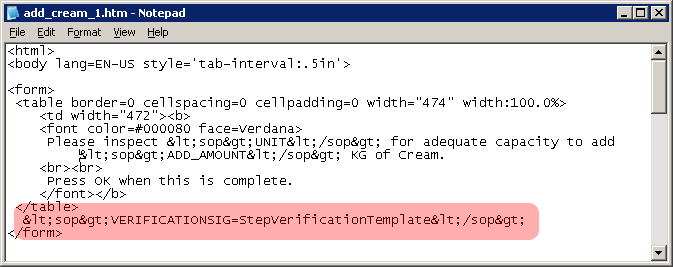
view.For example, to use a signature template named "StepVerificationTemplate", you would type:
<SOP>VerificationSig=StepVerificationTemplate</SOP>
.This is illustrated in the screen shot below.
See the for information on including
Confirm and Comment instructions in control steps.
Provide Feedback