
FactoryTalk Batch Phase Simulator interface
Upon startup, the
FactoryTalk® Batch
Phase Simulator reads the area model
that is specified in the Area Model
path that is defined in . The area model file name is displayed on the title bar. By default, when you
first install the software it is set up to read ice_cream1.cfg
, one of
the sample area models shipped with FactoryTalk Batch
. This file contains the
equipment required to run the Sampledemo1 recipe. The Simulator simulates the RUNNING,
STOPPING, HOLDING, ABORTING, and RESTARTING states for all phases configured in the
recipe.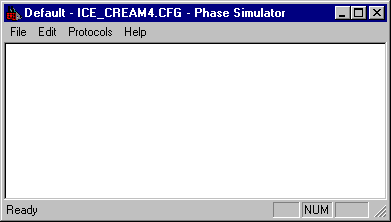
TIP:
The Simulator simulates only phase states for area models that have no more than 50 parameters and 50 report parameters.
The Simulator menu bar consists of these options:
Option | Definition |
|---|---|
File | Open a simulator (.sim) file, save a file, or exit the Simulator. |
Edit | Edit phase configuration, phase status, or unit tag status. |
Protocols | Enable or disable the Watchdog and Command Handshake functions. |
Help | Open the Simulator About box. |
Provide Feedback