
Run on Internet Explorer version 7.x and higher
Since version 7.0, Microsoft Internet Explorer allows multiple web pages to be open in the same browser window. These individual web pages are represented by tabs on the browser window.
This new functionality allows you to open more than one instance of the Client, either by opening it on a new tab or in a new browser window. This enables you to select the various views just by clicking a tab.
e
Proceduree
ProcedureFrom a security aspect, the user who is currently logged on will be the logged on user on all tabs or browser windows running the Client. For example, if a user named James is logged on to the Client in the Equipment view, he can right-click the
e
Proceduree
ProcedureBatches
button and select Open Link in New Tab
from the pop-up menu.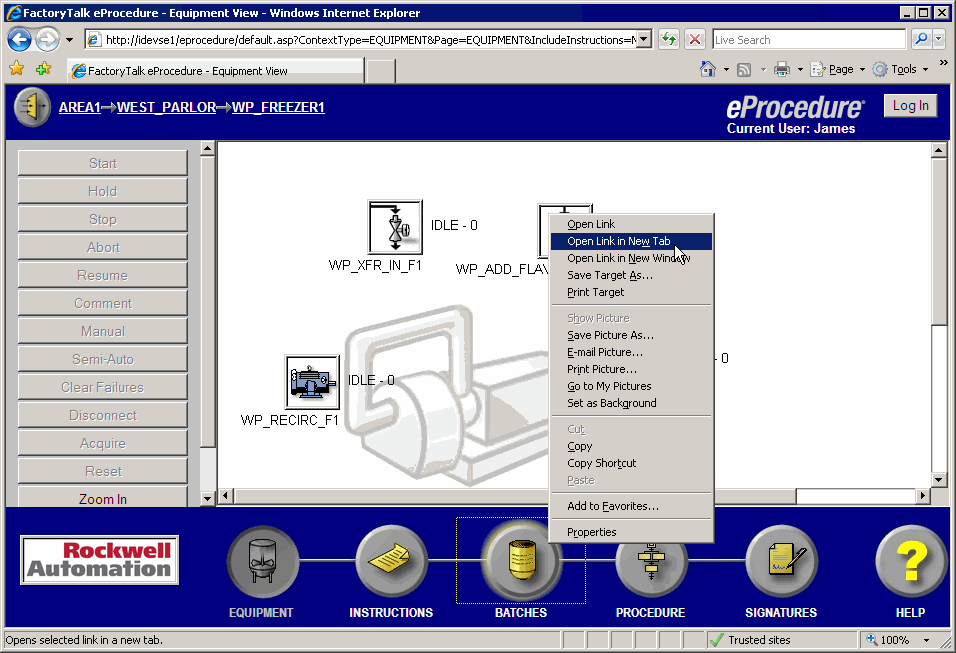
This opens the Batch view on a new tab, as shown below. The user James is logged on to both views.
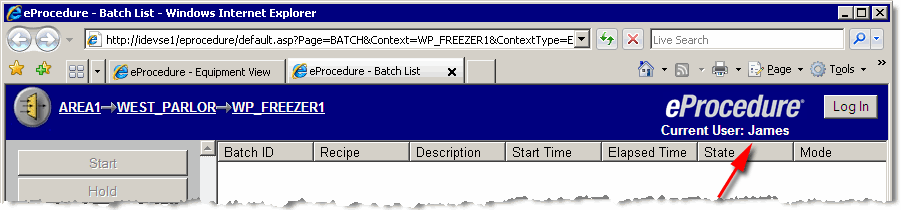
If another user logs on to the Batch view, that new user is also logged on to other views on all tabs or other browser windows. Following the example shown above, if Mary logs onto the Batch view, she is also logged on to the Equipment view.
Provide Feedback