
Area model secured to different network directory
If applied security authority to the area model, and there is a security mismatch between
the Security Authority Identifier (SAI) in the area model and the
FactoryTalk
Network Directory SAI, this error message opens in FactoryTalk Batch Equipment Editor
:SAI error message
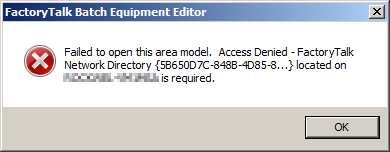
Make note of the
FactoryTalk
Network Directory
and host computer information, then select OK
to close the error
message.If there is a backup of the
FactoryTalk
Network
Directory SAI, or of the area model in an unsecured form, these options are available:- Restore theFactoryTalkNetwork Directory SAI to which the area model is secured. The name of the computer that hosts that SAI is provided in the dialog. Use theFactoryTalkAdministration Console to restore a saved backup of the SAI. TheRestorecommand is available by right-clicking on the top node in the Explorer pane. When the SAI restores, use inFactoryTalk Batch Equipment Editorto open the secured area model.
- Open an unsecured copy of the area model.
Provide Feedback