
Push Button Configuration - Panel Component View
Use the Panel Component View to configure device parameters. The parameters depend on the push button type.
Non-Illuminated Push Button Panel Component Values
The panel component parameters for non-illuminated push button devices depend on the type of push button device you add to the in-cabinet system.
Panel Component - Non-Illuminated Push Button
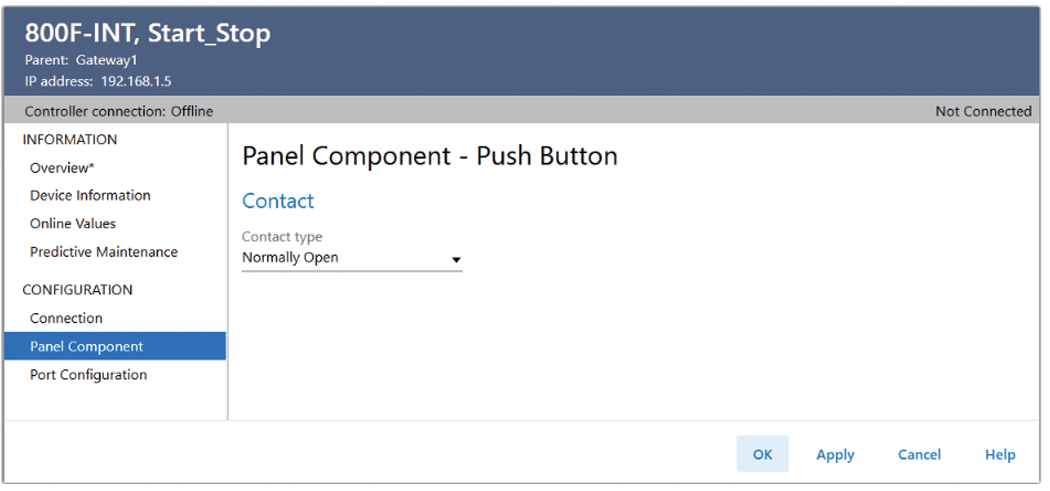
Push Button Type | Parameter | Description |
|---|---|---|
Push Button | Contact type | Options:
|
2 Position Selector | Left contact type | Options:
|
Right contact type | ||
3 Position Selector | Left contact type | Options:
|
Center contact type | ||
Right contact type | ||
Dimming level | Configure the panel component light dimming level. Reduces the light intensity by
the percentage entered. The allowed percentage is 0...80%. | |
Multi Operator | Contact A Type | Options:
|
Contact C Type |
Illuminated Push Button Panel Component Values
The panel component parameters for illuminated push button devices depend on the type of push button device you add to the in-cabinet system.
Panel Component - Illuminated Push Button
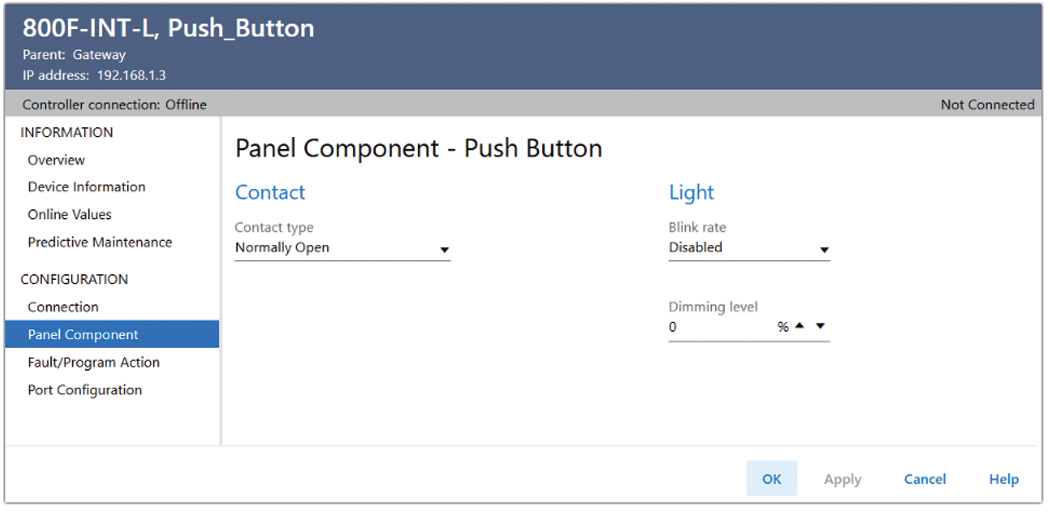
Push Button Type | Parameter | Description |
|---|---|---|
Push Button | Contact type | Options:
|
Blink rate | Configure the panel component light blink rate. Rates are:
| |
Dimming level | Configure the panel component light dimming level. Reduces the light intensity by
the percentage entered. allowed percentage is 0...80%. | |
2 Position Selector | Left contact type | Options:
|
Right contact type | ||
Blink rate | Configure the panel component light blink rate. Rates are:
| |
Dimming level | Configure the panel component light dimming level. Reduces the light intensity by
the percentage entered. allowed percentage is 0...80%. | |
3 Position Selector | Left contact type | Options:
|
Center contact type | ||
Right contact type | ||
Blink rate | Configure the panel component light blink rate. Rates are:
| |
Dimming level | Configure the panel component light dimming level. Reduces the light intensity by
the percentage entered. allowed percentage is 0...80%. | |
Multi Operator | Contact A type | Options:
|
Contact C type | ||
Blink rate | Configure the panel component light blink rate. Rates are:
| |
Dimming level | Configure the panel component light dimming level. Reduces the light intensity by
the percentage entered. allowed percentage is 0...80%. | |
Pilot Light | Blink rate | Configure the panel component light blink rate. Rates are:
|
Dimming level | Configure the panel component light dimming level. Reduces the light intensity by
the percentage entered. allowed percentage is 0...80%. |
Provide Feedback