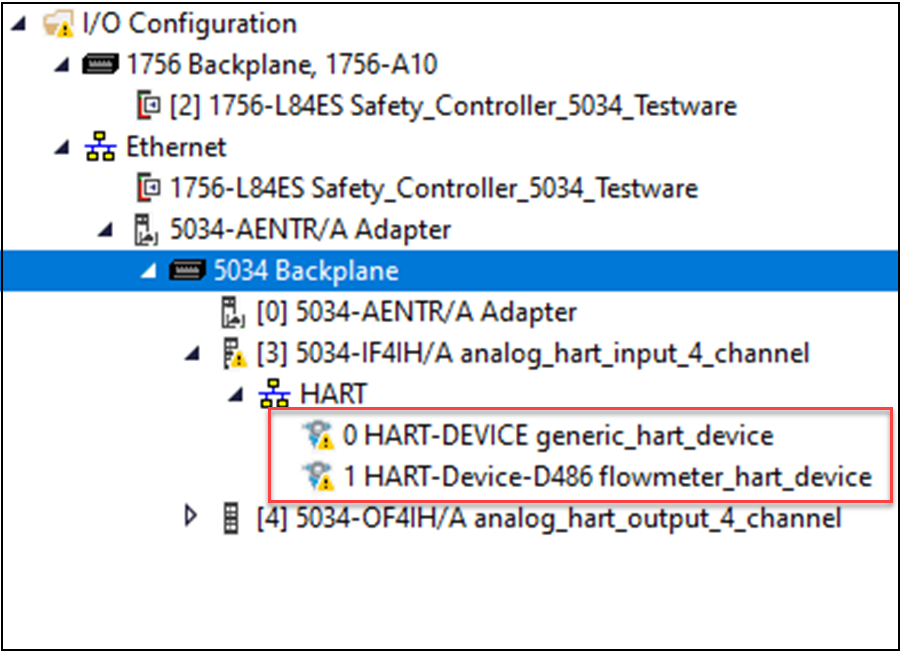
Check the Controller Organizer to see if there is a warning icon on the HART
device.
Warning Icon in Controller Organizer
If a warning signal appears in the I/O Configuration tree, make sure that:
The device is powered up and properly wired to the module.
There are no electronic keying mismatches.
There is no fault status on the analog channel.
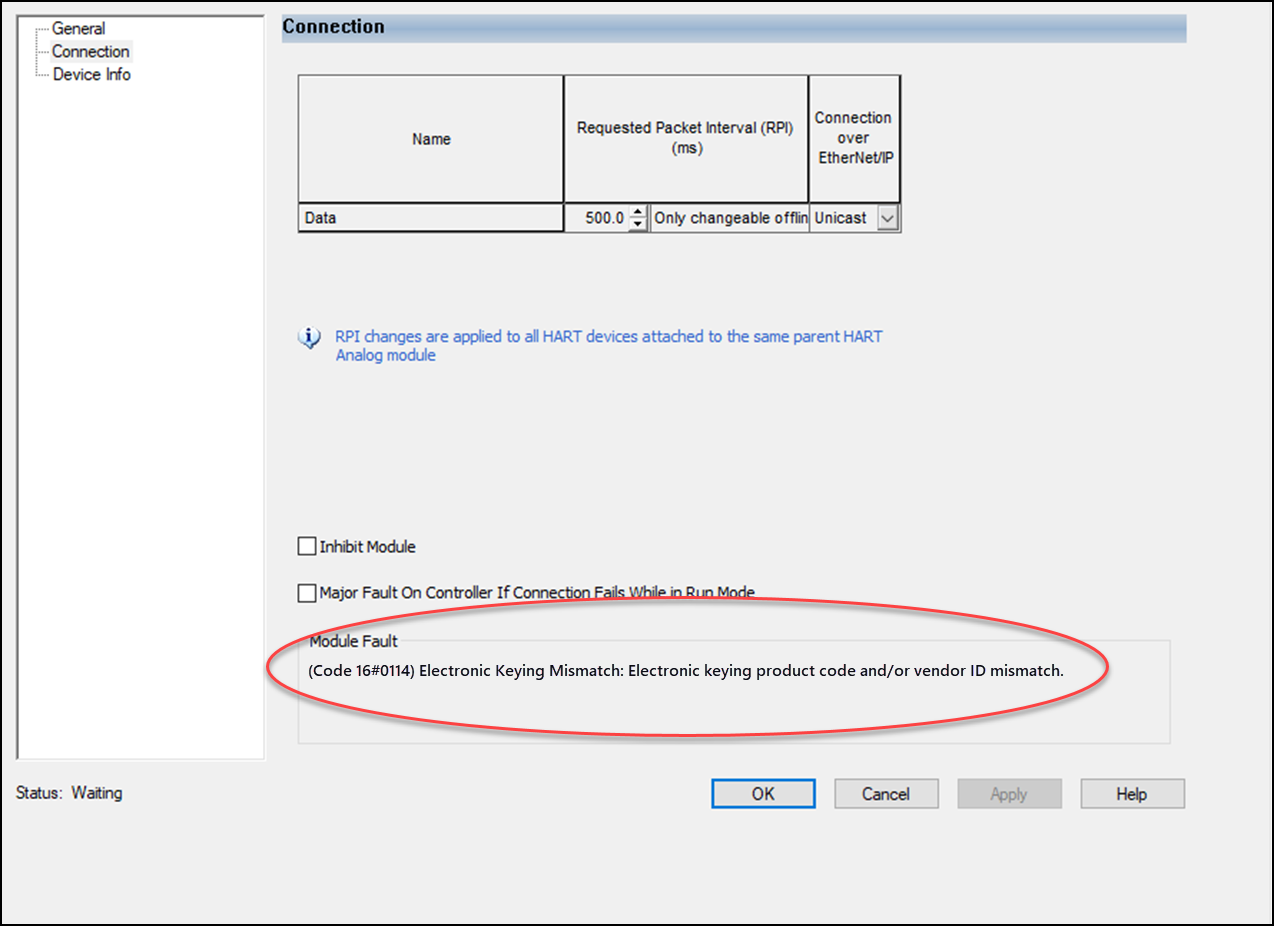
Status and Fault Information in Module Properties
Module Properties in the Studio 5000 Logix Designer application includes a series of
views. The Connection view displays error messages.
The Connection view displays a device fault description that includes an error code
that is associated with the specific fault type.
Connection Fault Description with Error Code
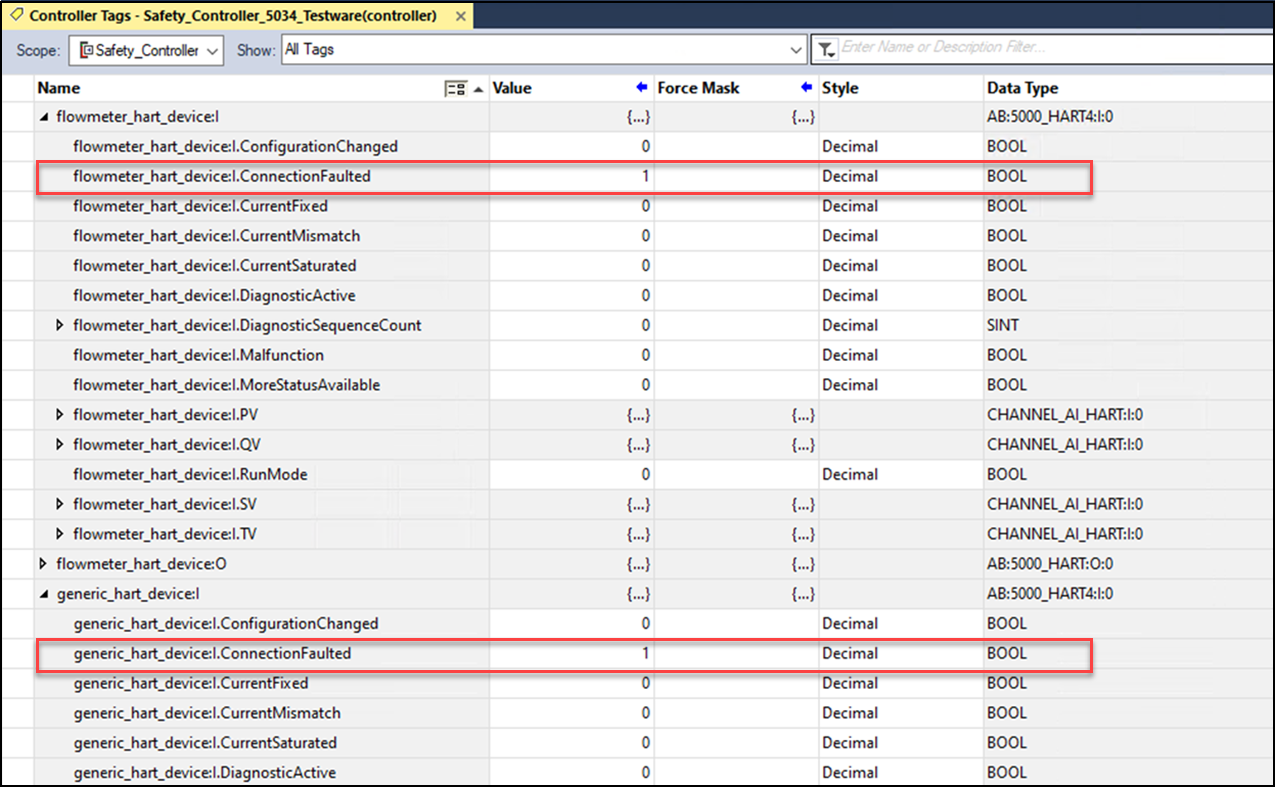
Studio 5000 Logix Designer Application Tag Editor
Fault conditions are indicated in the controller tags for the HART device.
Fault Indication in Controller Tags for HART Devices
CIP Error Codes for HART Devices
Under different error conditions, error codes are returned for CIP messaging sent to
HART devices. These error codes either display on the Connection view or show in CIP
messaging responses. The following table describes HART device common error codes
and the recommended action.
Error Code
Description
Action
0x01/0x204
Timeout.
Possible timeout conditions:
Channel is not configured as HART-enabled.
I/O module owner connection to the controller is
down.
No HART device is wired on the channel.
Enable HART for the channel.
Make sure that the owner connection to the module is
up.
Wire a HART device on the channel.
HART device is rebooting.
HART device discovery with Command 0 is in
progress.
Retry.
0x0C
Object is in the wrong mode.
Retry.
0x01/0x114
Electronic Keying mismatch.
HART expanded device type mismatch.
Correct the mismatch.
0x01/0x116
Electronic Keying mismatch.
Major or Minor Revision mismatch.
0x02
No resource
Retry.
0x20
Invalid parameter found in the CIP request.
Correct the parameter.
Ox1E
Service failed – HART command failed due to a link layer
error.