
Import HART Device
TIP:
You can use the import module method when the project
is offline or online.
You can import a previously exported HART device configuration to add to your project. To
use the Import Module method, complete these steps.
- In the I/O Configuration tree, right-click the HART bus and select Import Module.
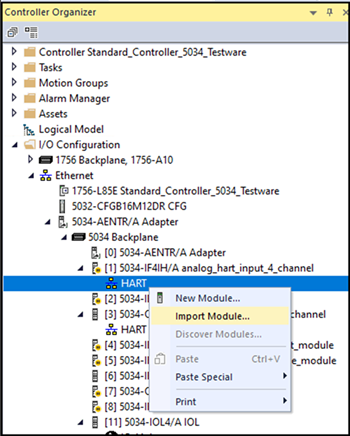 The Import Module dialog appears.
 - Browse to the location of the Logix Designer XML (L5X) file and select Open.
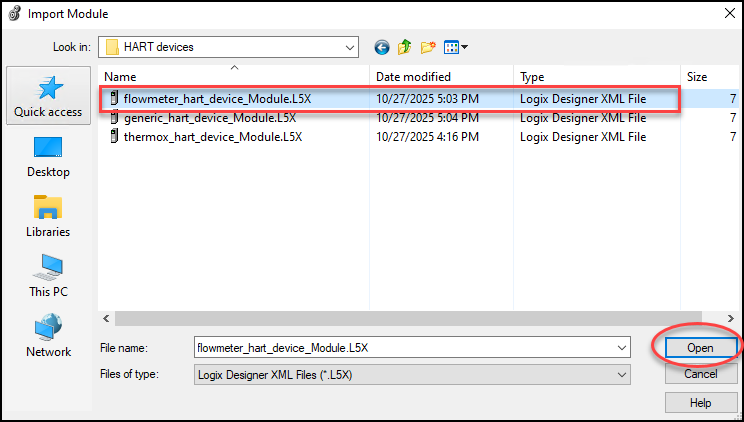
- The Import Configuration dialog opens. Confirm whether you want to preserve the existing tag values in the offline project.
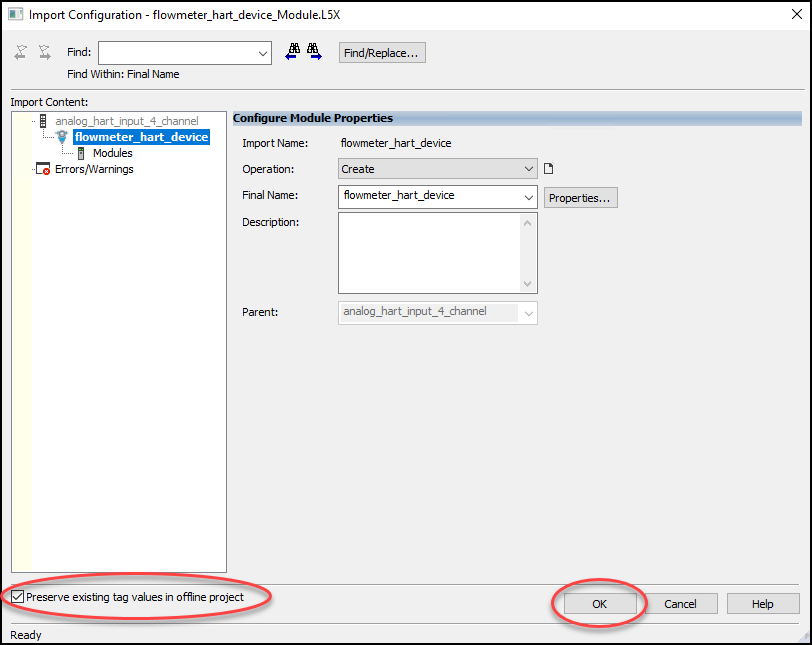
- Select OK and the dialog closes.
Provide Feedback