
General View
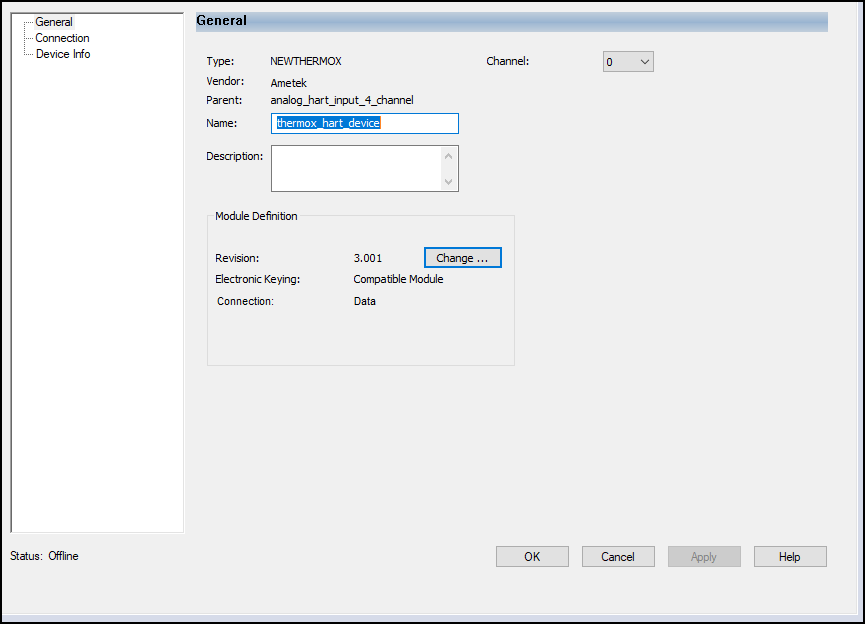
The General view appears first when you create a HART device. The parameters in this view
vary depending on the type of device.
Use this category to configure:
- Device revision and software version for the HART device.
- Electronic keying for the HART device.IMPORTANT:Changing Electronic Keying when online interrupts connection to the device and any device that is connected through the device. If an I/O connection to a device is interrupted, data loss can occur.
- The type of connection used with the HART device.TIP:The Connection parameter affects the configuration options available for Input Data and Output Data, and determines what data is exchanged between the owner-controller and the module.
General View Example
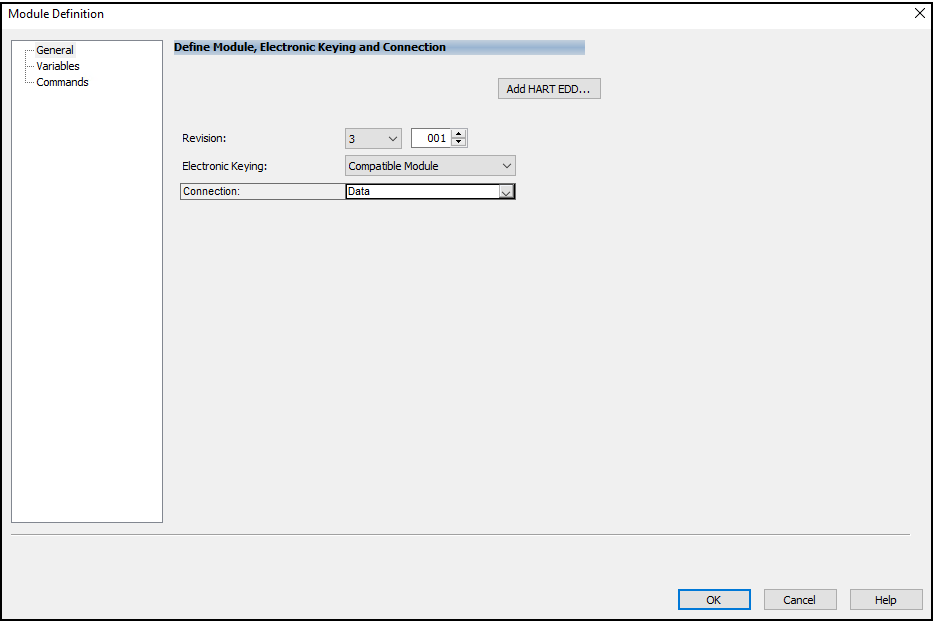
Module Definition View
Module Definition parameters are available from the General view of the Module
Properties dialog in the Studio 5000 Logix Designer application project. The
categories and parameters vary depending on the type of HART device.
Module Definition View Example - Generic HART Device
Variables View
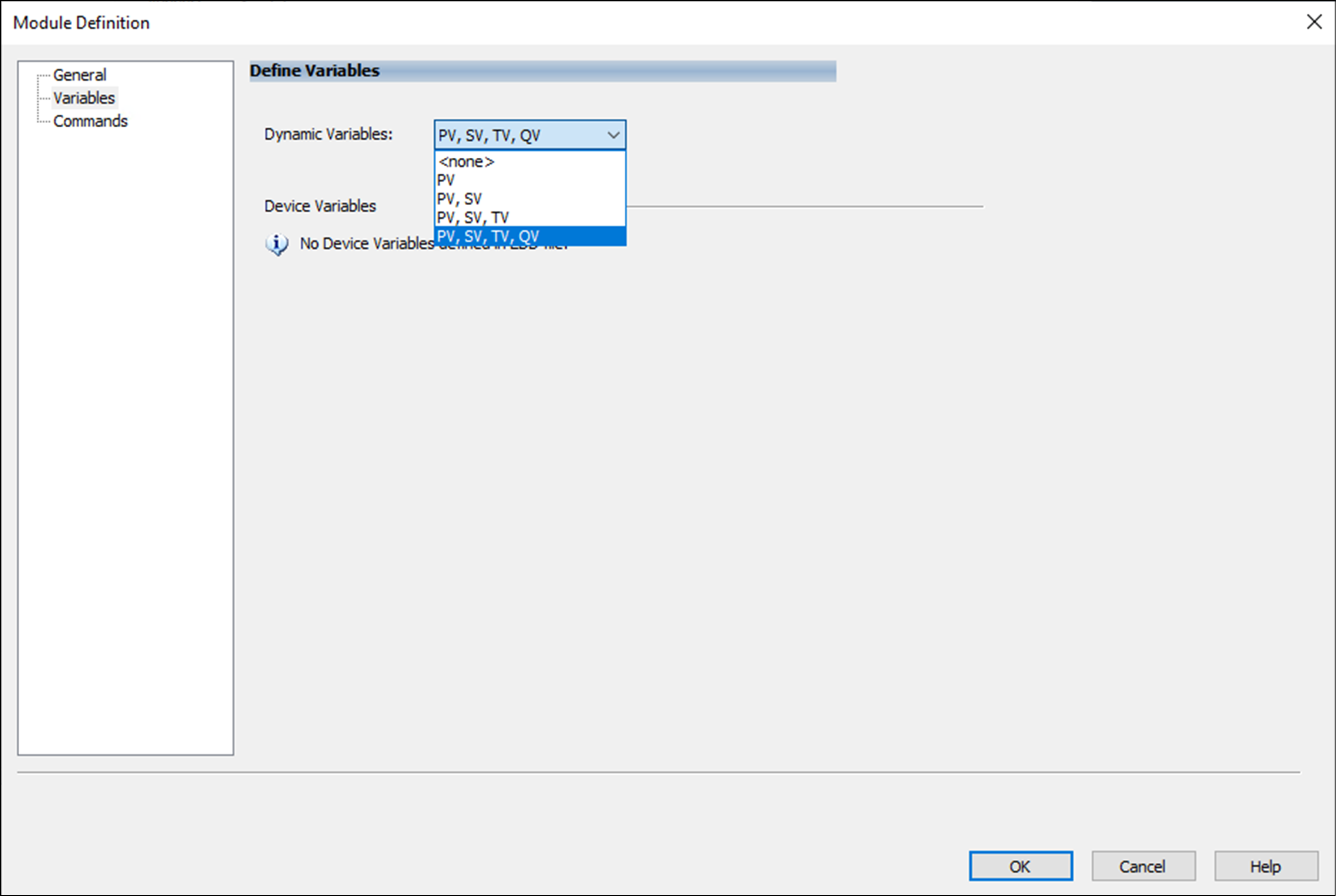
Use the Variables view to configure dynamic and device variables to be included in
the input tag of the HART device. Use this view to complete the following tasks:
- Select Dynamic Variables.
- Select Device Variables.
Variables View Example
Parameter | Definition | Available Choices |
|---|---|---|
Dynamic Variables | Displays the included Dynamic Variables. |
|
Device Variables | Displays the Available and Used Device Variables. The Available list includes the names of all supported device
variables, not including those in the Used list. The Used list contains the names of the selected device
variables. The Used list is limited to eight Device
Variables. Move the Device Variables between the lists using Add and
Remove. | — |
EDD file information | Displays information about the EDD file.
| — |
Commands View
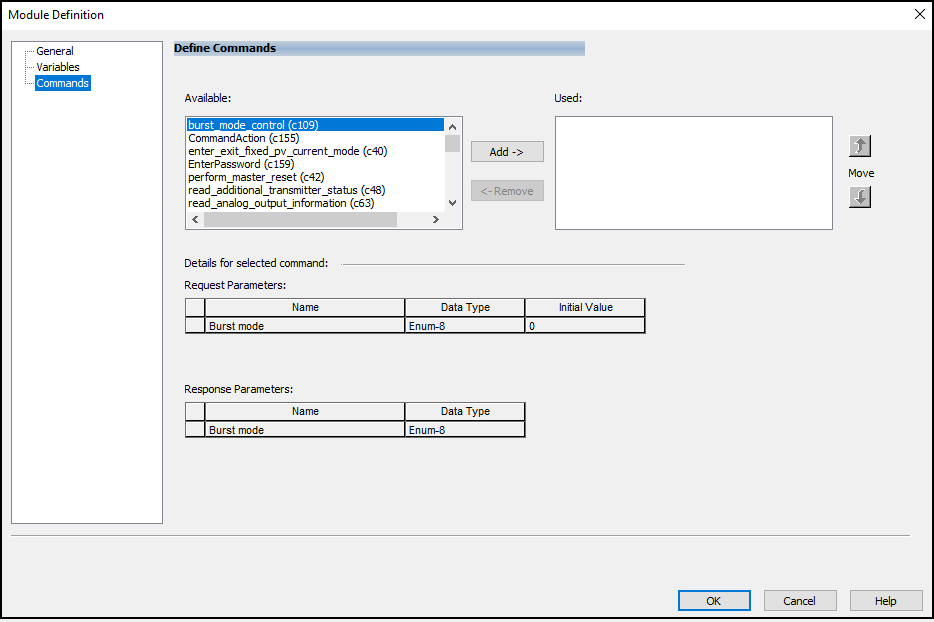
The Commands view only appears when there is an associated EDD file and it displays
the commands that are supported by the device. You can use the Commands view to
define commands to be executed through input and output tags.
Commands View Example
Parameter | Definition | Available Choices |
|---|---|---|
Available | Displays the names of all supported Commands. The list excludes
commands that are contained in the Used command list.
Right-click to sort the list. |
|
Used | Displays the list of commands that are selected for use. The Used
list can contain four Commands (max). | — |
Add/Remove | Moves commands between the Available and Used lists. | — |
Move | Modifies the order Commands appear in the Used list. | — |
Details for selected commands |
| — |
EDD file information | Displays information about the EDD file.
| — |
Provide Feedback