
Set the Network Address with FactoryTalk Linx Software
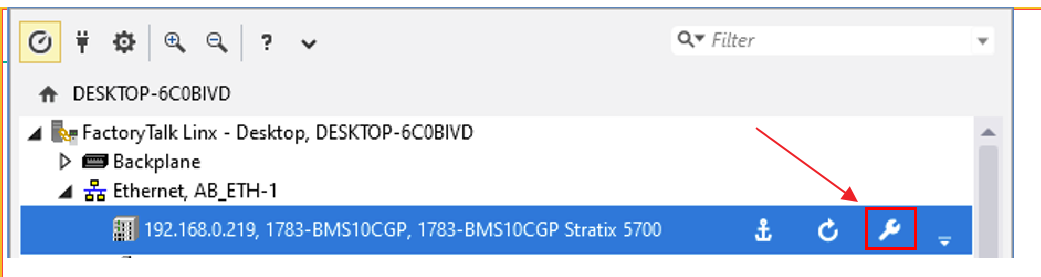
- Use the FactoryTalk Linx Network Browser to navigate to the device and select the wrench icon.
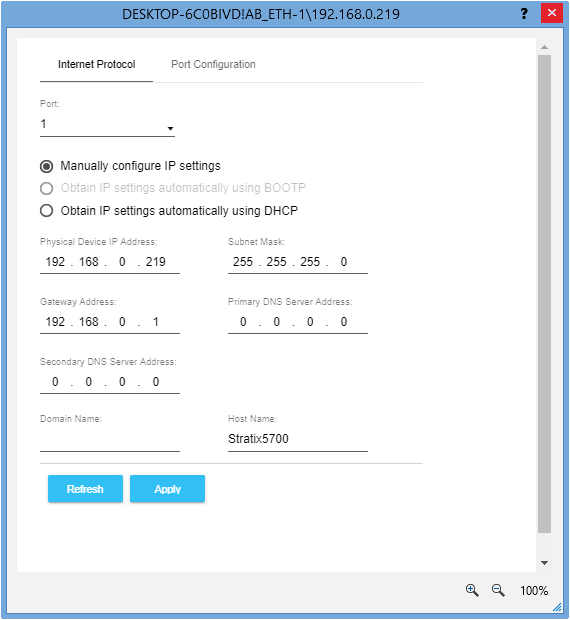
- Enter the IP address settings.
Provide Feedback