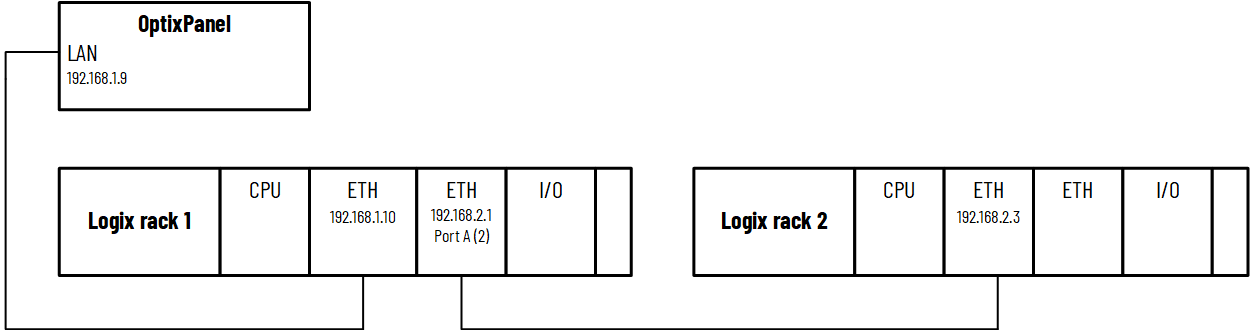
Accessing a controller on a different network through the
backplane
Block reads
Block reads allow a block of data to be read from the controller instead of reading
individual tags or data points. This allows for more efficient reading of larger
datasets such as arrays and data structures. To reduce network traffic and provide
faster data transfer, Rockwell Automation recommends block reads for arrays and
larger data structures such as UDTs. By default, block reads are disabled for the RA
Ethernet/IP Station controller.
If the RA Ethernet/IP Station controller has a large structure or array to read,
enable block reads. In
Project view
, select the
RA
Ethernet/IP Station
controller, and then in
Properties
, set
Enable block reads
to
True
. This enables block reads on tag structures that
support block reads.
TIP:
You can disable block reads on individual
tags to not have the tag read using a block read. In
Project
View
, select the
RA Ethernet/IP Station
controller, expand
Tags
and
Controller
Tags
, select the tag, and then in
Properties
, in
Enable block
read
, select
False
.
Certain tags do
not support reading blocks of data. If you enable block reads for a tag that
cannot read blocks of data, a message appears at runtime indicating that you
must set