Apply a button style

Apply a button style to change the appearance of a button that you have added.
  1. In
    Project view
    , select the button.
  2. In
    Properties
    , expand
    Appearance
    .
  3. In
    Style
    , select the desired style depicted in a button below:

    • Gray rectangular button labeled Default
    • Blue rectangular button labeled Accent
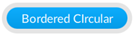
    • Blue circular button with white border labeled Bordered Circular
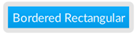
    • Blue rectangular button with white border labeled Bordered Rectangular
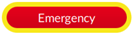
    • Red button with yellow border labeled Emergency
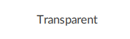
    • Transparent button labeled Transparent
The appearance of the button changes on the screen.
Provide Feedback
Have questions or feedback about this documentation? Please submit your feedback here.
Normal