This application serves as an example of how to use the raM_Tec_RotaryKnife library.
This AOI calculates four cam profiles for the rotary knife:
Connection cam for acceleration from a stationary position. Typically from the initial axis position after homing or when there is no product/bag in production.
Cyclic cam for continuous motion: one cut per product length.
Disconnection cam for deceleration when stopping the knife without stopping the master axis.
Dwell cam to keep the slave axis stopped for one product length.
When to Use: When a rotary knife cam profile is required for an axis.
When NOT to use:Not applicable (NA).
Downloads
Please note: You will need to agree to the Terms & Conditions for each download.
If you need help with an application or have feedback from the Innovation Center, please contact us.
Functional Description
The cam calculation instruction generates profiles to synchronize the knife speed with the conveyor while they are in contact.
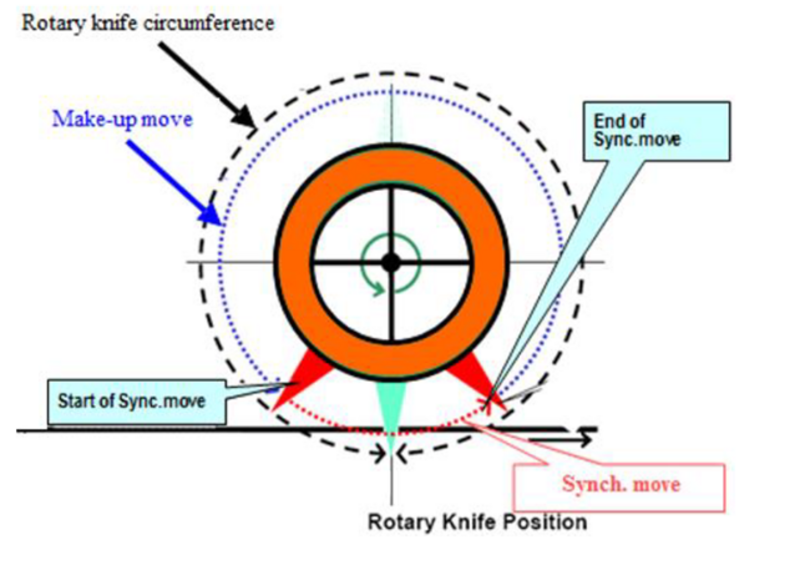
During the cyclic operation of a rotary knife, there is a synchronized portion and a compensation portion (see image below). The synchronized portion ensures that the knife and conveyor speeds are equal, while the compensation motion allows cut lengths to be shorter or longer than the circumference of the knife roll by accelerating or decelerating.
Compensation Motion (or Adjustment Motion):
Motion of the knife where there is no contact between the knife and the conveyor (non-synchronized speeds).
There are two possible interpolation profiles for the compensation motion:
The interpolation priority is minimum energy usage and maximum speed; this may result in a non-continuous acceleration profile, even though the velocity and position profiles are continuous.
The interpolation priority is motion smoothness (continuous position, velocity, and acceleration profiles); this may result in a higher maximum speed and may cause the knife to reverse direction for parameters that would not reverse when the maximum-speed/minimum-energy mode is selected.
Synchronized Motion:
Motion of the knife where the knife and the conveyor are in contact (synchronized speeds).
There are two possible profiles for synchronized motion:
Linear Profile: Calculates the angular velocity of the knife to match the linear speed of the conveyor.
Arcsine Compensation: Calculates the linear component of the angular velocity at each synchronization point to maintain exactly the same linear speed between the knife and the conveyor.
Figura 1. Rotary Knife Position
The Rotary Knife instruction generates four Cam Profiles (CAM) based on user-configurable inputs.
Connection Cam:
Use this cam profile when the master is in motion and the knife is stopped. The connection profile accelerates the knife from zero velocity to the synchronization speed, with a defined distance between the master and the slave, minimizing mechanical stress. The connection cam starts at the initial knife position and ends at the beginning of the synchronization distance. The distance of the connection cam plus the distance of the disconnection cam results in a complete cycle (cyclic cam distance). This applies to both master and slave distances.
Cyclic Cam:
Use this cam profile as the continuous knife cycle (one product). It contains synchronized motion (defined by Set_CutAngle in degrees) and compensation motion (defined by Set_ProductLength and Set_KnivesNumb).
Disconnection Cam:
Use this cam profile when it is necessary to command the knife to stop while the master continues moving. The disconnection profile decelerates the knife to zero velocity with a defined distance between the master and the slave, minimizing mechanical stress. The disconnection cam contains the synchronization profile and the motion profile from synchronization speed down to zero, considering the defined distance between the master and the slave. The distance of the connection cam plus the distance of the disconnection cam results in a complete cycle (cyclic cam distance). This applies to both master and slave distances.
Dwell Cam:
Use this cam profile to keep the slave axis stopped for a master distance (Set_ProductLength).
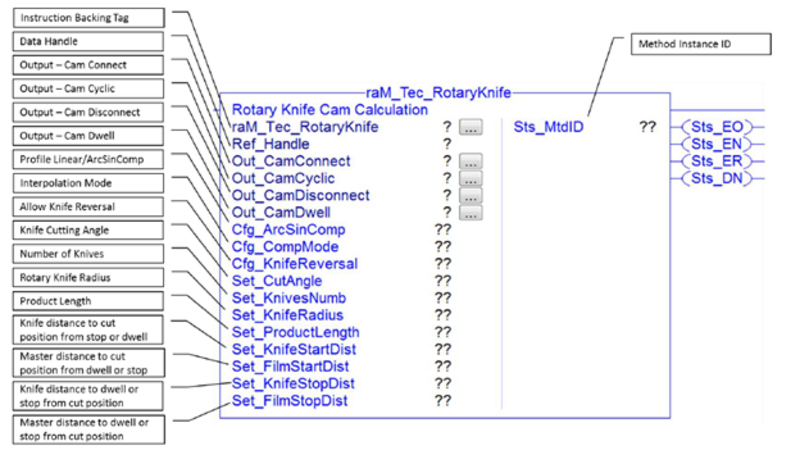
Set_CutAngle
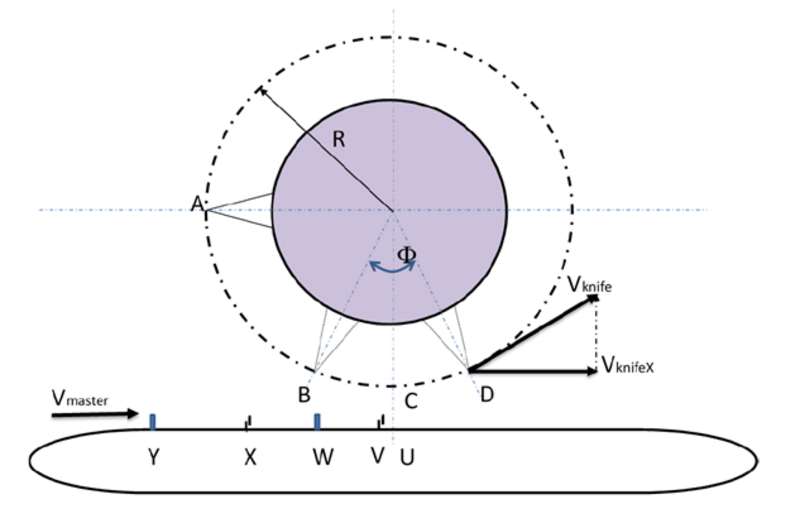
Cutting angle at which the master and slave move synchronously; the value is in degrees (as the entire slave must also be scaled in degrees). This value defines the distance the master must travel (X to V).
Set_KnivesNumb
Number of knives. The number of knives defines the full cycle distance (for example, 1 knife = 360 degrees, 2 knives = 180 degrees, 3 knives = 120 degrees, etc.).
Set_KnifeRadius
Knife radius. The radius units must match the master units (therefore, if master distances are in mm, it must be defined in mm; if in inches, the diameter must be in inches).
Set_ProductLength
Master distance between two cuts (Y to W), defined in master units.
Set_KnifeStartDist
Distance (A to C, in degrees) from the slave’s initial position to the first cut (i.e., after homing or dwell). The distance is defined up to the cutting position, which remains constant and independent of changes in the cutting angle (half of the cutting distance is automatically subtracted within the AOI when calculating the connection cam, since this cam does not include the synchronization motion, distance from A to B).
Set_FilmStartDist
Master distance (U to W in master units) for the connection cam. This is the material distance to the next cutting position when starting after homing or exiting dwell (typically half the product length).
Set_KnifeStopDist
Slave distance from the cutting position back to the initial position (C to A; the cam itself corresponds to a longer half synchronization to reach the initial position, since it contains the entire synchronization profile).
Set_FilmStopDist
Master distance for the disconnection cam from the cutting position back to the initial position (i.e., half the product length).
Cfg_ArcSinComp
Defines the velocity profile of the synchronized motion. If set to 0, the velocity profile is linear and the velocity Vmaster matches the velocity Vknife. If set to 1, the velocity Vmaster matches the projection of Vknife in the direction of Vmaster (VknifeX), for more precise synchronization.
Cfg_CompMode
Defines the interpolation of the compensation motion.
If set to 0 (default), the interpolation prioritizes minimum energy usage and maximum speed; this may result in a non-continuous acceleration profile (while velocity and position profiles remain continuous).
If set to 1, the interpolation prioritizes smooth motion (continuous position, velocity, and acceleration profiles); this may result in higher maximum speed and may cause the knife to reverse direction under conditions where it would not reverse in mode 0.
Cfg_KnifeReversal
Enables error checking for a cam to detect if the calculated cam profile includes a segment where the knife reverses direction (this may occur with improper combinations of input parameters, such as high cutting speed with long product length). When this error check is enabled and the error bit is active, the cam profiles will not be calculated.
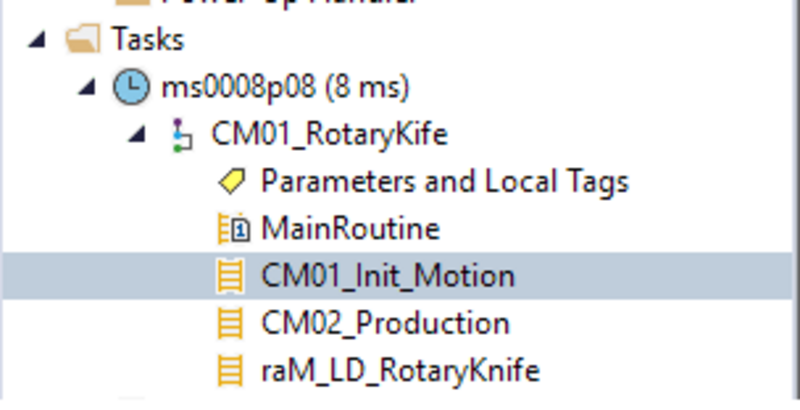
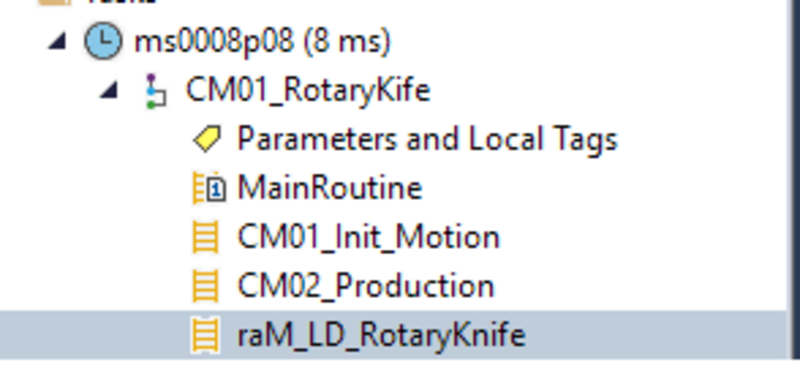
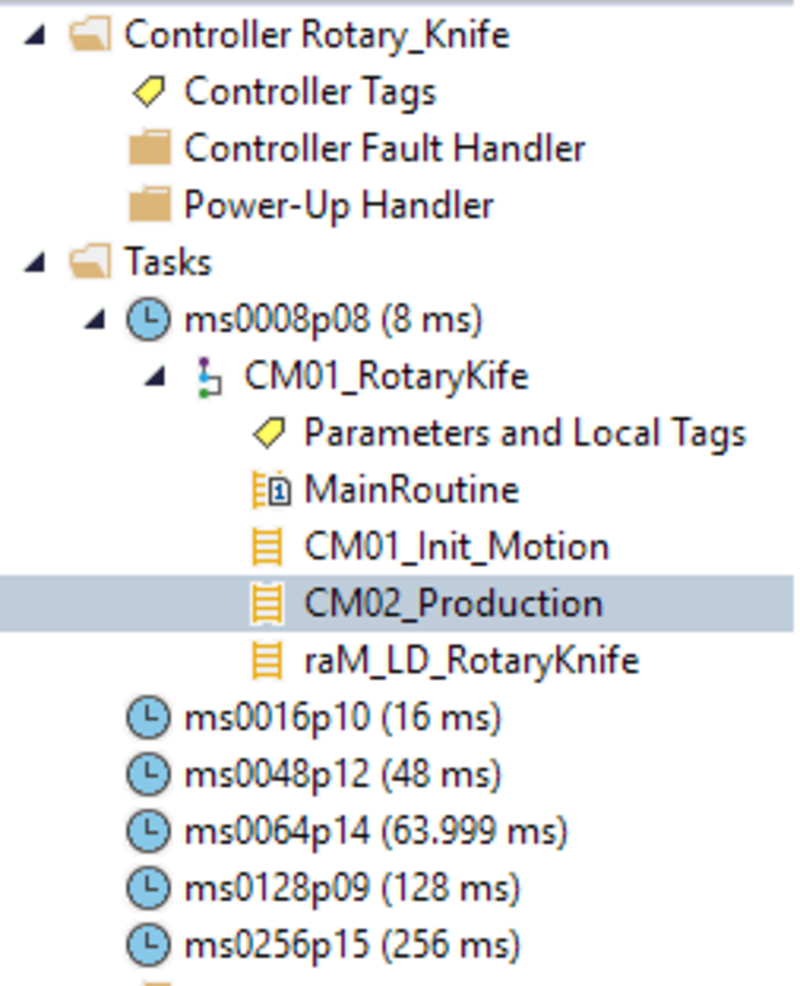
4.1 - Enter the routine indicated in the image above:
rotary-knife_Step4-1.png
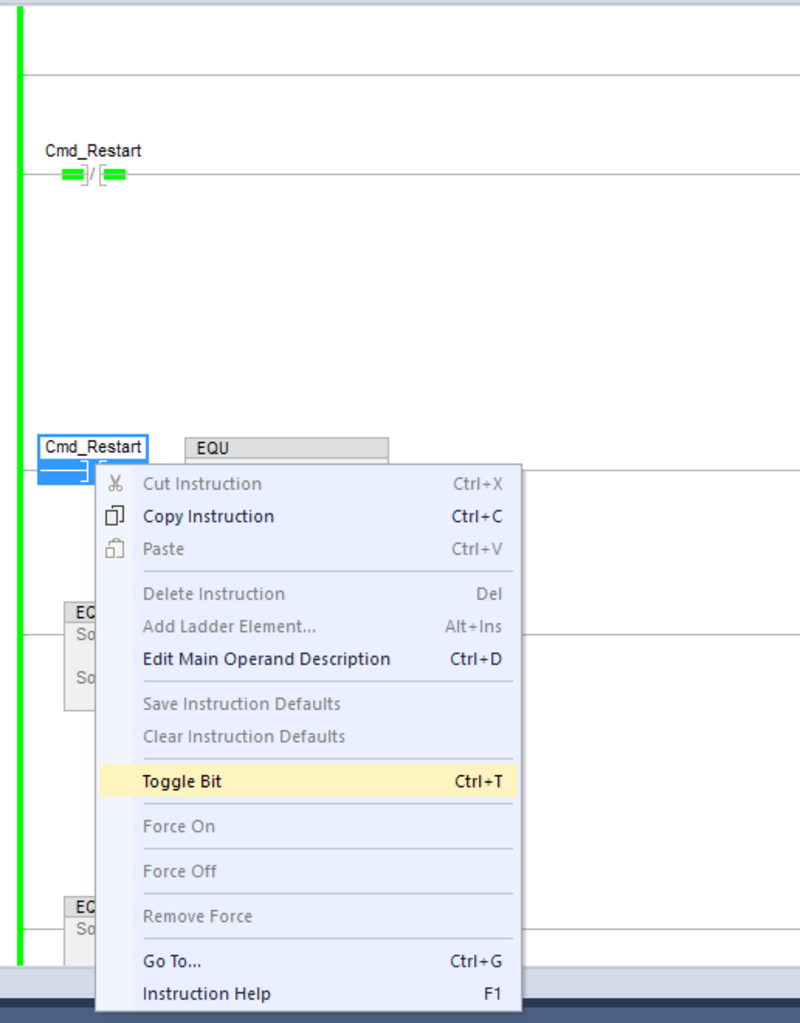
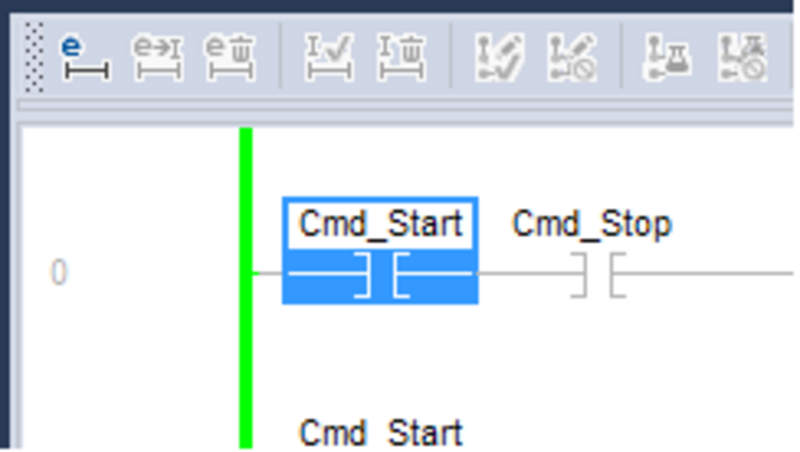
4.2 - In the Cmd_Reset contact, right-click and select Toggle Bit. With this instruction, you will initialize the servo motor, reset faults, and execute the Home routine.
5.1 - Now go to the Ram_LD_RotaryKnife routine and configure the AOI according to your requirements.
rotary-knife_Step5-1.png
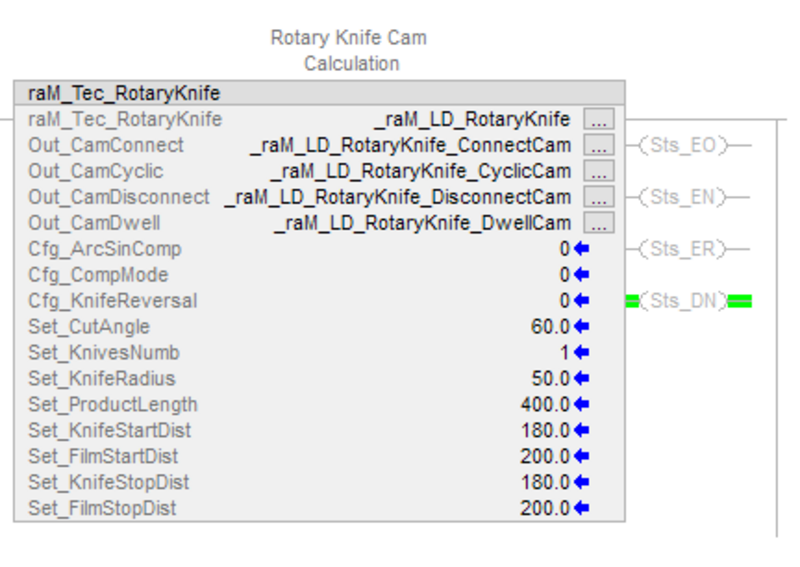
This is an example of how to configure a cam for a rotary knife in the Add-On Instruction (AOI).
5.2 - After homing, the knife is positioned 180 degrees away from the cutting position, and the film position is 200 units away from the first cut.
There is only one knife in the jaws.
The knife radius in the jaws is 50 mm.
After homing, the knife position is 180 degrees from the cutting position.
After homing, the film position is at the center of the product.
The cutting angle is 60 degrees.
The product length is 400 mm.
When the knife stops, it is intended to stop exactly at the same position as after homing (so that it can start using the connection cam when there is no product/bag in operation).