Downloads

SMS Notifications using Factory Talk Optix


What does this application do?
The application has been developed using FactoryTalk Optix software. Its main purpose is to send notifications via SMS text messages to indicate system statuses, facilitating the flow of information and decision-making based on the information sent. This solution utilizes the advanced features that FactoryTalk Optix can deliver in terms of visualization, data management, and programming structures using C#. The platform allows us to keep our operations at the forefront with technological solutions that help us meet the challenges of today's industry, leveraging the use of SMS provider APIs. In this example, we do not use hardware such as a GSM modem.
- Features
- Advantages
Features
FactoryTalk Optix can help improve your processes, efficiency, and end products—all with one easy-to-access tool. Leverage collaboration, scalability, and interoperability to achieve your digital transformation vision.
FT Optix stands out for its ability to connect to a wide variety of industrial devices and protocols such as OPC UA, Ethernet/IP, Profinet, Modbus, HTTPS, MQTT, and many others, enabling real-time integration and monitoring of equipment from different manufacturers from a single IoT platform. In addition, FactoryTalk Optix has the ability to create data logs and save this information in an SQL database. This allows you to view historical alarm trends and create PDF reports as needed. It also allows you to use REST API with NetLogic to make requests to external services.
Sending SMS text messages is a necessity that many users seek in order to notify events or statuses from the plant floor for decision-making and to have an optimized flow of information. In this case, we will use REST API with an SMS provider (in this case, we will use Twilio, although there are others), and internet connectivity is required.
Advantages
- Use of structured code
- Flexibility in connectivity
- Impact on development time
- Notifications according to operational model
- Sending SMS text message from industrial platform
- High reliability
- Compatible with implementation in your applications
- Flexibility and scalability
- Improved information flow
- Data optimization
- Event monitoring
- Data analysis

Please note: You will need to agree to the Terms & Conditions for each download.

Need Help?
If you need help with an application or have feedback from the Innovation Center, please contact us.
Is this application relevant to me?
Having agile notifications with a flow of information associated with sending SMS text messages directly from our application has a wide range of possibilities.
This application can complement your projects by sending notifications or short information in text format to the mobile phone of any user who requires it in their operation.
It applies to any industry or industrial segment where you want to send information via SMS text messages with internet connectivity using an SMS provider.
This functionality can be replicated as many times as necessary in your projects, increasing the value of your products, optimizing implementation costs, and exploiting the continuous flow of information from the plant floor to wherever you are with your mobile phone.
How can I make it work?
Requirements: products, tools, prior knowledge.
Hardware
- Controllers compatible with FT Optix connectivity
Software
- FactoryTalk Optix (V1.7.1)
Prior Knowledge
- Basic knowledge in FactoryTalk Optix and C#.

Implementation Guide
- Step 1
- Step 2
- Step 3
- Step 4
- Step 5
- Step 6
Step 1
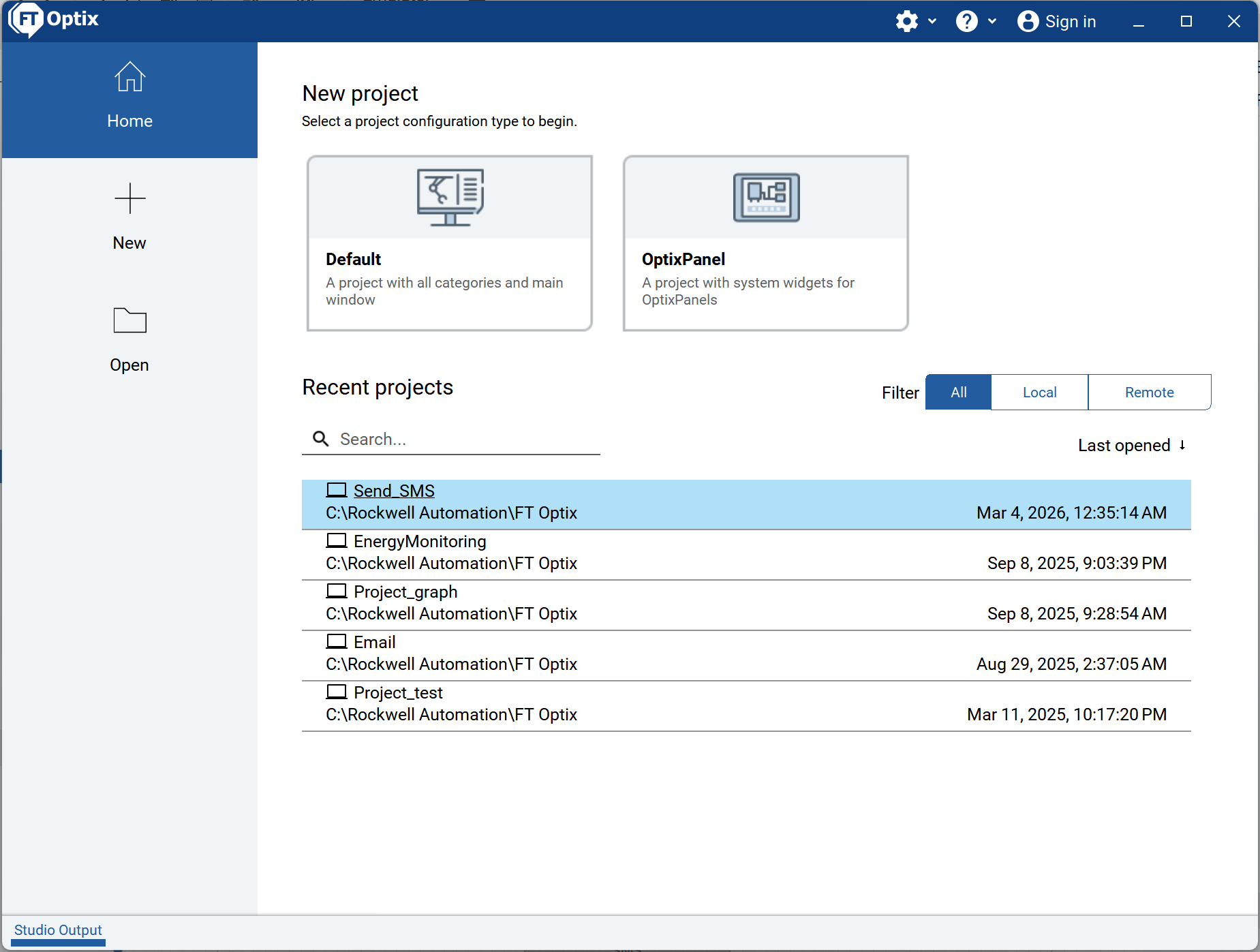
Identify the application to use: FactoryTalk Optix.
Open the file Send_SMS, in the location where you have downloaded it.
sms-notifications-using-factory-talk-optix_Step 1.png
Step 2
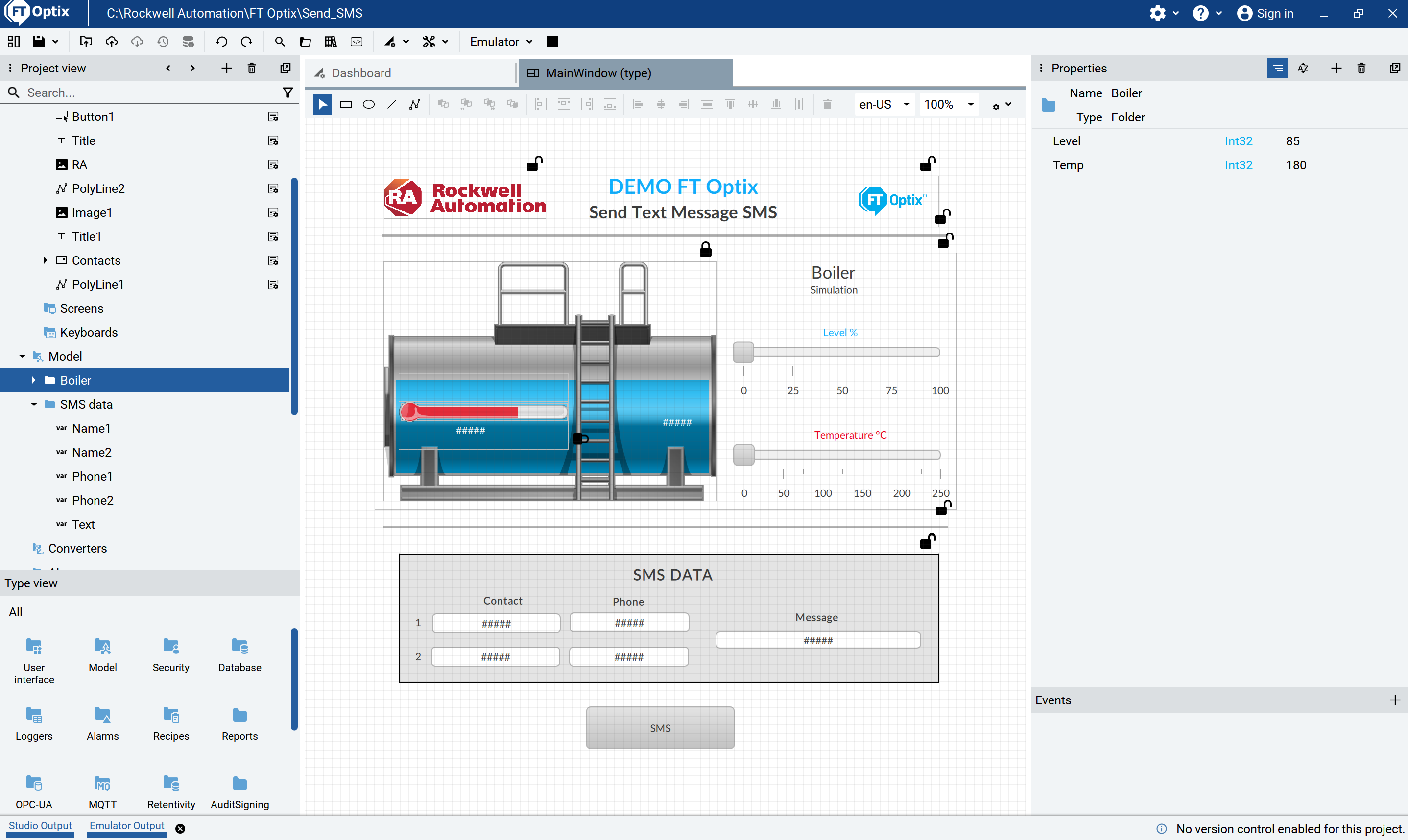
2.1 Navigate the application, open the Main Window, where you can see the elements that make up this demo.
sms-notifications-using-factory-talk-optix_Step 2 1.png
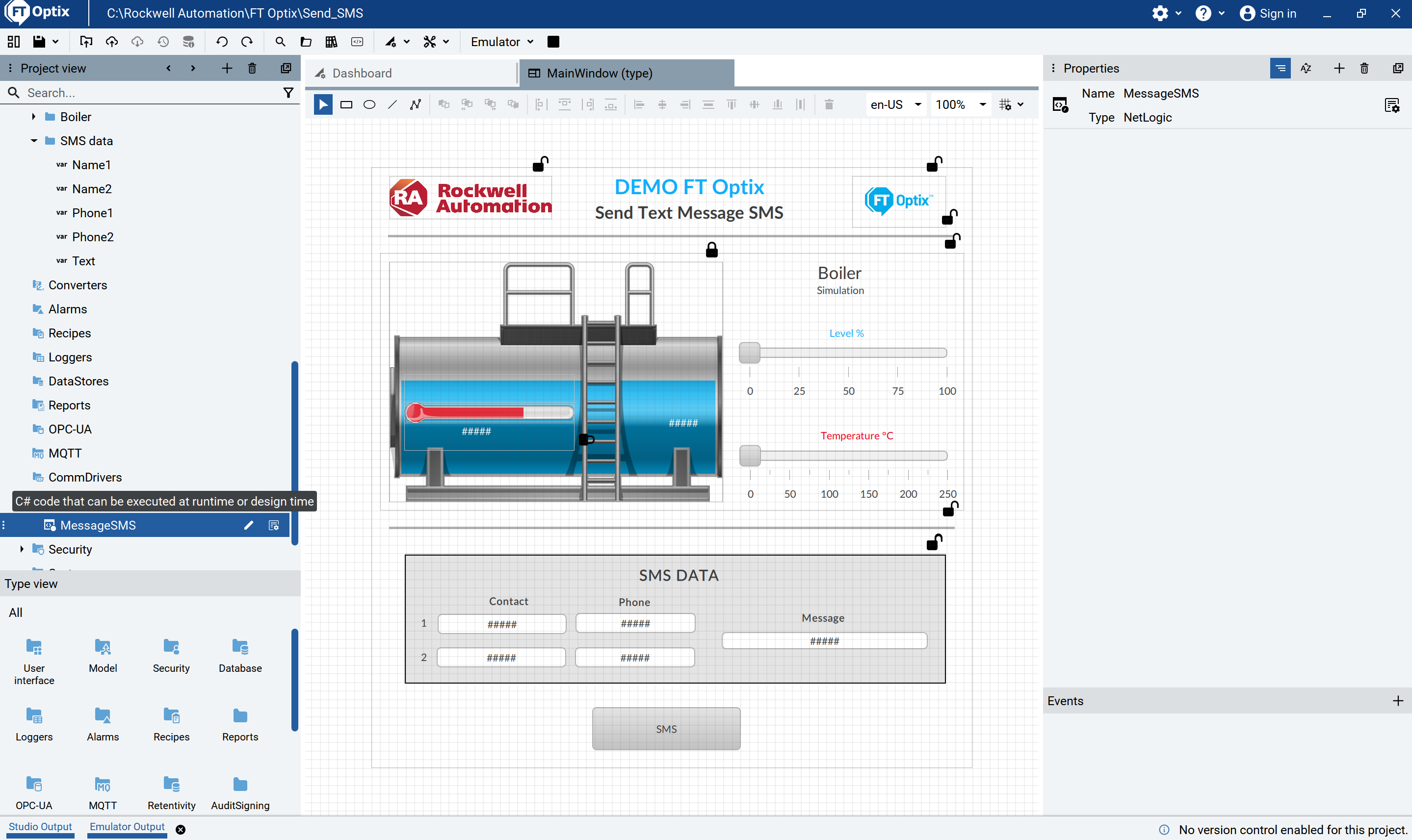
2.2 In the project view locate the NetLogic MessageSMS, where the code for send SMS text messages is located.
sms-notifications-using-factory-talk-optix_Step 2 2.png
Step 3
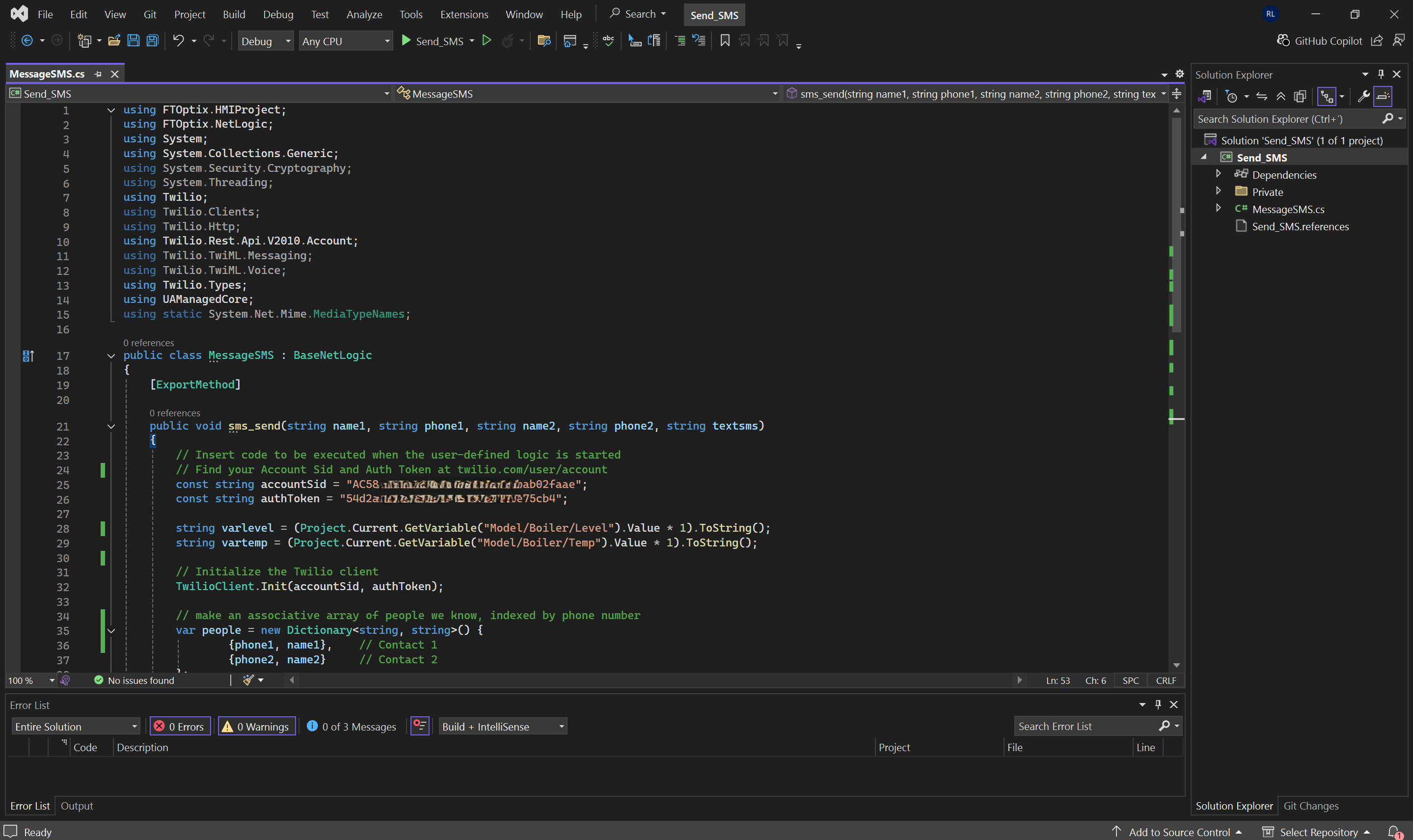
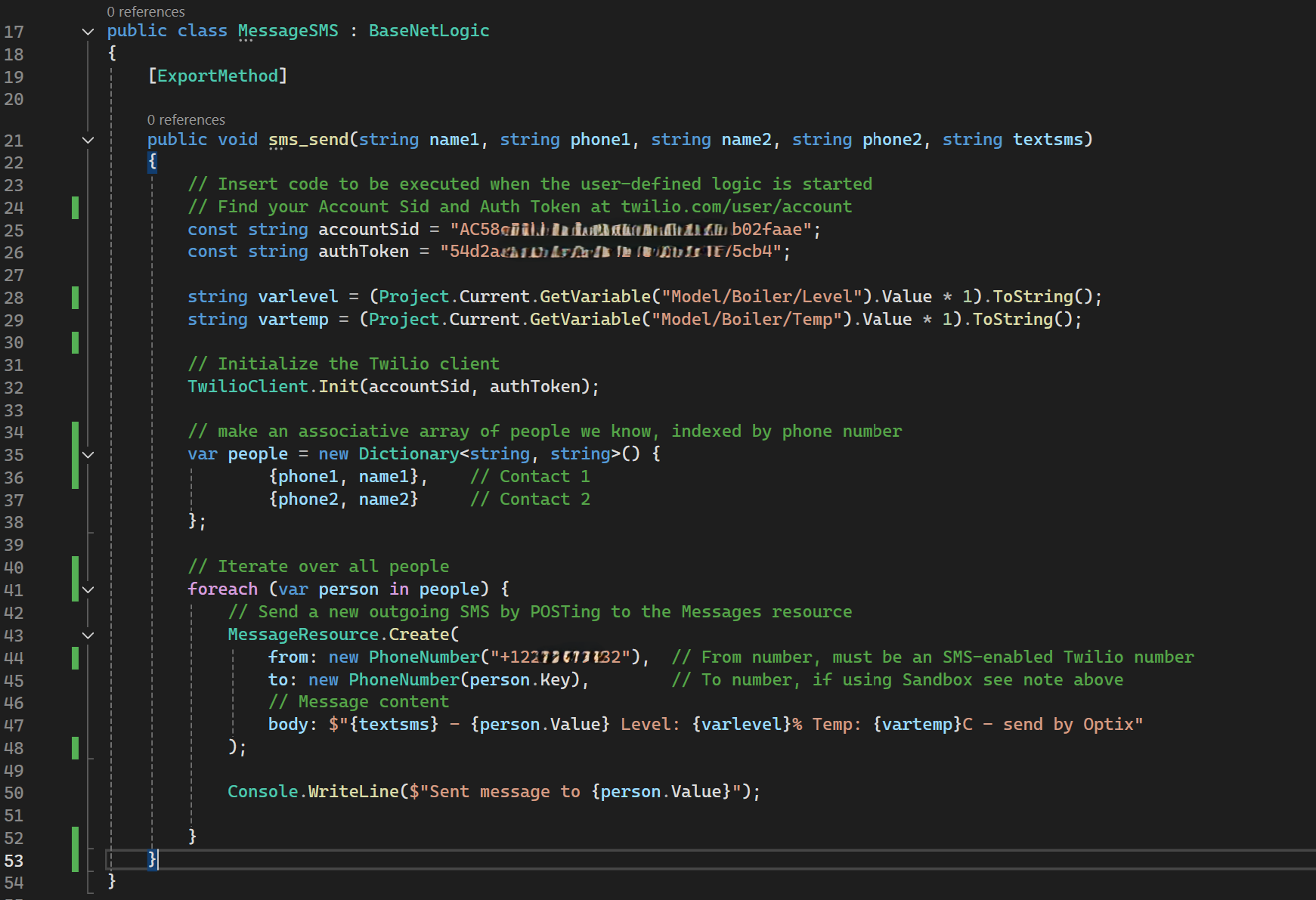
3.1 Open the C# code to send SMS text messages
Ensure you install the Twilio SDK for C#. You can install it using the console NuGet à Manage Nuget Packages, searching for Twilio.
sms-notifications-using-factory-talk-optix_Step 3 1.png
3.2 Ensure you have a Twilio account for sending SMS messages.
Obtain credentials in Twilio Console:
- Account SID
- Auth Token
- Twilio phone number enabled for SMS
Used in the following lines of code:
- 25 const string accountSid = Account SID
- 26 const string authToken = Auth Token
- 44 from: new PhoneNumber (Número de Twilio)
sms-notifications-using-factory-talk-optix_Step 3 2.png
The function parameters are used to assign a pair of contacts (name1, phone1, name2, phone2) to send SMS text messages. Additionally, you can add custom text (textsms).
The SMS text message to be sent is structured as follows: body: $"{textsms} - {person.Value} Level: {varlevel}% Temp: {vartemp}C - send by Optix"
Result: Text – Person1 Level: 85% Temp: 180C – send by Optix
MessageSMS.cs solution code should be built/compile.
Step 4
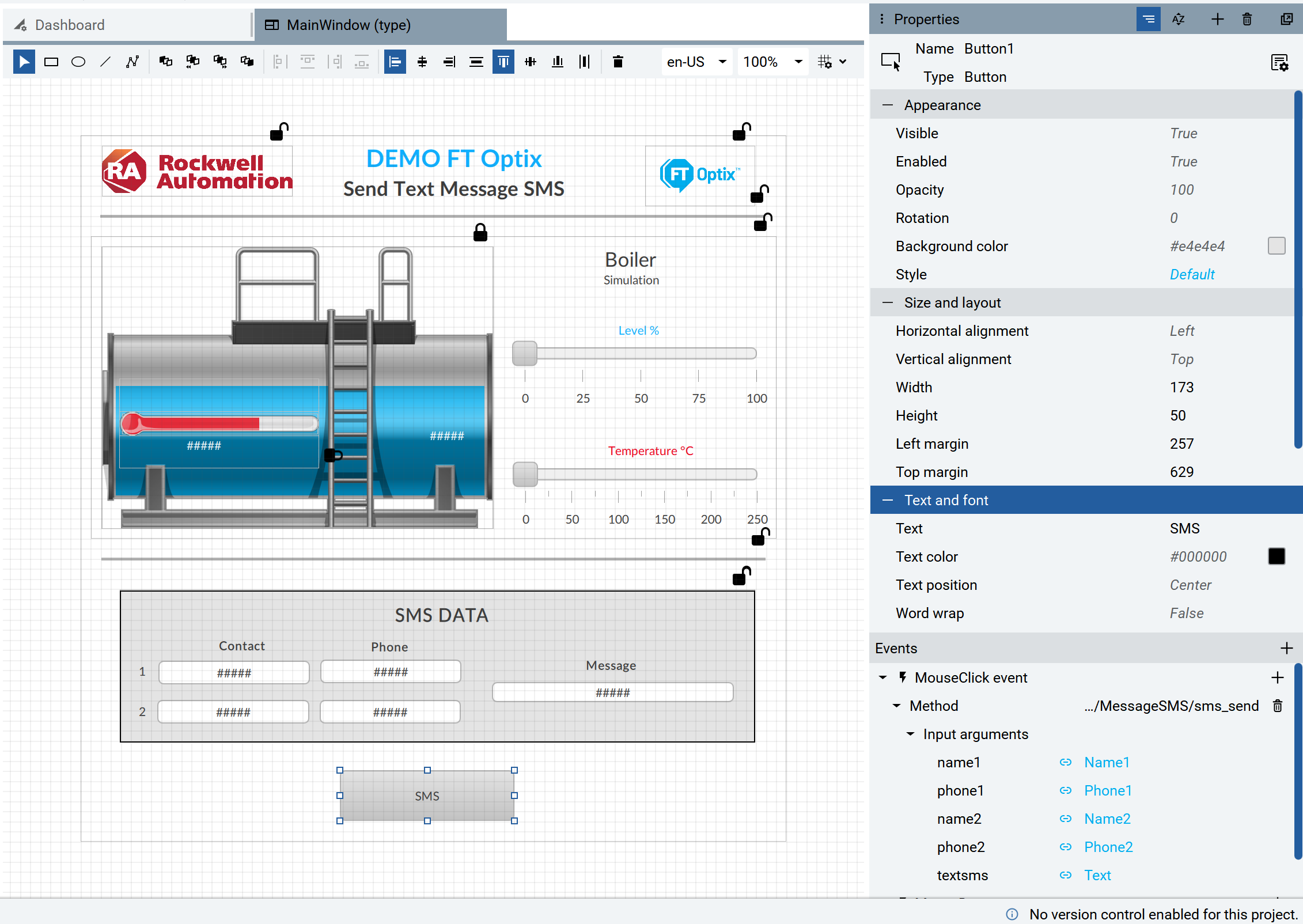
On the SMS button, secure the MouseClick event with the /MessageSMS/sms_send method and ensure that the arguments are assigned.
Run the application to see how it works.
sms-notifications-using-factory-talk-optix_Step 4.png
Step 5
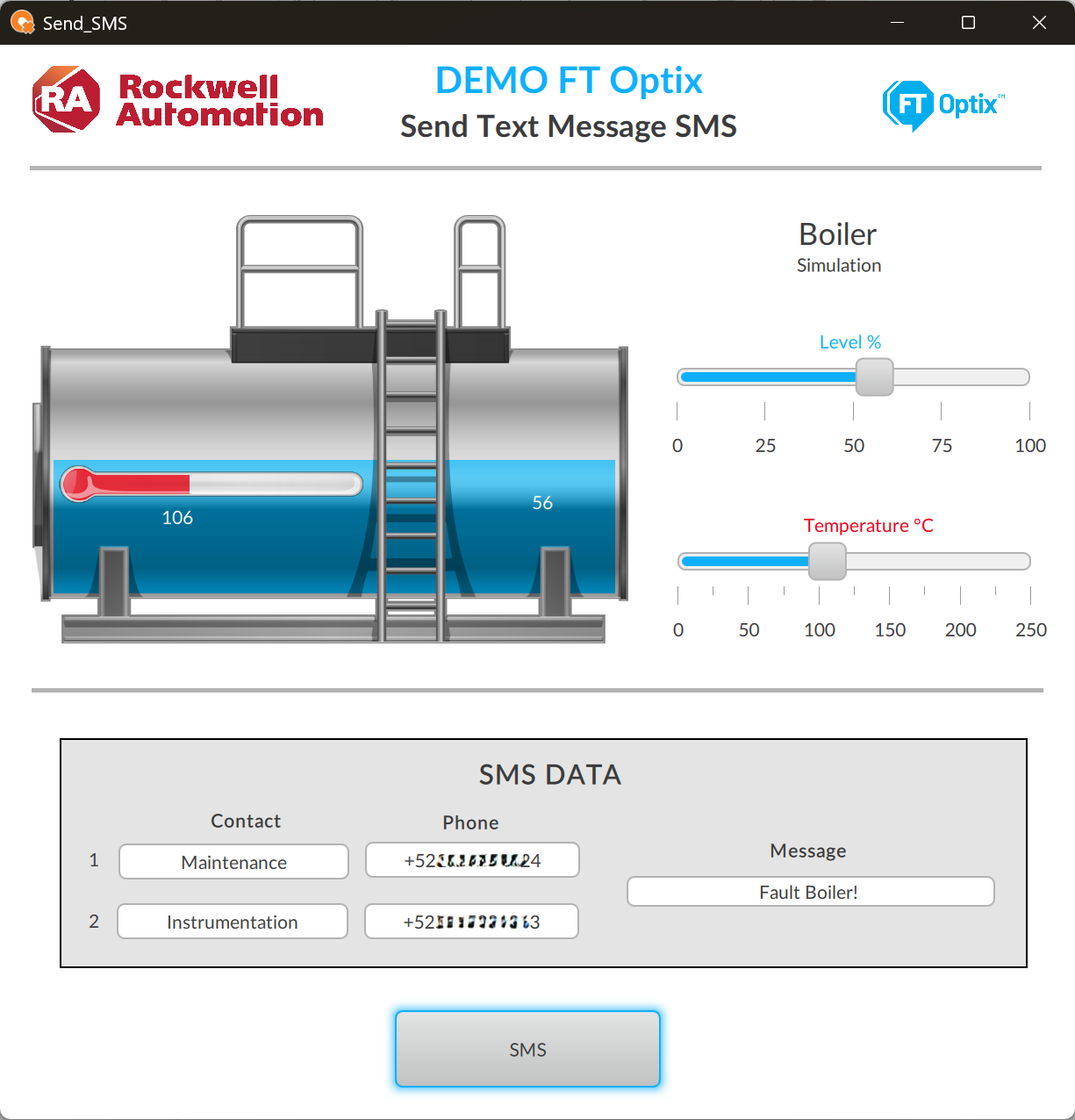
As an example, you can see a boiler with the water level and temperature; these variables are sent to the contacts along with a text message.
sms-notifications-using-factory-talk-optix_Step 5.png
Step 6
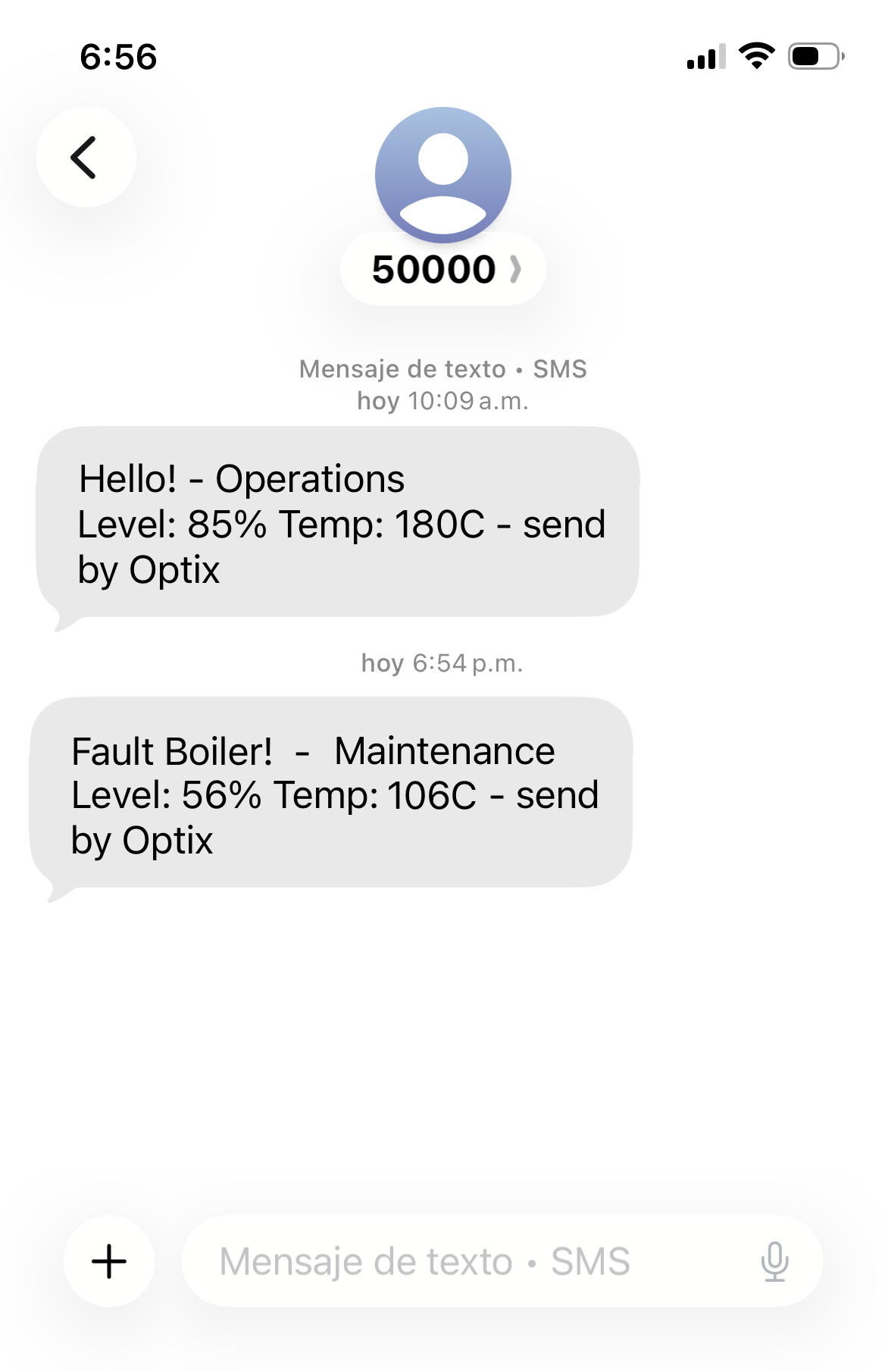
Once the SMS text message has been sent to the mobile number, we will have the information that we structured in our application.
sms-notifications-using-factory-talk-optix_Step 6
SMS Notifications using Factory Talk Optix
Version 2.0 - October 2026
